Advanced JavaFX Tutorial for Java GUI Developers and Desktop Programmers

Cameron McKenzie
@cameronmcnzAbout
Welcome to The Cameron McKenzie Developer's Channel – your all-in-one hub for mastering Java, Spring Boot, and Git! Whether you're a beginner or an advanced developer, our channel is packed with detailed tutorials, expert tips, and practical advice on building modern, scalable applications using the powerful Spring Boot framework. We cover everything you need to know about Spring Boot, from the fundamentals to advanced concepts, with in-depth tutorials on the most important Spring Boot starters: Spring Boot Starter Web Spring Boot Starter Security Spring Boot Starter Data JPA Spring Boot Starter Actuator Spring Boot Starter OAuth2 In addition to Spring Boot, we place a strong emphasis on Git, the version control system every developer should know. We cover key Git concepts and commands to help you collaborate effectively and manage your codebase. Want to learn Spring, Java, Git and even Python and Mojo? You're in the right place!
Latest Posts




Video Description
Advanced JavaFX Tutorial: Building Dynamic, Scalable JavaFX Applications Introduction to Advanced JavaFX JavaFX is a powerful framework for building modern, cross-platform GUI applications in Java. While basic JavaFX applications focus on UI elements like buttons, labels, and layout management, advanced JavaFX involves concepts such as custom controls, animation, concurrency, data binding, and modularization. This tutorial explores these advanced features to help you build scalable and responsive JavaFX applications. 1. Advanced Scene Graph and UI Customization JavaFX applications rely on the scene graph, which is a hierarchical tree of nodes. To create advanced, professional-looking applications, you need: Custom Controls Extend JavaFX components like Control or Region to build reusable UI elements. Use CSS and SkinBase for deeper customization of appearance and behavior. Example: Creating a rounded button with hover effects using JavaFX CSS. Canvas API for Custom Drawing Use Canvas for low-level rendering when Node-based UI elements are not sufficient. Implement custom graphs, charts, or interactive drawings. Efficiently handle graphics rendering for high-performance applications. FXML and Dependency Injection Separate UI (.fxml files) from logic to improve maintainability. Use dependency injection frameworks like Spring Boot or Google Guice to manage JavaFX components dynamically. 2. Concurrency and Multithreading in JavaFX JavaFX runs on a single UI thread (JavaFX Application Thread), making it essential to offload long-running tasks to avoid freezing the UI. Using JavaFX Task and Service TaskV: Handles background operations while updating the UI on completion. ServiceV: A reusable wrapper around Task for recurring background tasks. Example: Fetching large data sets from a database while keeping the UI responsive. Platform.runLater() for UI Updates Since JavaFX is single-threaded, UI updates must occur on the JavaFX thread using Platform.runLater(). 3. Data Binding and Reactive Programming JavaFX provides a binding mechanism that allows UI components to update automatically when the underlying data changes. Types of Bindings Simple Bindings: One-way binding using StringProperty, IntegerProperty, etc. Bidirectional Bindings: Automatically synchronize values between UI elements (textField.textProperty().bindBidirectional(property)). Custom Bindings: Use Bindings.createStringBinding() to implement complex UI behaviors. Using JavaFX with Reactive Streams Combine JavaFX with RxJava or Project Reactor for handling real-time UI updates efficiently. Example: Handling user input in an autocomplete search bar using observable streams. 4. JavaFX Animation and Transitions JavaFX provides a robust animation API to create smooth UI effects. Types of Animations Transitions: Predefined effects such as FadeTransition, TranslateTransition, and RotateTransition. KeyFrame Animations: Use Timeline for more complex animations with multiple keyframes. Interpolators: Control animation speed with Interpolator.EASE_BOTH, Interpolator.LINEAR, etc. Animating Custom UI Components Implement real-time charts that update dynamically. Add hover effects and UI feedback using transitions and event listeners. 5. JavaFX and Modern UI Design To build professional JavaFX applications, consider using: CSS for Styling Use .css files to style JavaFX components instead of hardcoding styles in Java. Apply custom fonts, gradients, and shadows to enhance UI elements. Material and Fluent Design with JavaFX Use third-party libraries like JFoenix to integrate Material Design components. Apply blur effects, transparency, and UI scaling for a modern look. Dark Mode and Theming Implement dynamic theme switching (light/dark mode) by updating CSS at runtime. Example: Switching stylesheets based on user preferences. 6. JavaFX with Databases and REST APIs JavaFX applications often require backend connectivity for data storage and network communication. 0:00 Introduction to JavaFX 0:23 The JavaFX Project 1:22 JavaFX Eclipse Project 3:00 JavaFX & Maven 4:44 JavaFX Application Class 6:51 JavaFX Newsletter 8:09 The JavaFX Number Guesser 13:10 Stages, Scenes and Shows 16:31 Gluon HQ 17:56 Run JavaFX in Eclipse 19:00 Coding the JavaFX App 20:45 JavaFX Events 25:30 Testing the App








Java Developers' Essential Gear
AI-recommended products based on this video

Anker Power Bank(PowerCore 10K),Compact Travel-Ready 10,000mAh Battery Pack with PowerIQ Charging Technology,5V/3A High-Speed Charging for iPhone,iPad,and More (USB-C Input and Output(Black),1pack) ClimatePartner certified

COOWPS Switch Case for Nintendo Switch and Switch OLED Model, Portable Full Protection Carrying Travel Bag with 18 Game Cards Storage for Switch Console Pro Controller Accessories Black
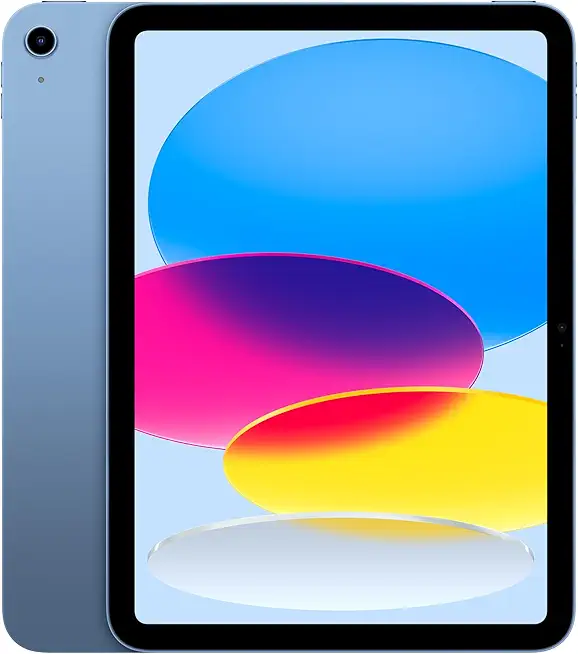
Apple iPad 11-inch: A16 chip, 11-inch Model, Liquid Retina Display, 128GB, Wi-Fi 6, 12MP Front/12MP Back Camera, Touch ID, All-Day Battery Life — Blue EPEAT

MSI Forge GK310 RED US - Mechanical Keyboard, HOT SWAPPABLE, RED SWITCHES, RGB, Ergonomic, Anti-GHOSTING, Angle-Adjustable (Black)
