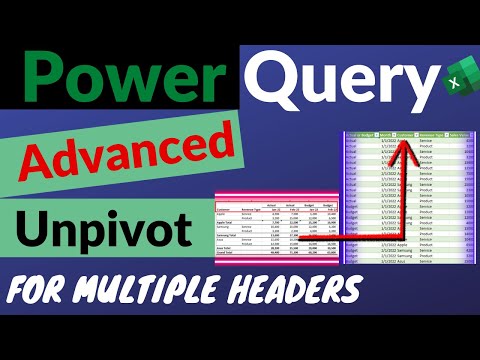
Advanced Unpivot in Power Query - Transpose Multiple Columns & Multiple Headers Without Any Formulas

Miss Microsoft
View ChannelAbout
If you love making things work smarter with Power Query and Power BI then you've come to the right place! Through my videos, I’ll guide you step-by-step into the heart of Microsoft's powerful Business Intelligence tools, unravelling their mysteries into something you can understand and use right away. It's not just about learning; it's about making real progress and seeing the impact in your day to day work. Whether you're a curious beginner eager to automate your first dataset, or a seasoned enthusiast looking to refine your craft, you've found a community that gets you. This channel is on a journey to make automation accessible to everyone, we're creating a community of data enthusiasts ready to take on any challenge. Here's to hoping that these videos not only educate but inspire you to reach your goals and aspirations!
Latest Posts



Video Description
Learn how to use advanced unpivot in Power Query when you have data with multiple columns and multiple headers and you want to transpose these columns to rows, so you want to unpivot this data before it was pivoted so that you can perform further data analysis. In example one learn how to use unpivot when you have multiple headers and in example 2 learn how to use advanced unpivot when you have multiple headers and multiple columns to transpose. Every step is really important to progress to the next step but if you prefer to skip ahead please use the timestamps below. You can download the practice example here: https://docs.google.com/spreadsheets/d/1Zd032nWPYZy6Yh4QN-csat8Tnd2TuKqb/edit?usp=sharing&ouid=108573460979392589182&rtpof=true&sd=true Timestamps: 00:00 The End Result 00:37 Example 1 - The Source Data to Unpivot 01:19 How to Unpivot or Transpose Multiple Columns in Power Query 02:19 Example 2 - The Source Data to Unpivot 02:46 How to Unpivot or Transpose Multiple Columns & Multiple Headers in Power Query ✅ Please see link to videos mentioned in this video: 🎦 Learn Power Query in Excel for Beginners: https://youtu.be/7nRRuF46qoc 🎦Power Query Error Handling - How to Deal with Power Query Errors Part 1: https://youtu.be/xboyhrbo0uM 🎦 Advanced Pivot Table Techniques - Use Power Query to Easily Pivot Text & Other Messy Data: https://youtu.be/Vp3ZwrT9foE 🎦 Power Query Age Analysis - Create an Excel Age Analysis Report Using Power Query: https://youtu.be/DPr4bNFsr-4 ✅ If you would like to connect on LinkedIn: 🤝 www.linkedin.com/in/missmicrosoft ✅ If you would like to buy me a coffee, so I can get my caffeine in to keep creating as many videos as possible for you :). It's really quick and easy, please use this link: ☕https://www.buymeacoffee.com/missmicrosoft ✅ For more videos please subscribe: 🔔https://www.youtube.com/channel/UCcZhWH_xKNZFIBbBjz1VsWw?sub_confirmation=1 ✅ Please also check out my Excel course on Udemy, please use this link: 📖 https://www.udemy.com/course/excel-foundations-learn-the-most-important-features-of-excel/?referralCode=AD9171333F41E4B774DA
Elevate Your Data Game
AI-recommended products based on this video

Microsoft Office Home & Student 2019 | One-time purchase, 1 person | PC/Mac Keycard

Laplink PCmover Ultimate 11 - Migration of your Applications, Files and Settings from an Old PC to a New PC - Data Transfer Software - With Optional High Speed Ethernet Cable - 1 License
