Amazing new features in NotebookLM for Teachers


Russell Stannard (Teacher Training Videos)
@ttvrussellAbout
Simple and clear step by step videos for teachers wanting to use technology on their teaching and learning. The focus is on clear, easy to use technologies that are mostly free and can have a big impact on our classes and our students learning.


Video Description
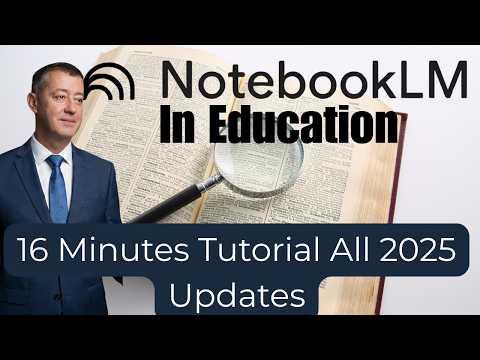
Complete training in using NotebookLM including all the latest 2025 updates Sign Up to Russell's newsletter https://forms.aweber.com/form/61/763053361.htm Try Gaston https://gaston.live/en/gaston-r2 00:00 Introduction 01:51 Get GoogleLM 02:10 A GoogleLM Example 04:19 Making a NotebookLM from the start 07:43 Using the Chat in Notebook 11:37 Generate a Mindmap 12:51 Briefing document 14:59 Gaston is also incredible 15:41 Generate video in Notebook 17:50 Generate audio and interact Complete Google NotebookLM Tutorial 2025: Your AI Research & Thinking Partner Ready to master Google NotebookLM in 2025? This is the most comprehensive, up-to-date tutorial you'll find, covering everything from the foundational concepts to the very latest features and updates. Whether you're a student, researcher, content creator, or professional, this video will show you how to leverage NotebookLM to transform the way you learn, organize, and create. I've just completed an intensive course on NotebookLM, so this guide is packed with expert tips and practical demonstrations you won't find anywhere else. I'll walk you through every key feature, highlighting the powerful new additions that make NotebookLM an indispensable tool for anyone working with information. What You'll Learn in this Complete Google NotebookLM Tutorial: Understanding NotebookLM: We'll start by defining what Google NotebookLM is and, more importantly, what it's truly useful for. Discover how this AI-powered tool acts as your personal research and thinking partner, grounded in the content you trust. Uploading Your Content: Learn all the different ways to add your own sources. I'll demonstrate how to upload PDFs, Google Docs, and web URLs, and even show you how to use NotebookLM's "Discover Sources" feature to find and import new content directly. Mastering the Core Features: I'll take you on a deep dive into the most important features of NotebookLM, including the interactive chat window, the frequently asked questions (FAQ) generator, and the powerful briefing notes. The Power of Visuals: Learn how to create and leverage mind maps to visualize complex connections between your sources. I’ll share a critical tip on how to get the best results from your mind maps by carefully selecting your sources. Controlling Your Sources: Don't get overwhelmed! I'll show you how to manage your sources effectively, demonstrating how to control which documents NotebookLM is referencing at any given time. Exploring the Latest Updates (2025): We'll dive into the most recent and exciting features. I'll show you how to control and interact with the new audio and video content. Learn how you can customize these outputs to become part of the experience, whether you're creating a podcast show or a visual presentation. Sharing and Collaboration: Find out how to download and share your content, from briefing notes to mind maps, making it easy to collaborate with others or simply archive your work. This video is designed for both beginners and experienced users who want to stay on top of the latest advancements. Stop drowning in information and start using NotebookLM to work smarter, not harder. If you're serious about taking your research and learning to the next level, this is the tutorial for you. Don't forget to like, comment, and subscribe for more complete tutorials and tips on the latest AI tools! #NotebookLM #GoogleNotebookLM #AITutorial #CompleteTutorial #GoogleLM #ResearchTool #StudyTips #AItools #2025 #GoogleAI


Upgrade Your Notetaking Now
AI-recommended products based on this video