An introduction to Beamforming


MATLAB
View ChannelAbout
Engineers and scientists worldwide rely on MATLAB and Simulink products to accelerate the pace of discovery, innovation, and development. MATLAB and Simulink are used throughout the automotive, aerospace, communications, electronics, and industrial automation industries as fundamental tools for research and development. They are also used for modeling and simulation in increasingly technical fields, such as financial services and computational biology. MATLAB and Simulink enable the design and development of a wide range of advanced products, including automotive systems, aerospace flight control and avionics, telecommunications and other electronics equipment, industrial machinery, and medical devices. More than 5000 colleges and universities around the world use MATLAB and Simulink for teaching and research in a broad range of technical disciplines.
Latest Posts


Video Description
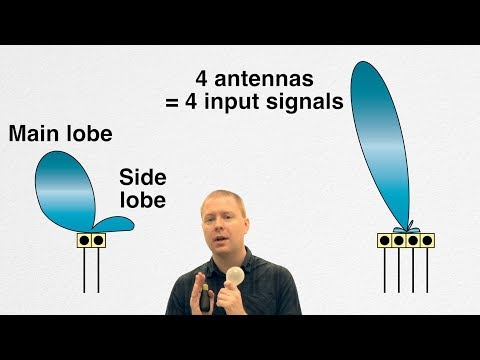
This video talks about how we actually have more control over the shape of the beam than just adding additional elements or adjusting the position and orientation of the elements. We can also adjust the gain of the signal to each element and apply phase unevenly to each element, and that gives us a lot more flexibility in beamforming. Plus, with the advances in fast analog to digital converters, we can have full digital control over each individual element which opens up the possibility of adaptive beamforming. Want to see all of the references in a nice, organized list? Check out this journey on Resourcium: https://bit.ly/3iHFw1c Check out these other links: - Fixed-Point HDL-Optimized Minimum-Variance Distortionless-Response (MVDR) Beamformer: https://bit.ly/3Z9MVXy - MATLAB Function - phased.MVDRBeamformer: https://bit.ly/3uAxUjq - Conventional and Adaptive Beamformers: https://bit.ly/3VU76GE -------------------------------------------------------------------------------------------------------- Get a free product trial: https://goo.gl/ZHFb5u Learn more about MATLAB: https://goo.gl/8QV7ZZ Learn more about Simulink: https://goo.gl/nqnbLe See what's new in MATLAB and Simulink: https://goo.gl/pgGtod © 2022 The MathWorks, Inc. MATLAB and Simulink are registered trademarks of The MathWorks, Inc. See www.mathworks.com/trademarks for a list of additional trademarks. Other product or brand names may be trademarks or registered trademarks of their respective holders.














No Recommendations Found
No products were found for the selected channel.