Asp.Net Core Web API CRUD Operations using Entity Framework Core and SQL Server | CLEAN Architecture

WebGentle
View ChannelAbout
Welcome to WebGentle – Your One-Stop Learning Hub! At WebGentle, we empower learners, professionals, and tech enthusiasts to grow their skills and stay ahead in the ever-evolving world of technology and project management. ===================================================================================== What You'll Learn Here: Web Development: Angular, ASP.NET, ASP.NET Core, C# Cloud & DevOps: Microsoft Azure, Azure DevOps Project Management: Agile & Scrum methodologies Atlassian Products: Jira Software, Jira Service Management, Confluence, Jira Product Discovery, and more Real-world Tutorials & Use Cases to apply your skills confidently 📢 We also offer support and solutions for Atlassian tools – whether you're looking for configuration help, automation, training, or integration. 💬 Need Help? For Atlassian consulting, corporate training, or business inquiries, feel free to contact us at: 📩 [email protected] 📩 [email protected]
Latest Posts


Video Description
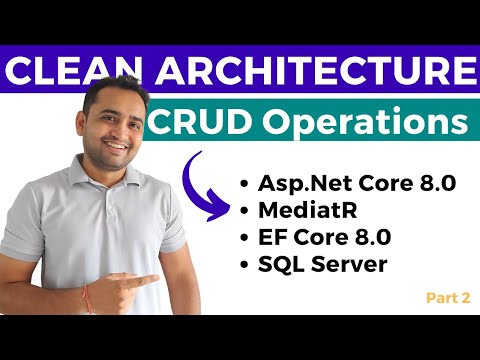
Asp.Net Core Web API CRUD Operations using Entity Framework Core and SQL Server with CLEAN Architecture. CRUD operations in asp.net core web api. In this video we will be diving. In today's video, we're diving deep into the world of ASP.NET Core Web API and Clean Architecture. Specifically, we're going to learn how to implement CRUD operations. That's Create, Read, Update, and Delete for those who might be unfamiliar. We'll be starting from scratch, setting up our project with a clean architecture approach. This means our code will be well-organized, scalable, and easy to maintain. If you've ever felt overwhelmed by messy code or struggled to keep your project structure neat, this video is for you! By the end of this video, you'll have a solid understanding of how to create a robust ASP.NET Core Web API with clear separations of concerns, making your code cleaner and more professional. So, grab a cup of coffee, open up Visual Studio, and let's get started! First, we'll set up our project. We'll create a new ASP.NET Core Web API project, and I'll walk you through the initial setup steps. Then, we'll dive into the core of CRUD operations. We'll create models, set up our database context, and implement the repository pattern and mediatR pattern to handle data access. And of course, we'll be using dependency injection to keep everything nice and decoupled Resources: Clean Architecture Video : https://www.youtube.com/watch?v=sBAB_EKYPYs 🔗 Source Code: https://github.com/nitish-kaushik/aspnetcore-webapi-clean-architecture asp.net core web api crud operations,asp.net core web api crud operations using sql server,asp.net core web api crud operations using entity framework,asp.net core web api crud operations using ef core and sql server,asp.net core web api crud operations with entity framework,asp.net core web api crud operations repository pattern,crud operation in asp.net core mvc using visual studio 2022,crud operations in asp.net core web api,asp.net core web api clean architecture,crud operations in asp.net core mvc,crud operations in c#,crud operations using entity framework in asp.net mvc,web api crud operations using asp net mvc,crud operations in asp.net,web api creation step by step c#,web api crud operations,web api crud operations using asp net,web api crud c#,asp.net core mediatr ,asp.net core mediator,mediatr,mediatr c#,mediatr asp.net core,mediatr asp.net core web api
Boost ASP.NET Core Development
AI-recommended products based on this video

Battery Cover for Xbox Series S, Cheap Replacement Back Shell Door Lid Repair Part to Microsoft Xbox Series X Controller, Black Batteries Port Cap Outside Case for New Xbox Core Wireless Remote,4 Pack

Meta Quest Compact Carrying Case - Refreshed Compact Design - Fits Quest 3/3S, Touch Plus Controller, Active Straps, Charging Cable and Adapter - Compact Carrying Case Edition

CERAKOTE® Ceramic Headlight Restoration Kit – Guaranteed To Last As Long As You Own Your Vehicle – Brings Headlights back to Like New Condition - 3 Easy Steps - No Power Tools Required
