Beats Studio Buds User Guide!

About
No channel description available.
Latest Posts
No results found. Try different keywords.
Video Description
Beats Studio Buds User Guide! Beats Studio Buds Review & Comparison: AirPods vs Beats (What Should You Buy?) https://youtu.be/rqf5DHGYjqI Subscribe For Tech Videos including Tech How To’s with New Videos Every Week! Follow us on Twitter: @TechInRL Welcome to my Beats studio buds user guide and tutorial. In this video I’m going to show you how to setup, use and even customize the settings of the Beats studio buds, so stay tuned! Whether you use an iPhone or and android phone pairing the beats studio buds is really simple. I’ll be demonstrating the paring process using an iPhone, but it’s the same for any android phone or tablet running Android 6.0 or higher. When they’re new out of the box just open the case lid and hold them close to your phone, in a moment you’ll get on screen instructions popping up in a card on the bottom third of the screen. Just press connect and it’s done. To use the Beats studio buds is really simple. There is no off or on button, once setup, just take them out of the case and put them in your ears. They should auto connect to the device you set them up on. If for some reason they don’t auto connect then you can manually select them in your devices bluetooth menu to connect. When you’re finished using them, just put them back in the case, there’s no need to turn them off as they do that on their own! The on device controls offer basic content control and the ability to switch through the 3 noise control options. You can use either side to control the buds. Press the button once to play, double press to FF, triple press to go back. Press and hold to cycle through the noise control options. Checking the battery is pretty simple as well. On your iPhone you can check the battery using the battery widget whether in today view or on your home screen. On your android device just load up the beats app, in the device screen, the battery level is shown below the image of the headphones. You can also get a vague idea about the charge by using the status light on the case. When the case battery is less than 40% charged, the LED on the front turns red. To charge the beats studio buds just plug them in to any usb c charger. To adjust the volume you’ll need to use your phone in most cases. If you’re using them with an iPhone you can use Siri to change the volume by saying something like “Hey Siri, turn up the volume”. Or You can also specify a percentage by saying something like “hey siri, set volume to 60%”. Just like AirPods, if you’re using them with your iPhone and have an apple watch, you can also adjust the volume using the now playing app on your apple watch as well. To customize or adjust the settings of the Beats studio buds is pretty simple as well. Make sure you’re wearing your beats studio buds and that they are active! For android devices, run the beats app and in the device screen, scroll to see your connected device’s available settings. On iPhone open your iPhones settings app, then tap bluetooth. Then choose the circled “I” beside the beats studio buds on the list. First is the Device name option, to rename your beats studio buds just tap to open the screen to make the change. Once complete just press done at the Botton and then back. Next you have the Noise control options, this is another way to switch between them besides pressing and holding the button on the buds. Then there is the option to customize what happens on each ear bud when you press and hold the button for each one left and right individually. Not much in the way of options though, just the default option to cycle through the noise control options or siri. Beneath that you have the about section that contains information about your beats studio buds such as model number, serial number and the firmware version. Then beneath that is the option to manually disconnect if the need arises and then forget this device which essentially uninstalls the beats studio buds from your phone. If you ever end up having any issues with your beats studio buds. Such as consistent poor reception or connection issues there is an option to reset the the beats studio buds. To reset, make sure both earbuds are in the charging case. Leave the lid open, then Press and hold the system button on the case for 15 seconds or until the LED indicator light flashes red and white. Then release the button. The LED indicator will likely continue to flash white meaning that they are in paring mode and are ready for you to set them up on your device again. If you enjoyed this video or found it helpful, feel free to give it a thumbs up and while you’re down there don’t forget to ring that bell and subscribe to the channel for more tech videos, including tech how to’s every week! As always, thanks for watching and we’ll see you in the next one! Song: LiQWYD - Smile Music provided by Vlog No Copyright Music. Creative Commons - Attribution 3.0 Unported Video Link: https://youtu.be/O9gCWOnMllg
Camera Gear Essentials
AI-recommended products based on this video

KLONA Handheld Steam Cleaner, Steam Cleaner for Home with 10 Accessory Kit, Multipurpose Portable Upholstery Steamer Cleaning with Safety Lock to Remove Grime, Grease, and More
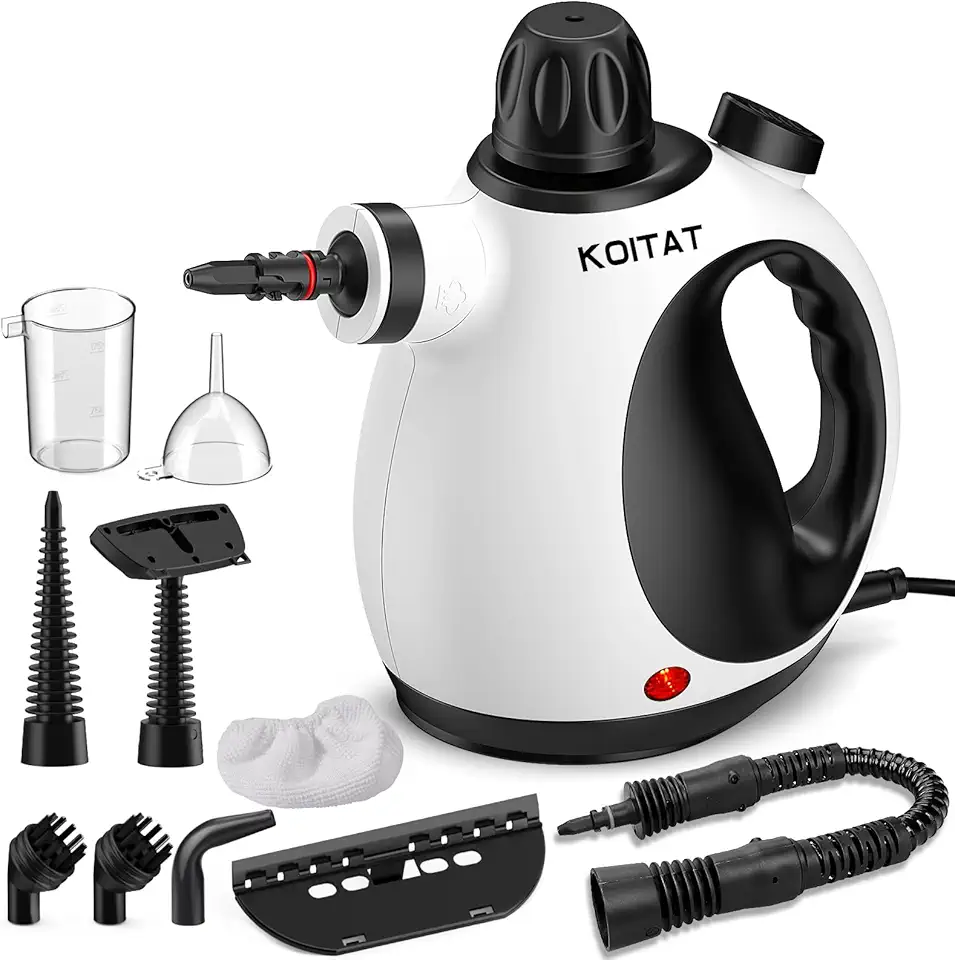
Portable Steam Cleaner, Hand Held steamers for cleaning house, Home Multi Purpose-10-Piece Accessory Kit for Sofa,Carpets,Upholstery,Car,Floor,Bathroom,Mattress and More

Cleaner Kit for Airpods Pro 1 2 3 Multi-Function Cleaning Pen with Soft Brush Flocking Sponge for Bluetooth Earphones Case Cleaning Tools White

Water Heater Cleaning and Flushing Tool, Sediment Buster Hot Water Tank Flush Kit, Breaks Up Stubborn Clogs, Remove Sediment & Dirt Easily, Friendly Plumbing Maintenance Kit for Electric & Gas Heaters

eazpower for Magsafe Power Bank 10000mAh, Magnetic Battery Pack Wireless, 20W PD Fast Charging, Compact Portable Charger with Built-in Cables and Stand for iPhone 16/15/14/13/12/ Apple Watch/Airpods
![Anker USB C Cable, [2-Pack, 6 ft] Type C Charger Premium Nylon USB Cable, USB A to Type C Charging Cable Fast Charge for Samsung Galaxy S10 S10+ / Note 8, LG V20 and Other USB C Charger (Black)](https://m.media-amazon.com/images/I/71N7xhCJnoL._AC_UL960_FMwebp_QL65_.jpg)
Anker USB C Cable, [2-Pack, 6 ft] Type C Charger Premium Nylon USB Cable, USB A to Type C Charging Cable Fast Charge for Samsung Galaxy S10 S10+ / Note 8, LG V20 and Other USB C Charger (Black)

SanDisk 128GB Extreme PRO SDXC UHS-I Memory Card - C10, U3, V30, 4K UHD, SD Card - SDSDXXD-128G-GN4IN

Lexar 128GB Micro SD Card, microSDXC UHS-I Flash Memory Card with Adapter - Up to 100MB/s, A1, U3, Class10, V30, High Speed TF Card
