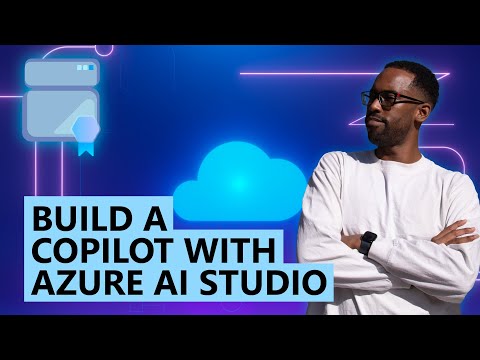
Build a Copilot with Azure AI Studio

Microsoft Developer
@microsoftdeveloperAbout
Official Microsoft Developer YouTube channel! Featuring live events, tips and tutorials, product news and more to help you explore, discover, and build solutions - using your favorite languages, technologies, and open-source frameworks. More information visit https://developer.microsoft.com
Latest Posts

Video Description
In this episode of the #AzureEnablementShow, host Aaron Stark is joined by Natalie Mickey and Ivor Berry (@ivorjberry) from Microsoft Azure, to talk about how you can use Azure AI Studio to build your own Copilot. Natalie will share all the amazing documentation provided by Microsoft to help developers get access to Azure AI Studio and get the training they need to start coding! Next, Ivor will walk through one of the learn modules and then demonstrate how to use Azure AI Studio and prompt flow to build a custom copilot. He then shows how to connect a prompt flow to a searchable index of brochures from a fictional travel agency and how to chat with the generative AI model using the context from the search resource. He also demonstrates how to deploy the prompt flow as an endpoint. Resources • Collection: Build cutting-edge, market-ready, responsible applications for your organization with AI https://aka.ms/azenable/160/06 • Learning path: Create custom copilots with Azure AI Studio https://aka.ms/azenable/160/03 • Module: Introduction to Azure AI Studio https://aka.ms/azenable/160/01 • Module: Get started with prompt flow in Azure AI Studio https://aka.ms/azenable/160/02 • Technical documentation: What is AI Studio? https://aka.ms/azenable/160/04 • Tutorial: Deploy a web app for chat on your data in the Azure AI Studio playground https://aka.ms/azenable/160/05 Related episodes • Make Your Private Copilots Production-ready https://aka.ms/azenable/155 • Develop Your Copilot Skills https://aka.ms/azenable/151 • Develop your AI coding skills https://aka.ms/azenable/137 • Watch the Azure Enablement Show https://aka.ms/AzureEnablementShow Chapters 0:00 Introduction 0:27 Copilot overview 1:17 Access requirements 1:33 Skilling resources 2:05 Learning module 2:50 Azure AI Studio 3:40 Prompt flow creation 5:58 Configuration 6:51 Testing the flow 8:25 Deployment 9:07 Resources








Essential Flight Enthusiast Gear
AI-recommended products based on this video

Charging Stand with Cooling Fan for Xbox Series X Console & Controller,Vertical Dual Charger Station Dock Accessories with 2X 1400mAh Rechargeable Battery & Cover,Headset Stand & 10 Game Slots
![200W Car Power Inverter, PiSFAU DC 12V to 110V AC Car Plug Adapter Outlet with [20W USB-C] /USB-Fast Charger(18W) / 4.8A Dual USB/car Charger for Laptop](https://m.media-amazon.com/images/I/61IRXv7G09L._AC_UL960_FMwebp_QL65_.jpg)
200W Car Power Inverter, PiSFAU DC 12V to 110V AC Car Plug Adapter Outlet with [20W USB-C] /USB-Fast Charger(18W) / 4.8A Dual USB/car Charger for Laptop

Nulaxy Bluetooth FM Transmitter for Car, Upgraded QC3.0 & 5V 1A Dual USB Charger Bluetooth Car Adapter Wireless Radio, 7-Color LED Backlit Light, Hands-Free Calling, Support USB Drive TF Card - NX10
![Zennova [2 Pack] 12V Dual USB Quick Charger 3.0 Port Waterproof Power Outlet With Power Switch for Car, Golf Cart, Boat, Marine, Bus, Truck, RV, Motorcycle](https://m.media-amazon.com/images/I/71Tw7vsDFgL._AC_UL960_FMwebp_QL65_.jpg)