Convert Columns to Rows in Excel (NO Transpose, NO Formulas - SIMPLY UNPIVOT in Power Query)


Leila Gharani
View ChannelAbout
Excel. Power Query. Copilot. ChatGPT. Power BI. PowerPoint. You use them every day to automate Excel and your work - so why not actually master them? I’ll show you how to: ✔️Automate the stuff that drives you nuts ✔️ Spend less time on grunt work, more time on wow work ✔️ Build reports that look good AND actually make sense What You’ll Learn Here: ✔️ Excel, Power BI, PowerPoint, VBA, Google Sheets & more ✔️ AI-powered Excel & the future of work ✔️ Data & finance skills that give you an edge I don’t just teach this stuff - I use it daily. My goal? To help you think differently about the tools you already have, so you can work faster, and with confidence. 🎓 My background: MA in economics / Economist / Business Consultant / Accounting Systems Expert / Oracle & SAP implementations (for Finance) / Teacher & Microsoft MVP 💡 400,000+ professionals have taken my courses at XelPlus - because working smarter just makes sense. Join here 👉 https://www.xelplus.com/courses/
Latest Posts




Video Description
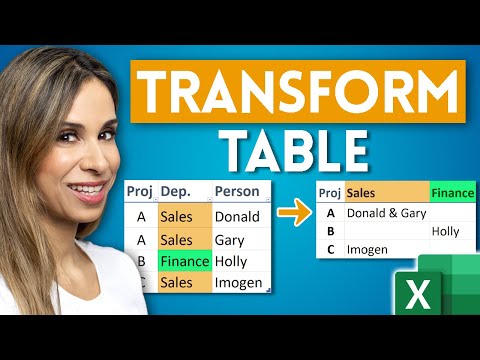
Join 400,000+ professionals in our courses here 👉 https://link.xelplus.com/yt-d-all-courses It sounds simple to just switch columns to rows in Microsoft Excel - basically transpose horizontal data to vertical. BUT you can't always use a simple transpose (neither the transpose feature nor the Transpose function) if you only need to transpose parts of your data set. Some columns, instead of all columns. ⬇️ DOWNLOAD the workbook here: https://pages.xelplus.com/unpivot-columns-to-rows-file For example if you have a report in Excel with a list of months in the columns, it would be easier to analyze the data and create formulas or pivot tables on the data, If your data is in a tabular format. For each value field in the original report, we will get a new row. Since this involves unpivoting or transposing parts of the data, it can be difficult to achieve with Excel formulas. This is where you can use Excel's "Get & Transform" feature - (also called Power Query). Get & Transform is available since Excel 2016. All you need to do is create a table or a named range from your source data and then unpivot the columns in the Power Query editor. If some of the value cells in your report happen to be empty - the entire row will be removed in the final table. To keep empty cells, you need to replace the null value in Power Query with 0. 🔍 What You'll Discover: - How to transpose specific columns in Excel while preserving empty cells. - Step-by-step guide to using Get & Transform (Power Query) for data manipulation. - Tips for handling both table and range formats in Excel. 👩💼 Perfect for: - Excel users looking for advanced data manipulation techniques. - Anyone dealing with complex datasets that require selective transposition. - Excel enthusiasts eager to explore the power of Get & Transform. 📌 Key Highlights: - Transpose your data without losing sight of empty cells. - Customize your data transposition for specific columns. - Refresh your data dynamically with Power Query. LINKS to related videos: 3 ways to transpose: https://youtu.be/yYVokk0NdiI R1C1 trick to transpose: https://youtu.be/dF0cVRyC8c4 Unstack data: https://youtu.be/rscXNUlRsH0 ➡️ Join this channel to get access to perks: https://www.youtube.com/channel/UCJtUOos_MwJa_Ewii-R3cJA/join 👕☕ Get the Official XelPlus MERCH: https://xelplus.creator-spring.com/ 🎓 Not sure which of my Excel courses fits best for you? Take the quiz: https://www.xelplus.com/course-quiz/ 🎥 RESOURCES I recommend: https://www.xelplus.com/resources/ 🚩Let’s connect on social: Instagram: https://www.instagram.com/lgharani LinkedIn: https://www.linkedin.com/company/xelplus Note: This description contains affiliate links, which means at no additional cost to you, we will receive a small commission if you make a purchase using the links. This helps support the channel and allows us to continue to make videos like this. Thank you for your support! #Excel






























Upgrade Your Gaming Setup
AI-recommended products based on this video
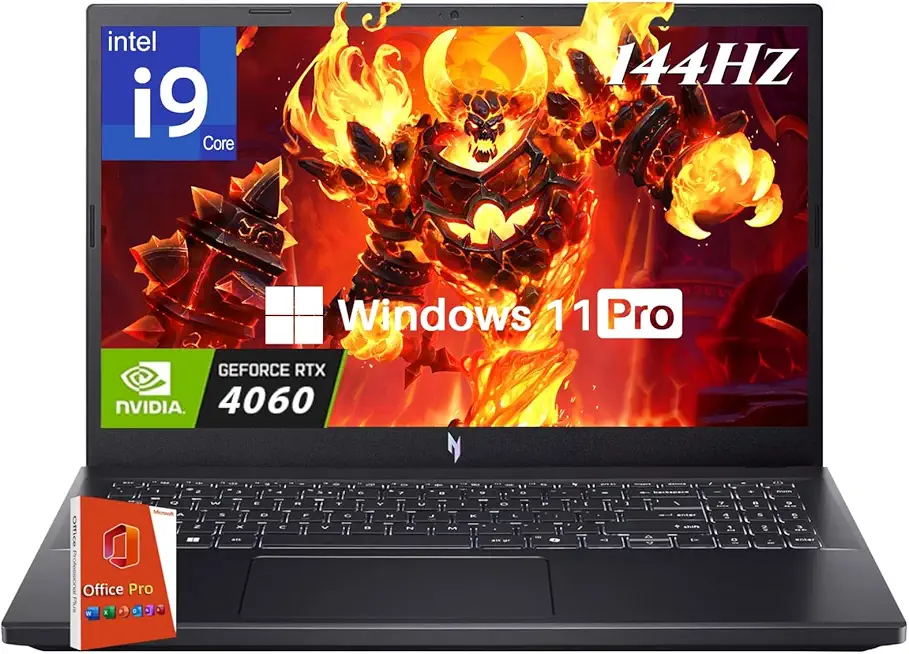
acer Nitro V 15 Gaming Laptop, Intel i9-13900H Up to 5.4GHz, GeForce RTX 4060, 15.6" 144 Hz IPS Display, 64 GB DDR5, 4 TB SSD, Wi-Fi 6, Backlit Keyboard, Windows 11 Pro, Gaming Mouse, 256GB UFD

acer Nitro V16 Gaming Laptop, Microsoft Office 2024 Lifetime License, 16" WUXGA 165Hz, AMD Ryzen 7 8845HS Up to 5.10 GHz, GeForce RTX 4060, 64 GB DDR5 RAM, 4 TB SSD, Backlit Keyboard, Win 11 Pro

acer Nitro V16 Gaming Laptop, 8-Core AMD Ryzen 7 8845HS Up to 5.10 GHz, 16" WUXGA 165Hz, GeForce RTX 4060, 64 GB DDR5 RAM, 4 TB SSD, Wi-Fi 6E, Backlit Keyboard, MS Office Lifetime & Win11 Pro

acer Nitro V16 Gaming Laptop, 16" WUXGA 165Hz Display, 8-Core AMD Ryzen 7 8845HS Up to 5.10 GHz, GeForce RTX 4060, 64 GB DDR5 RAM, 4 TB SSD, Backlit Keyboard, Office Lifetime License, Win11 Pro

Lenovo ThinkPad E14 Gen 5 Business Laptop (14" FHD+ Anti-glare, Intel 10-Core i7-1355U, 40GB RAM, 1TB SSD) Backlit, Fingerprint, Fast Charge, 1080p RGB Webcam, Wi-Fi 6, Win 11 Pro w/ Copilot

Lenovo IdeaPad 15.6" FHD Touchscreen Laptop (40GB RAM, 1TB SSD, Intel 6-Core i3-1215U (> i5-1135G7)), Narrow Bezel, Webcam, 10-Hour Long Battery Life, Wi-Fi 6, Win 11 Home S Mode, Cloud Grey

Lenovo V15 Laptop | 15.6" FHD Anti-Glare Display | AMD Ryzen 7 7730U | 40GB RAM | 1TB PCIe SSD | HDMI | Type-C | Webcam | Wi-Fi | THUNDEROBOT Wireless Ergonomic Mouse | Windows 11 Pro | Black

Lenovo 15.6" Laptop, Intel 10-Core i7-13620H (Beat Ultra 7 255U), 40GB DDR4 RAM, 2TB PCIe SSD, WiFi 6, Bluetooth 5.2, FHD Computer for Business & Student, RJ45, Type-C, HDMI, Windows 11 Pro, Wendbo

ASUS TUF Gaming GeForce RTX ™ 5070 Ti 16GB GDDR7 OC Edition Gaming Graphics Card (PCIe® 5.0, HDMI®/DP 2.1, 3.125-slot, Military-Grade Components, Protective PCB Coating, axial-tech Fans)

ASUS TUF Gaming A16 (2024) Copilot+ PC Gaming Laptop, 16 16:10 165Hz Display, AMD Ryzen™ AI 9 HX 370, NVIDIA® GeForce RTX™ 4060, 16GB LPDDR5X, 1TB PCIe Gen 4.0 SSD, Wi-Fi 6E, Windows 11, FA608WV-DB94

Wireless Gaming Headset for PS5, PS4, PC, Mac, Switch, 2.4GHz Gaming Headsets with Bluetooth 5.4, Hidden ENC Noise Canceling Mic, 35H Battery, 3D Spatial Sound, 3.5mm Wired - Black

Meta Quest 3S 128GB — Dive into Mixed Reality — Unreal device. Unreal price. — All-In-One Headset — Get a 3-Month Trial of Meta Horizon+ Included
