Creality Scan Ferret Pro - how well does this work + my Scanning tips!

RCSchim
View ChannelAbout
Experience comprehensive tech testing and thrilling drone content! On this channel, I put the latest innovations through their paces, offering transparent and unbiased reviews. Expect detailed breakdowns of 3D scanners, robot lawnmowers, 3D printers, laser cutters, action cameras, drones, RC planes, electric scooters, and e-bikes. My goal is to show you the true performance and value of these devices, helping you understand what works and what doesn't. Whether you're interested in precision tech or high-flying adventures, subscribe for weekly insights and real-world demonstrations. 🙏▬▬SUBSRIBE!!! → http://goo.gl/szFJv ▬▬ 🙏 https://www.PATREON.com/RCSchim https://www.FACEBOOK.com/RcSchim https://www.INSTAgram.com/rcschim 📧 [email protected] 🌐 https://rcschim.BLOGspot.com
Latest Posts


Video Description
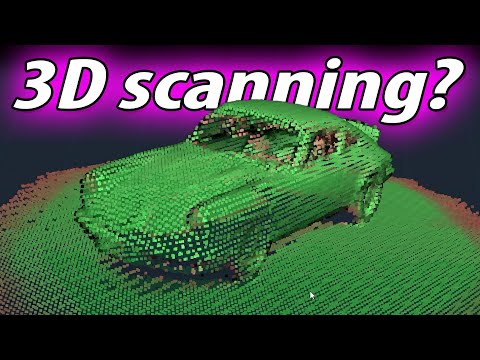
Get it here for 349€!!! https://www.geekbuying.com/go/8JsMWFEv (afilliate link) make sure to use this Coupon code: NNNDECRPRO I stand for HONEST reviews and opinions! If you wanna support this idea please check my PATREON: https://bit.ly/2ESMtIO What's in the box? 3D Scanner module (4 cams, was macht was?) hotshoe / tripod screw mountable mini tripod + (battery) grip (5ah 3,7v) phone clamp mount Wifi6 bridge ...and lots of cables (good quality with screws to prevent disconnect) Software avail as download for Windows/Mac, Android or IOS The cam-preview(s) via USB3 cable on the PC are much smoother and easier to work with - than on the phone via wifi (at least on my older Galaxy S10) Tip: use the scroll wheel of your mouse to zoom in the live view during scanning! - WIFI box für LAPTOP: works, but a but slower - wireless - larger scans... - cam preview speed slower (fewer FPS) than with USB3 of course SCANNING TIPS: -use a round-table ("lazy susan"), but no need for a motorized one... -start scanning looking at the obj from top down (30°?), make a few rounds than change cam angle slowly to view from the round table floor height slightly upwards - always keep an eye on the preview, it should be gree - if RED - stop and go back a bit - for complex parts, consider doing 2 scans and use the merge function to combine them! - use enough light (or it will loose tracking) maybe adjust the IR light exposure manually for better results - be slow and steady on your scans (or it will loose tracking) - use the "close Object" option!!! Makes it possible to print it! - use cut tool in slicer (Orca) to remove unwanted groundplate... ●▬▬▬LINKS▬▬▬▬▬▬▬▬▬▬▬▬▬▬▬▬● Afilliate Link: https://www.geekbuying.com/go/8JsMWFEv Coupon code: NNNDECRPRO (349€!) Software and downloads: https://www.creality.com/pages/download-cr-scan-ferret (it's a bit hard to find the correct pages on their website layout :) Help Page: https://wiki.creality.com/en/3d-scanner DO YOU WANT TO SEE MORE??? ►TOP Videos: http://goo.gl/MHfr1D ►Mountain DIVES: http://goo.gl/FfXPHa ►Product REVIEWS: http://goo.gl/mZkwHr ●▬▬▬EQUIPMENT▬▬▬▬▬▬▬▬▬▬▬▬▬● my Hangar: http://goo.gl/QNzck Filmed with: Sony A7c, Samsung Galaxy S10, edited with Premiere Pro ●▬▬▬♫MUSIC▬▬▬▬▬▬▬▬▬▬▬▬▬▬● I use EPIDEMIC SOUND, get your account here (affiliate): https://bit.ly/3p6OGE0 ╔═╦╗╔╦╗╔═╦═╦╦╦╦╗╔═╗ ║╚╣║║║╚╣╚╣╔╣╔╣║╚╣═╣ → http://goo.gl/szFJv ╠╗║╚╝║║╠╗║╚╣║║║║║═╣ (best way to support me!) ╚═╩══╩═╩═╩═╩╝╚╩═╩═╝ (¯`·.¸¸.·´¯`·.¸¸.-RCSchim-.¸¸.·´¯`·.¸¸.·´¯) ► Discord Server: https://discord.gg/9fPs8cpxBS ► [email protected] ► https://www.FACEBOOK.com/RcSchim ► https://www.PATREON.com/RCSchim ► https://TWITTER.com/RCSchim ► https://www.INSTAgram.com/rcschim ► https://rcschim.BLOGspot.com ●▬▬▬VIDEO INDEX▬▬▬▬▬▬▬▬▬▬▬▬● 00:00 Intro 01:44 whats in the box? 03:16 Using the PHONE app 05:49 ...and why I rather use my PC 07:18 software options 08:49 Scanning TIPS 11:51 Scan and print examples 12:48 Final thoughts ●▬▬▬▬▬▬▬▬▬▬▬▬▬▬▬▬▬▬▬▬▬● #3dScanner #creality #ScanFerretPro
Upgrade Your Gaming Audio
AI-recommended products based on this video

New SteelSeries Arctis Nova Pro for Xbox Multi-System Gaming Headset - Premium Hi-Fi Drivers - Hi-Res Audio - 360° Spatial - GameDAC Gen 2 - Quad-DAC - ClearCast Gen 2 Mic - Xbox, PC, PS5/PS4, Switch

NEW SteelSeries Arctis Nova 3 Multi-Platform Gaming Headset - Signature Arctis Sound - ClearCast Gen 2 Mic - PC, PS5/PS4, Xbox Series X|S, Switch, Mobile

Logitech G203 Wired Gaming Mouse, 8,000 DPI, Rainbow Optical Effect LIGHTSYNC RGB, 6 Programmable Buttons, On-Board Memory, Screen Mapping, PC/Mac Computer and Laptop Compatible - Black

Logitech G305 LIGHTSPEED Wireless Gaming Mouse, Hero 12K Sensor, 12,000 DPI, Lightweight, 6 Programmable Buttons, 250h Battery Life, On-Board Memory, PC/Mac - Black

Logitech K400 Plus Wireless Touch TV Keyboard With Easy Media Control and Built-in Touchpad, HTPC Keyboard for PC-connected TV, Windows, Android, Chrome OS, Laptop, Tablet - Black

Logitech M185 Wireless Mouse, 2.4GHz with USB Mini Receiver, 12-Month Battery Life, 1000 DPI Optical Tracking, Ambidextrous, Compatible with PC, Mac, Laptop - Black

HyperX Cloud II - Gaming Headset, 7.1 Surround Sound, Memory Foam Ear Pads, Durable Aluminum Frame, Detachable Microphone, Works with PC, PS5, PS4, Xbox Series X|S, Xbox One – Red

CORSAIR iCUE Link XD5 RGB Elite LCD Pump-Reservoir Unit - D5 PWM Pump - 480x480 IPS LCD Screen - 22 Addressable RGB LEDs - 440ml Nylon Reservoir - White

CORSAIR iCUE Link XC7 RGB Elite CPU Water Block - Transparent Flow Chamber - 24 RGB LEDs - Fits Intel® LGA 1700, AMD® AM5 and Older - White

CORSAIR Hydro X Series iCUE Link XH405i Custom Cooling Kit – Hardline Water Cooling Loop – XC7 Elite CPU Water Block – XD5 Elite D5 Pump Res – XR5 360mm Radiator – 3X QX120 RGB Fans

Corsair MP600 Elite 4TB M.2 PCIe Gen4 x4 NVMe SSD for PS5 – Included Heatsink – M.2 2280 – Up to 7,000MB/sec Sequential Read – High-Density 3D TLC NAND – White

HyperX CloudX Stinger 2 Core - Gaming Headset for Xbox, Lightweight Over-Ear headsets with mic, Swivel-to-Mute Function, 40mm Drivers - White
