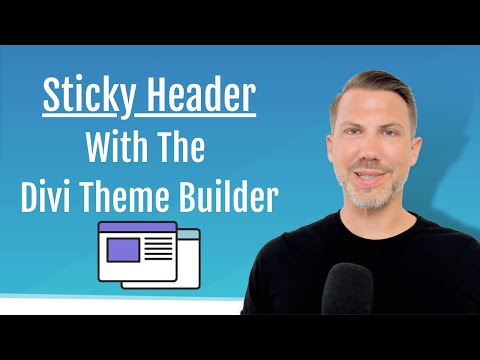
6.2 Create a sticky header menu in the Divi Theme Builder

Victor Duse
View ChannelAbout
👋 DiviMundo is now Victor Duse! You will still find tutorials and courses about WordPress, web design and web development here. Read more here: https://victorduse.com/blog/from-divimundo-to-victorduse-com/ Watch my free WordPress course on how to create a stunning website with WordPress and the Divi theme – step by step. Whether you are a complete beginner or if you have been using WordPress for a while, I am convinced that you will benefit a lot from this free course. Read more at https://victorduse.com/
Latest Posts


Video Description
* Create a stunning menu with a top bar and navigation in the Divi Theme Builder. * Create a sticky menu that sticks to the top as you scroll down the page. * Create a top bar with buttons for social media icons and a call to action button First, create your menu and choose your links at Appearance » Menus in WordPress. This video is a part of a complete WordPress tutorial with more than 6 hours of video material – completely free. Find the full tutorial at: https://divimundo.com/en/wordpress-tutorial-for-beginners/ All links, files and code snippets mentioned in the chapter is available below. 👇 🔗 AFFILIATE LINKS WITH EXCLUSIVE DISCOUNTS ➡️ 20% off Divi: https://divimundo.com/divi20/ ➡️ 69-76% off web hosting: https://divimundo.com/siteground/ ➡️ Divi Supreme: https://divimundo.com/supreme/ ➡️ Divi Toolbox: https://divimundo.com/toolbox/ ➡️ Divi Blog Extras: https://divimundo.com/blog-extras/ ➡️ Divi Form DB: https://divimundo.com/divi-form-db/ This video is not sponsored but it contains affiliate links to SiteGround and Elegant Themes. If you make a purchase via these links, I’ll receive a commission. But it will NEVER cost more for you. Your support makes it possible for me to create more free content. Thank you! 🙌 🔗 DOWNLOAD FREE LAYOUTS & OTHER RESOURCES ➡️ All images, icons, code snippets and layouts used in this tutorial are available for free at: https://divimundo.com/en/wordpress-tutorial-for-beginners/ ➡️ Visit the live demo website that we create in this tutorial: https://divicrib.com ➡️ Free download of all layouts that I created for this tutorial: https://divimundo.com/en/divi-layouts/download-a-free-divi-layout/ ➡️ Premium Divi plugins mentioned in this video: https://divimundo.com/en/plugins/ ➡️ Six tips for a better Divi mobile menu: https://divimundo.com/en/blog/six-tips-for-a-better-divi-mobile-menu-free-header-template-download/ ⚡ DiviMundo.com is dedicated to spread knowledge about WordPress and Divi. The vision is that everyone should be able to design beautiful websites without exhausting coding issues. ⚡ DiviMundo.com is produced by Duse Media, a WordPress agency in Malmö, Sweden. Read more at https://dusemedia.se (In Swedish) ⚡ DiviMundo was founded in 2017 by Victor Duse, the tutor in this video. Find more tutorials and more free WordPress web design resources at https://divimundo.com/en/ Affiliate disclaimer We are dedicated to sharing knowledge about WordPress and Divi. Some of the links in this video are affiliate links. This means if you click on the link and purchase the item, I will receive an affiliate commission, but it will never cost more for you. Divi is a registered trademark of Elegant Themes, Inc. DivMundo is not affiliated with nor endorsed by Elegant Themes, SiteGround or any other brand mentioned in this video.















No Recommendations Found
No products were found for the selected channel.