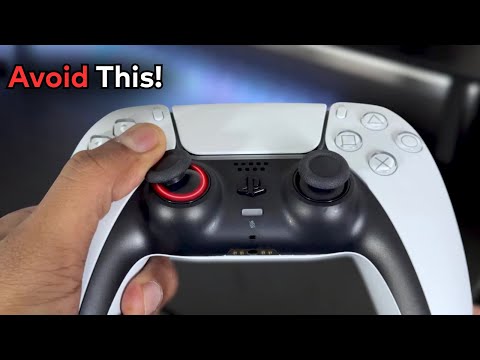
Did you know your PS5 controller can do THIS?


Doctor Glitch
View ChannelAbout
On this channel you will find videos on gaming tutorials and lots more! Please like, share & subscribe if you think my content is helpful. Business Inquiries - [email protected] Please Mention as much details about the campaign as possible when reaching out. My team will definitely respond. Discord : @doctor_glitch Instagram : @doctorglitchofficial 👇 Get gift cards for your favorite games with 10% OFF (sponsored by Eneba):
Video Description
Music Attribution - Honey Jam by Massobeats https://youtu.be/HGMQbVfYVmI?si=Lg5rbqpx9Fs6wjmQ Welcome back, PlayStation enthusiasts! In today's video, we dive into the world of the PS5 DualSense controller. We're revealing 11 incredible tips, tricks, and secret features that will enhance your gaming experience. Whether you're looking to improve performance, extend battery life, or simply discover some hidden gems, this video has got you covered. Let's get started! 0 Latency: How to Make Your Controller More Responsive Latency can make or break your gaming experience, especially in competitive online games. To achieve zero latency on your DualSense controller, follow these simple steps: Navigate to Settings. Select Accessories. Under Controller (General), switch the communication method to USB cable. By opting for a wired connection, you eliminate any delays caused by wireless transmission, ensuring every input is immediate and precise. Tilt to Type: An Easier Way to Input Text Typing messages on the PlayStation can be a hassle, but did you know you can use the motion sensor to type? Here's how: Press L3 and R3 together to activate motion typing. Tilt your controller to move the cursor and select letters. It might take some getting used to, but once mastered, it’s a quick and efficient way to type. Bluetooth Pairing: Expand Your Gaming Horizons Your PS5 controller isn't just for your console. You can pair it with smartphones and laptops for a seamless gaming experience on various platforms: Press and hold the PS and Share buttons until the light starts blinking. Connect it to your device via Bluetooth settings. Enjoy your favorite mobile and PC games with the comfort of your DualSense controller. Glowing Lights: Customize Your Controller's Aesthetics Add some flair to your gaming setup with customizable RGB lighting on your DualSense controller: Download the DS4 Windows software on your PC. Connect your controller using a USB cable. Create a new profile in the app and change the ‘while charging’ color to Rainbow. Your controller will display a stunning rainbow effect, making your gaming sessions visually vibrant. Battery Life: Optimize for Longevity The DualSense controller is feature-packed, but those features can drain the battery quickly. Here's how to extend its life: Go to Controller (General) under Accessories. Adjust the Vibration Intensity and Trigger Effect Intensity. Dim the brightness of the controller light bar. Additionally, lower the volume of the controller speaker via sound settings on the quick setting bar to further conserve battery. Offline Status: Play Without Being Seen Sometimes, you want to game in peace without interruptions. To appear offline before logging in: Press the Options button before signing into your account. Select Appear offline. Now you can enjoy your gaming sessions without being disturbed by friends. Game Progress: Track Your Completion Rate Curious about how far you’ve progressed in a game? Simply: Press the PS button twice. This will display the percentage of game completion, giving you a clear view of your achievements. Turn Off Controller: Save Battery with Ease When you need to step away or take a break, turn off your controller to save battery: Hold the PS button for 10 seconds. This simple trick prevents unnecessary battery drain when the controller is not in use. Remap Controller Buttons: Customize Your Controls Tailor your controller layout to your preferences for different games: Go to Accessibility settings. Select Controllers and then Custom button assignments. Here, you can reassign buttons and analog sticks, providing a personalized control scheme that enhances your gameplay. Zoom: Get a Closer Look If you need to zoom in on certain elements, especially useful for web browsing: Enable Zoom under Accessibility settings - Display and Sound. Press the PS button and Square simultaneously to zoom in and adjust the display area. Perfect for reading fine print or enjoying detailed content. Hard Reset: Fix Controller Issues Experiencing software issues with your controller? Perform a hard reset: Use a toothpick, pen, or paperclip to press the reset button on the back of the controller. Hold for 5 seconds. Reconnect your controller to the PS5 via a USB cable. Ensure the software is up-to-date in Controller (General) settings. This should resolve most software-related problems, restoring your controller to optimal functionality. Conclusion And there you have it—11 tips, tricks, and secret features to get the most out of your PS5 DualSense controller. If you found this video useful or interesting, please leave a like, comment below with your thoughts, and don’t forget to subscribe and ring the bell for post notifications. Thanks for watching, and we’ll see you in the next one!
Upgrade Your PS5 Experience
AI-recommended products based on this video

PlayStation DualSense Wireless Controller – Cosmic Red

PlayStation DualSense Wireless Controller – Galactic Purple

PlayStation DualSense Wireless Controller – Midnight Black

8Bitdo Wireless USB Adapter 2 for Switch, Windows, Mac & Steam Deck - Compatible With Xbox Series X & S, Xbox One Bluetooth, Switch Pro and PS5 Controllers (Black)

eXtremeRate ThumbsGear V3 Interchangeable Thumbsticks for Xbox Core Controller, 4 Height Adjustable Convex and Concave Grip Joysticks for Xbox One S/X/Elite, for Nintendo Switch Pro Controller - Black

Powerextra Fast Charger Battery Pack for Xbox Controller, 4 Pack 5520mWh (2300mAh) Type-C Rechargeable Xbox One Battery Charger Station for Xbox One SeriesX/S One X/S Elite Controllers

NinjajoyOX Fast Charging Rechargeable Battery Packs with Light Control, 4 x 4800mWh Controller Batteries with Battery Charging Dock/Station for One/Series X|S, One S/X/Elite

Controller Battery Pack, Rysker Controller Charger with 4 x 4800mWh Packs Rechargeable Battery Packs, Battery Pack Rechargeable for Series X/S/One/Elite/Core Controller
8Bitdo Wireless USB Adapter 2 for Switch, Windows, Mac & Steam Deck - Compatible With Xbox Series X & S, Xbox One Bluetooth, Switch Pro and PS5 Controllers (Black)

Joystick Replacement Kit for Oculus Quest 2/3 Controller, Repair Kit for Meta Quest 2/3 Controller, Include 2 Joysticks, T5 Screwdriver, Tweezer, Pry Tool, 4 Thumbstick Grips (Black-11-in one)

eXtremeRate ThumbsGear Interchangeable Thumbstick for Xbox Controller - Improve Comfort - Orange 3 Height Domed & Concave Grips Ergonomic Adjustable Joystick for Xbox Core, for Xbox One S/X/Elite

eXtremeRate ThumbsGear Interchangeable Thumbstick for Xbox Controller - Improve Comfort - Chrome Gold 3 Height Domed & Concave Grips Ergonomic Adjustable Joystick for Xbox Core, for Xbox One S/X/Elite

DXKK Controller Battery Pack for Xbox Series X|S with Touch Switch, Rechargeable Battery for Xbox One/S/X/Elite Controller Charger Station Video Game Case

2 Pack Controller Battery Pack Rechargeable for Xbox One/Xbox Series X|S with 4 Battery Cover Xbox Play and Charge Kit with Micro USB Charging Cable for Xbox One S/X/Elite Controller

2 Pack Rechargeable Controller Battery Pack for Xbox Series X|S and Xbox One with 10FT USB C Charging Cable and Micro USB Adapter 6amLifestyle Battery Pack Xbox Play and Charge Kit
Controller Battery Pack, Rysker Controller Charger with 4 x 4800mWh Packs Rechargeable Battery Packs, Battery Pack Rechargeable for Series X/S/One/Elite/Core Controller
8Bitdo Wireless USB Adapter 2 for Switch, Windows, Mac & Steam Deck - Compatible With Xbox Series X & S, Xbox One Bluetooth, Switch Pro and PS5 Controllers (Black)

KDD Switch Controller Charging Dock Station Compatible with Nintendo Switch & OLED Model Joycons, Switch Controller Charger Dock Station with Upgraded 8 Game Storage for Nintendo Switch Joycon & Games

OIVO XSX Controller Charger Station with 2 Packs Rechargeable Battery Packs for Xbox Series X/S/One/Elite/Core Controller, Xbox Charging Dock, Charge Kit, Charger Station for Xbox Controller

Complete Component for Elite Controller Series 2/Series 2 Core, 1 X Charging Dock, 6 X Thumbsticks, 4 X Paddles, 2 X Direction Keys, 1 X Adjustment Tool, 1 X Case

Fast Charging, Wirelesss Gaming Controller Charger Station for Series X S for S X Elite Controller, Compact Portable Design, 1400mAh Rechargeable Battery, Charging Dock
Joystick Replacement Kit for Oculus Quest 2/3 Controller, Repair Kit for Meta Quest 2/3 Controller, Include 2 Joysticks, T5 Screwdriver, Tweezer, Pry Tool, 4 Thumbstick Grips (Black-11-in one)

10pcs Joystick Drift Fix Repair Kit for Controller, 3D Analog Joystick Circuit Board Thumbsticks Drift Fix Mod for for, for Series S/X Controller

eXtremeRate Replacement Thumbsticks for Xbox Core Wireless Controller, Joysticks Repair Kit for Xbox Series X/S Controller, Custom Analog Stick Buttons for Xbox One S/X/Elite Controller - Clear Red

eXtremeRate Replacement Thumbsticks for Xbox Core Wireless Controller, Joysticks Repair Kit for Xbox Series X/S Controller, Custom Analog Stick Buttons for Xbox One S/X/Elite - Orange & Black

Racing Steering Wheel for Xbox One Game Controller, Mini 3D printing Auxiliary Steering Wheel Gaming Replacement Accessories for Xbox One/X/S/Elite (silver)
