DNS (Domain Name System) - Explained , Types of Domain Name Servers | How DNS works | TechTerms


TechTerms
@techtermsdgAbout
TechTerms, based in Himachal Pradesh, India, started with an aim of spreading technical knowledge focused on Computers, Computer Networks, and Network Security using whiteboard animations. TechTerms is helping non-techies and college students in understanding complex technical topics easily. Whether you are a student, an employee or a teacher, computer literacy is must and TechTerms is serving in this field since December 2016.
Latest Posts


Video Description
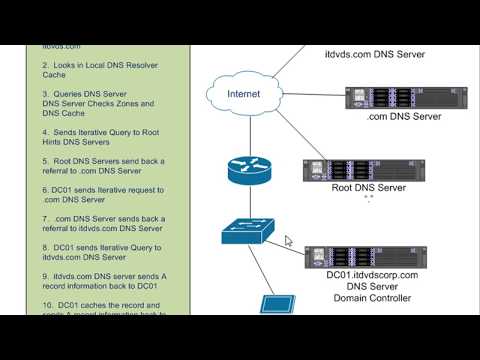
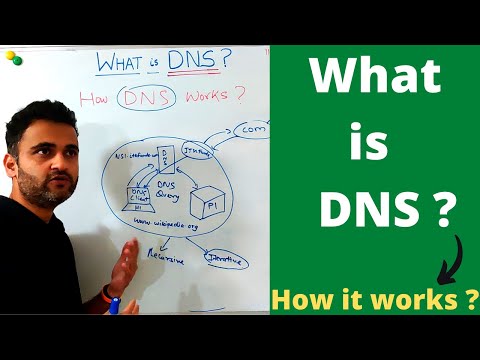
Learn about DNS, DNS Server or DNS name server, DNS lookup, what is dns server and how it works, how DNS server or Domain Name System works. DNS or Domain Name System translates domain names to their IP addresses so that browsers can load the requested website. Servers are computers storing HTML files, images, sounds, videos or any other file types. Servers that work together to provide IP address of the requested website to the web browser are called DNS servers. Notes : https://techterms.in Facebook : https://www.facebook.com/DGTechTerms/ DNS resolver connects the web browser of our computer to the DNS name servers. There are 13 sets of root name servers, logically named as Letter.root-servers.net, where Letter ranges from ‘a’ to ‘m’, and are operated by 12 different organizations. Each set has a number of servers placed around the world. TLD name server stores the information of all domain names sharing a common domain extension. Authoritative name server is the last server in the Domain Name System. It stores the IP address of the requested website When we purchase a domain name from a registrar, Registry updates the authoritative name server for the purchased domain in the TLD name server. So, when TLD name server receives a DNS query, it forwards DNS resolver to the correct authoritative name server. DNS servers eliminate the need for humans to memorize these complex IP addresses. The only thing we need to memorize is the domain names which are easier to remember. #TechTerms Must learn: DHCP Protocol : https://youtu.be/4pkDL1pgCgQ ARP Protocol : https://youtu.be/EC1slXCT3bg DNS Explained : https://youtu.be/JkEYOt08-rU OSI Model : https://youtu.be/vv4y_uOneC0 IP Address : https://youtu.be/8npT9AALbrI NIC : https://youtu.be/m9evUZtkEAc Network Protocol : https://youtu.be/Dglfi_IU8BM Network Topology: https://youtu.be/e0CWszGpgAE Network Router : https://youtu.be/Dglfi_IU8BM Network devices : https://youtu.be/gVrXLq5E-CQ Firewall : https://youtu.be/eO6QKDL3p1I Firewall types : https://youtu.be/aUPoA3MSajU Firewall vs : https://youtu.be/fCM86XAyQ7o Firewall working : https://youtu.be/KZc1KaE1OKU Firewall limits : https://youtu.be/Xj654WUdDFE Domain name : https://youtu.be/sh7fe05mUfA LAN cable : https://youtu.be/N9-77hfs4FM Hostname : https://youtu.be/S6uYZ8V1vRc













Essential DNS Tools
AI-recommended products based on this video

TP-Link Tapo 2K Pan/Tilt Indoor Security WiFi Camera, Baby & Pet Camera w/ 360° Motion Tracking, 2-Way Audio, Night Vision, Cloud & Local Storage (Up to 256 GB), Works w/ Alexa & Google (Tapo C210)

TP-Link Tapo 3K 5MP Pan/Tilt Security WiFi Camera, Baby & Pet Camera, 360° Motion Tracking, 2-Way Audio, 40Ft. Night Vision, Cloud & Local Storage (Up to 512 GB), Works w/Alexa & Google (Tapo C230)

10.1 Inch Touch Portable Monitor IPS Screen 1366x768P 60Hz 400 Brightness 99% sRGB HDMI USB-C Monitors Switch for Xbox PS3/4/5 Laptop Compatible with Raspberry Pi, Mini Touch Screen

ELECROW 8 Inch Portable Monitor, 1280x800 Mini HD Display with Built-in Speakers, USB Powered, Non-Touch LCD Screen for Raspberry Pi, PC, Laptop, Jetson Nano, Game Consoles

7 Inch Portable Monitor Touchscreen HD 1024x600 LED Display Dual HDMI Port Small Monitor for PC Raspberry Pi Laptop Computer Xbox PS4/5 Switch Built-in Speakers
