ESP32 - DEBUGGING your ESP-IDF code using JTAG [VS CODE]

Yuri R
View ChannelAbout
Hi there! In my channel I teach Embedded Firmware Programming for a variety of popular microcontrollers such as ESP32 and STM32 series. Working as firmware engineer for many years, I decided to open an Youtube channel to share knowledge regarding my passion for Embedded Systems. My goal is to make it simple for everyone to learn and understand firmware programming, from beginner to advanced level!
Latest Posts


Video Description
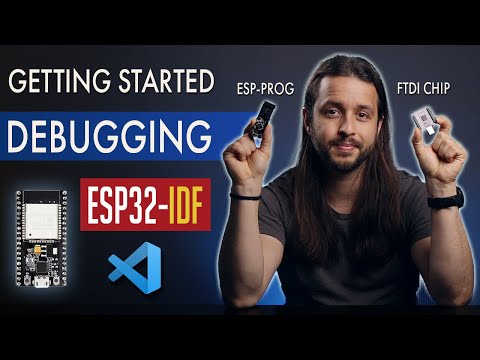
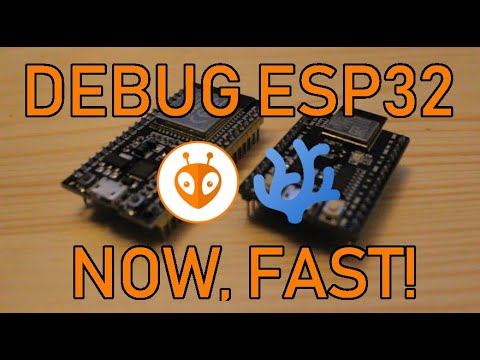
How to DEBUG your ESP32 IDF application inside Visual Studio Code using an external debugger tool. We'll be using the ESP-PROG, a JTAG hardware debugger from Espressif. Debugging is an essential skill for any serious firmware developer. It allows us to find problems and have an insight of what's happening in our code. ▶ DEBUGGER LINKS (Affiliate): ✔ Amazon (Faster shipping) ESP-PROG (Recommended): https://amzn.to/3ENsSDy FT2232H Generic : https://amzn.to/3B1Bxjp FT2232H Generic Dual Channel: https://amzn.to/3C0NG9G ✔ AliExpress (From China - Cheaper but slower shipping) ESP-PROG (Recommended): https://s.click.aliexpress.com/e/_A9n4lJ FT2232H Generic: https://s.click.aliexpress.com/e/_Ap4yQt FT2232H Generic Dual Channel: https://s.click.aliexpress.com/e/_9ycDvF ▶ My previous video from the ESP32 Series: https://youtu.be/5IuZ-E8Tmhg ▶ Watch the Quick Fix for IDF Terminal from the previous video: https://youtu.be/N93RvZz6dEc ▶ ESPRESSIF ESP-PROG Documentation: https://docs.espressif.com/projects/espressif-esp-iot-solution/en/latest/hw-reference/ESP-Prog_guide.html ▶ ESPRESSIF JTAG Documentation: https://docs.espressif.com/projects/esp-idf/en/stable/esp32/api-guides/jtag-debugging/index.html# - All emojis designed by OpenMoji – the open-source emoji and icon project. License: CC BY-SA 4.0 00:00 Introduction 00:54 Serial Terminal 02:01 External Debugger 02:40 Cool things to do 03:28 Next steps 03:40 Which debugger to buy 04:29 ESP-PROG Intro 05:51 ESP-PROG Connection 06:38 Updating the JTAG Driver 07:43 OpenOCD Setup 09:10 GDB Setup 11:21 Quick Debugger test 12:07 Automating OpenOCD 12:54 Solving reliability issues (IMPORTANT) 14:13 Firmware loading through the Debugger 14:37 ESP32's Memory Structure 15:12 Configuring memory addresses on GDB 16:28 Using the debugger (Example) 18:24 Bug explanation 19:15 Conclusion










Essential Camera Bag Upgrades
AI-recommended products based on this video

COTUBLR 31 Inch Computer Desk, Home Office Desk, Simple Modern Small Desk for Bedroom, Writing Desk with Storage Bag, Study Table for Students, Grey Oak

TERRAMASTER F8 SSD Plus NAS - 8Bay All SSD NAS Storage Core i3 8-Core 8-Thread CPU, 16GB DDR5 RAM, 10GbE Port, 8 Heat Sinks Included, Palm-Sized Network Attached Storage Peak Performance (Diskless)

ZDZA Electric Bike, 1000W Peak Motor, 26” Electric Mountain Bike, 35km/h &65 km Max Range Ebike for Adults, Electric Bicycle for Commute, Colorful LCD Display & 7 Speed

OYEAELX 3 in 1 with Built in Cable Portable Charger 15800mAh Cell Phone Battery Backup Ultra Slim Mini Power Bank with LCD Display Compatible with iPhone iPad Android Samsung Galaxy and More

AsperX for Magsafe Power Bank, 10000mAh Wireless Magnetic Power Bank, 22.5W Wire Fast Charging Portable Charger with USB C Cable, LCD Display for Magsafe Battery Pack for iPhone 16/15/14/13/12

Multi Charging Cable, Multi Charger Cable 3 in 1 Charger Fast Charge Multiple Ends 4FT Braided Universal Charging Cord with USB C Micro Lightning Cord for iPhone iPad Samsung Android Phone Tablet Global Recycled Standard

HSSDTECH CMOS Battery Cable Replacement for Lenovo ThinkPad T490 T590 P53s /P16 Gen 1 Gen 2/P16v Gen 1/T14 Gen 1 Gen 2/P14s Gen 1 Gen 2 02HK903 02HK904 02HK905 SB10G62453 GC000000700

SanDisk 64GB Extreme PRO SDXC UHS-I Memory Card - C10, U3, V30, 4K UHD, SD Card - SDSDXXU-064G-GN4IN
