Explode Malware Safely: Setting Up Your Flare-VM Lab

SYNACK Time
View ChannelAbout
We aim to bring you educational and informative content about anything and everything IT. This could range from open source projects, to security news and tools. We're very happy that you stopped by our channel and we hope that you find value in the services we provide! Official site - https://synacktime.com LinkedIn - https://www.linkedin.com/company/synacktime/
Latest Posts




Video Description
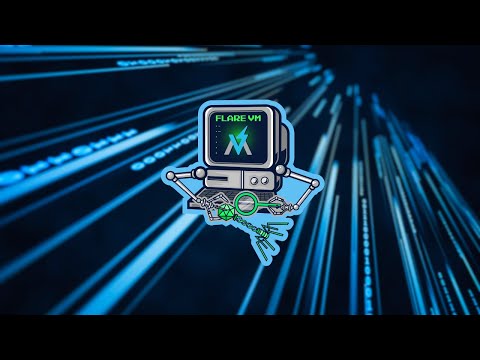
In this video, we're diving into how to create your very own malware quarantine zone. I'll guide you through the steps to safely test and analyze malware, ensuring you understand its capabilities without putting your own computer or network at risk. We'll start by setting up an isolated virtual environment using VirtualBox. I'll also show you how to connect it to the internet using pfSense, keeping your private network secure. Plus, we'll take a look at Remnux for those times when you really need to dig deep and find out what that suspicious code is up to. Join me, and let's get started on building your malware testing lab! Some of the things you'll be able to do with your environment: ⌚ Witness first hand what happens when malware is run ⌚ Use Remnux to deep dive into the network activity caused by malware ⌚ Protect your network while giving internet access to malware ⌚ Easily move into malware courses while already having a lab configured ⌚ Be able to perform forensics on even seemingly legitimate software Chapters: 0:00 - Intro 0:18 - WARNING! 1:20 - Software you'll need 3:07 - Installing VirtualBox 3:42 - Downloading Windows 10 ISO 4:34 - Setting up the Windows 10 Virtual Machine 9:20 - Flare-VM prerequisites 14:55 - Installing Flare-VM 17:01 - Time to setup pfsense 18:40 - Configuring VirtualBox virtual network 19:36 - pfsense first boot 22:00 - Installing the Remnux virtual appliance 22:50 - Configuring pfsense 28:15 - Flare-VM is installed! 29:40 - Configuring Remnux 34:17 - Wireshark in Remnux 35:50 - Running ransomware on Flare-VM - Wannacry 38:38 - Running ransomware part 2 - Locky 39:24 - Learn how to perform malware analysis with HuskyHacks Resources: Flare-VM github - https://github.com/mandiant/flare-vm pfsense - https://www.pfsense.org/download/ Remnux - https://remnux.org theZoo - https://github.com/ytisf/theZoo Chris Greer's YouTube - @ChrisGreer HuskyHacks - @huskyhacks SynAckTime.com #linux #selfhosted #portainer #networking #nginx #docker #dockercompose #opensource #malware #malwareanalysis















Essential Malware Lab Setup
AI-recommended products based on this video

BrosTrend 1800Mbps WiFi 6 Linux WiFi Adapter for PC and Raspberry Pi 2+, Long Range USB WiFi Dongle Linux for Ubuntu, Mint, Debian, Kubuntu, Lubuntu, Zorin, Windows 11/10, Dual Band Wireless Antenna

BrosTrend AX300 Nano WiFi 6 Linux Compatible WiFi Adapter for PC and Raspberry Pi 2+, 2.4GHz Only, 286Mbps, USB WiFi Dongle for Ubuntu, Debian, Mint, Kubuntu, Lubuntu, Zorin, Xubuntu, Windows 11/10/7

BrosTrend Linux WiFi Adapter for Ubuntu, Mint, Debian, Lubuntu, Xubuntu, Mate, Zorin, PureOS, Raspberry Pi 2+, Windows 11/10, 1200Mbps, 5GHz/2.4GHz, Long Range 2 X 5dBi External Antennas, USB3.0
