22 Features COMPARED - Microsoft Loop vs. OneNote

Office Skills with Amy
@officeskillswithamyAbout
MICROSOFT 365 TRAINING & COACHING Empowering businesses to streamline Microsoft 365 workflows. I simplify learning Microsoft 365 products so that you can: 1️⃣ Navigate 365 apps with confidence, 2️⃣ Increase productivity, 3️⃣ And reclaim your time for meaningful work. 🔮 TECHNOLOGY VIDEOS TO COME Microsoft 365 apps including Microsoft Copilot, Microsoft Loop, Microsoft Teams, Microsoft Excel, Microsoft Word, Microsoft PowerPoint, Microsoft Outlook, Microsoft OneNote and more! ❓WHAT TOPICS ARE YOU MOST INTERESTED IN? Drop me a comment in a video and I will consider it for future content 🩵




Video Description
If you are new to Microsoft Loop then then you might be wondering if you are using the wrong app for your notes. In this video of 22 Features COMPARED - Microsoft Loop vs. OneNote, we will look at the pros and cons of both apps so that you can determine if you are using the wrong app for your notes. If you are a student, teacher, project manager, business owner or super nerd like me, then we have got you covered! Let's nerd out 🤓 🟠 LOOP COURSE 🟠 7 Ways To use Loop in Daily Workflows https://www.officeskillswithamy.com/microsoft-loop-training 🟡 FREE RESOURCES 🟡 eBook, Navigating Microsoft Passages: https://www.officeskillswithamy.com/ebook Loop Beginner Guide: https://www.officeskillswithamy.com/microsoft-loop-beginner-guide Copilot Agent Toolkit: https://www.officeskillswithamy.com/copilot-agent-toolkit 💙 SUPPORT THE CHANNEL 💙 If you’ve learned something from my videos you can now Buy Me A Coffee: https://www.officeskillswithamy.com/buy-me-a-coffee 🧠 1:1 PERSONALIZED COACHING 🧠 Work directly with Amy to streamline your Microsoft 365 workflows. https://www.officeskillswithamy.com/microsoft-365-coaching 🍎 WHAT TO WATCH NEXT 🍎 https://youtu.be/JDHeo8ef-Ic https://youtu.be/7c9z1wBiABw https://youtu.be/349fk1pSr4E https://youtu.be/2qMvyYUzKA0 ⏰ KEY MOMENTS 00:00 Intro 01:47 OneNote Pros 01:57 Sticky Design 02:07 Insert / Embed Documents 02:30 Extract Text 03:00 Draw Tab 03:36 Tags 03:55 Outlook ToDo 04:13 Recording Features 04:32 Export Notebook 05:00 OneNote Cons 05:10 Ease of Sharing & Collaboration 05:32 Comments 06:08 Sync Delays 06:41 Loop Pros 06:54 Minimalistic & Modern Feel 07:45 Dynamic Tables 08:19 Loop Components within Loop 09:24 Loop Components within Other Apps 09:42 Comments 10:03 Recaps 10:33 Collaborative Meeting Notes 10:52 Integrations 11:32 Loop Cons 11:54 Limited Export Options 12:10 Standalone from Microsoft 365 Groups 12:49 Licensing Limitations ✏️ OFFICE SKILLS WITH AMY Welcome to Office Skills with Amy! We create easy-to-follow and engaging how-to-technology videos to help you boost your productivity and save time in the office. 🤓 DISCOVER YOUR INNER NERD We believe that being a 'nerd' is a term of pride, I personally, have been advertising myself as an Excel Nerd in interviews since 2009. Our goal is to inspire you to unleash the power of technology and Discover Your Inner Nerd along the way. We're here to show you how to make the most out of Microsoft 365 apps and other cutting-edge technology 📝 WHAT WILL YOU LEARN Whether you're a beginner or an experienced user, we'll help you become more efficient, automate tasks, and save time. ✨ NEW CONTENT WEEKLY With new content every week, we'll keep you up-to-date on the latest technology trends and help you stay ahead of the curve. 🔮 TECHNOLOGY VIDEOS TO COME Microsoft 365 apps including Microsoft Office, Microsoft Loop, Microsoft Teams, Microsoft Excel, Microsoft Word, Microsoft PowerPoint, Microsoft Outlook, Microsoft OneNote and more! 👍🏼 LIKE, COMMENT & SUBSCRIBE 🩵 Don't forget to like, comment, and subscribe to our channel to show your support and stay tuned for more technology videos to come. Let's Nerd Out together and unleash the power of technology!












Upgrade Your Note-Taking Today
AI-recommended products based on this video

Lenovo IdeaPad Duet 3i 10.3" Touchscreen Intel Celeron N4020, 2-in-1 Laptop, Windows 11 Home S Mode + Includes 1-Year Microsoft 365 Personal - 82AT00KJCC

Spiral Notebook, A5 Size 5 Subject Notebooks College Ruled with Tabs and Removable Dividers, 300 Pages 100GSM Thick Spiral Ruled Lined Writing Journal Notebook for Work, School(6.2"x 8.5")
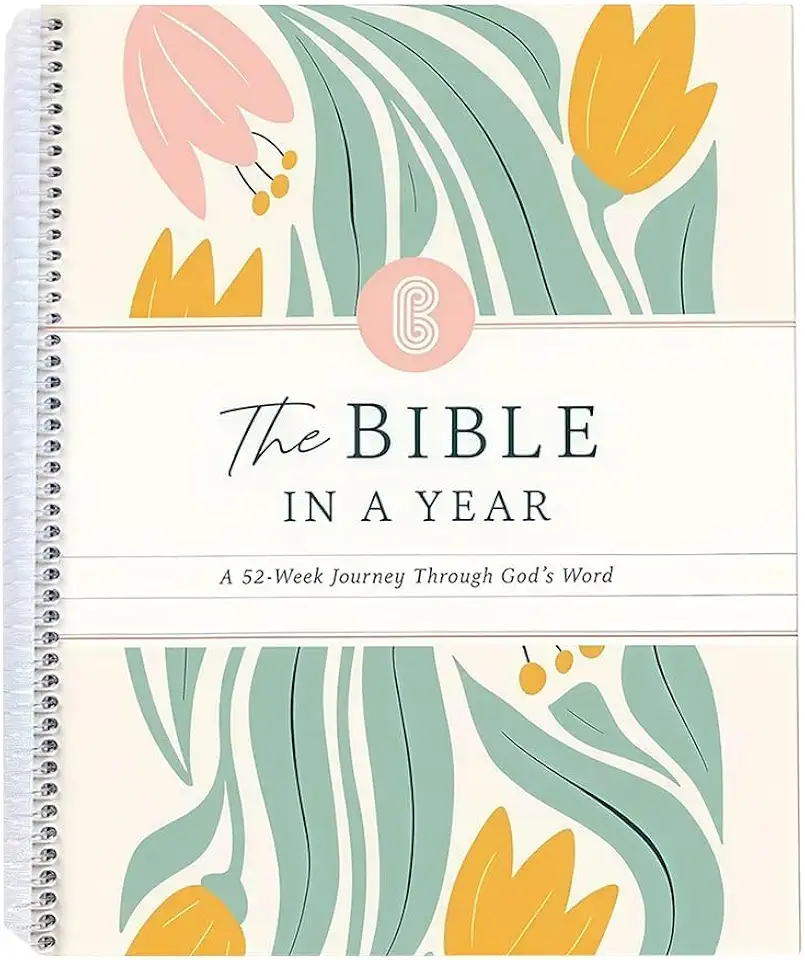
The Bible In A Year: A 52-Week Study Through God's Word, Spiral Bound Bible Study Guide Journal Notebook, A Beautiful Year Planner in the Bible for Women (A5)

Logitech G203 Wired Gaming Mouse, 8,000 DPI, Rainbow Optical Effect LIGHTSYNC RGB, 6 Programmable Buttons, On-Board Memory, Screen Mapping, PC/Mac Computer and Laptop Compatible - Black

Logitech G305 Lightspeed Wireless Gaming Mouse, Hero 12K Sensor, 12,000 DPI, Lightweight, 6 Programmable Buttons, 250h Battery Life, On-Board Memory, PC/Mac - Black

Microsoft Office Home & Student 2019 | One-time purchase, 1 person | PC/Mac Keycard

Hi.FANCY Portable Laptop Stand with Dual Cooling Fans for 14-17inch Laptops, Grey, 23.5 x 25.9 x 0.95cm

Laptop Stand, OMOTON Laptop Mount, Aluminum Laptop Holder Riser Stand for Desk, Compatible with MacBook Air/Pro, Dell, HP, Lenovo and All Laptops (10-15.6 inch),Silver

BESIGN LSX7 Laptop Stand with 360° Rotating Base, Ergonomic Adjustable Notebook Stand, Riser Holder Computer Stand Compatible with Air, Pro, Dell, HP, Lenovo More 10-15.6" Laptops (Black) Recycled Claim Standard Blended

Zewwen Laptop Stand for Desk, Ergonomic Adjustable Foldable Computer Stand with Heat-Vent, Aluminium Alloy Laptop Riser Compatible with MacBook Air, Pro, Dell XPS, Samsung, 10”-16"
