34 Features COMPARED | New Microsoft Planner BASIC vs PREMIUM


Office Skills with Amy
@officeskillswithamyAbout
MICROSOFT 365 TRAINING & COACHING Empowering businesses to streamline Microsoft 365 workflows. I simplify learning Microsoft 365 products so that you can: 1️⃣ Navigate 365 apps with confidence, 2️⃣ Increase productivity, 3️⃣ And reclaim your time for meaningful work. 🔮 TECHNOLOGY VIDEOS TO COME Microsoft 365 apps including Microsoft Copilot, Microsoft Loop, Microsoft Teams, Microsoft Excel, Microsoft Word, Microsoft PowerPoint, Microsoft Outlook, Microsoft OneNote and more! ❓WHAT TOPICS ARE YOU MOST INTERESTED IN? Drop me a comment in a video and I will consider it for future content 🩵



Video Description
If your organization is looking to use Planner Premium, or if you are already using Planner Premium, then you might be wondering if the additional costs are worth it. Today we are going look at the pros and cons of each so that your organization can make the best decision based on your needs. This tutorial compares 34 features of the New Microsoft Planner Basic vs. Premium versions to help your organization answer the question, is Planner Premium worth it? If you are a student, teacher, project manager, business owner or super nerd like me, then we have got you covered! Let's nerd out 🤓 ⏰ CHAPTERS 00:00 INTRO 00:28 Access To The New Microsoft Planner 01:12 Side-by-side Comparison 02:43 GENERAL KEY FEATURES (Basic & Premium) 02:53 PRO Pre-defined Task Cards 03:29 PRO Pre-defined Views & Filters 03:39 PRO Export to Excel 03:48 PRO Copy Plan 04:00 PRO Viva Goals Integration 04:10 CON Assignment of Tasks 04:35 MICROSOFT PLANNER BASIC 04:55 PRO Recurring Tasks 05:15 PRO Schedule View 05:29 PRO Microsoft Loop Integration 05:45 PRO SharePoint Integration 06:13 PRO Copy Plan To Project 06:40 PRO Dedicated Planner Mobile App 06:56 CON Customization 07:26 CON Standalone Tasks 07:50 CON Ease Of Update 08:11 CON Comments 08:40 CON Task History 09:08 PLANNER PREMIUM FEATURES | Planner Plan 1 10:02 PRO Tasks & Subtasks 10:26 PRO Robust Tasks 11:14 PRO Custom Fields 12:05 PRO Customize Grid View 12:43 PRO Conditional Formatting 13:28 PRO Colour Code Buckets 13:43 PRO Sprint View 14:28 PRO Timeline View 15:16 PRO Task Dependencies 15:46 PRO Ease of Update 16:21 PRO People View 17:14 PRO Goals 18:15 PRO Non-premium Members Access 20:15 PRO Custom Calendars 20:47 PRO Conversations 22:28 CONS 22:45 CON Task History 23:00 CON Recurring Tasks 23:38 CON Schedule View 24:00 CON SharePoint & Loop Integration 24:24 CON Dedicated Planner Mobile App 24:48 PLANNER PREMIUM FEATURES | Planner & Project Plan 3 25:10 Task History 25:35 Copilot 27:13 How To Get Premium Microsoft Planner 📹 WHAT TO WATCH NEXT & LINKS https://youtu.be/OM2dhspiet8 https://youtu.be/W0RxNkBSCzY https://youtu.be/OV833phUvKM Comparison - https://support.microsoft.com/en-us/office/comparing-basic-vs-premium-plans-5e351170-4ed5-43dc-bf30-d6762f5a6968 Planner Premium Pricing - https://www.microsoft.com/en-ca/microsoft-365/planner/microsoft-planner-plans-and-pricing ✏️ OFFICE SKILLS WITH AMY Welcome to Office Skills with Amy! We create easy-to-follow and engaging how-to-technology videos to help you boost your productivity and save time in the office. 🤓 DISCOVER YOUR INNER NERD We believe that being a 'nerd' is a term of pride, I personally, have been advertising myself as an Excel Nerd in interviews since 2009. Our goal is to inspire you to unleash the power of technology and Discover Your Inner Nerd along the way. We're here to show you how to make the most out of Microsoft 365 apps and other cutting-edge technology 📝 WHAT WILL YOU LEARN Whether you're a beginner or an experienced user, we'll help you become more efficient, automate tasks, and save time. ✨ NEW CONTENT WEEKLY With new content every week, we'll keep you up-to-date on the latest technology trends and help you stay ahead of the curve. 🔮 TECHNOLOGY VIDEOS TO COME Microsoft 365 apps including Microsoft Office, Microsoft Loop, Microsoft Teams, Microsoft Excel, Microsoft Word, Microsoft PowerPoint, Microsoft Outlook, Microsoft OneNote and more! 👍🏼 LIKE, COMMENT & SUBSCRIBE 🩵 Don't forget to like, comment, and subscribe to our channel to show your support and stay tuned for more technology videos to come. Let's Nerd Out together and unleash the power of technology!








Boost Productivity Today
AI-recommended products based on this video

NEXPOW Car Jump Starter,Car Battery Jump Starter Pack 1500A Peak Q10S for Up to 7.0L Gas and 5.5L Diesel Engine12V Auto Battery Booster,Jumper Cables,Portable Lithium Jump Box with LED Light/USB QC3.0

Firefly Variety 8 Pack - Fire Starter Accessory for Swiss Army Victorinox Knives (Neon Green-Yellow Glow)

9-in-1 5000A 150PSI Car Battery Booster Jump Starter with Air Compressor (All Gas/9L Diesel), Portable Car Battery Booster Pack, Safe Durable Car Jump Starter with Extended Jumper Cables, Glove, Light

6000A 160PSI Car Battery Booster Jump Starter with Air Compressor and Air Blower (All Gas/10L Diesel), Portable Car Battery Booster Pack, Safe Durable Jump Box with 800 Lumen Light/18W Fast Charge
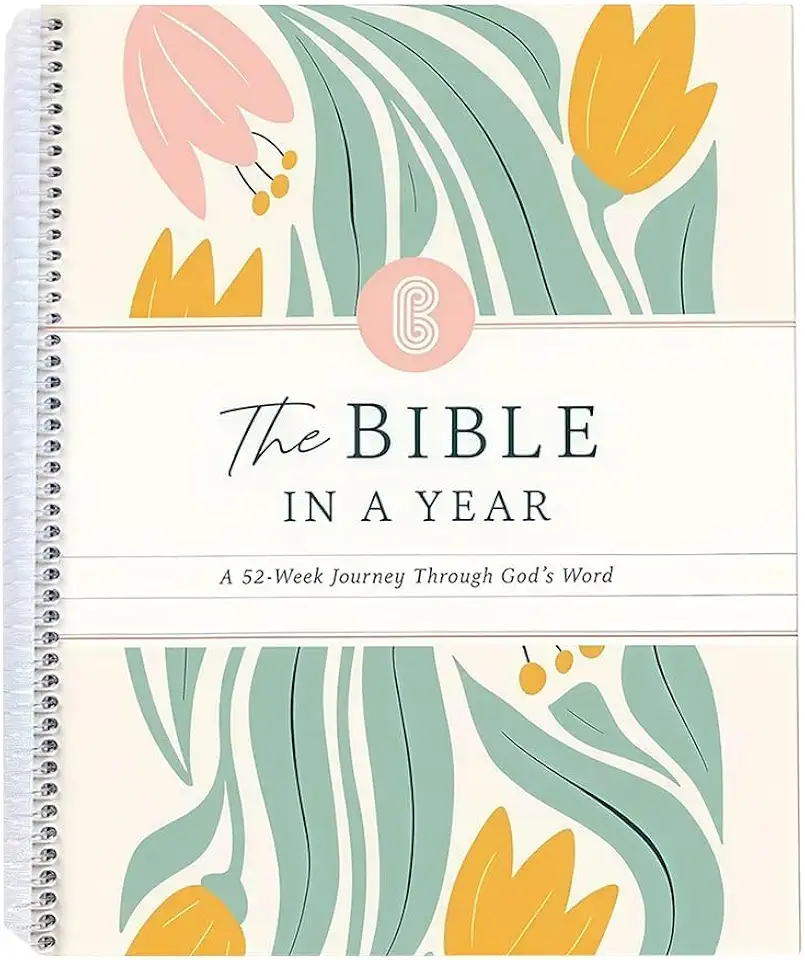
The Bible In A Year: A 52-Week Study Through God's Word, Spiral Bound Bible Study Guide Journal Notebook, A Beautiful Year Planner in the Bible for Women (A5)