The Classes are here ! Elementor V4 - Big Changes

Imran Siddiq - Web Squadron
View ChannelAbout
Welcome to Web Squadron with Imran Siddiq. I'm serious about training and showing you how to make your business rock. With 24+ years of Web Design and Marketing, I'll be your guide for the ride. 👉 Get our Courses and Packs at - https://learn.websquadron.co.uk 👉 Let's collaborate, fix, work together, or discuss business strategy - https://learn.websquadron.co.uk
Latest Posts

Video Description
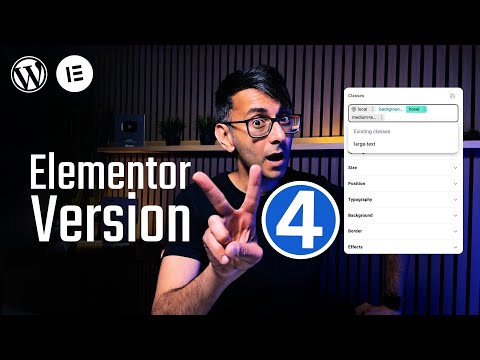
This isn’t just a review of the New Version 4 Preview — it’s a brutally honest walkthrough of what’s NEW, what’s MISSING (yet), and how you can get ready for the biggest change to Elementor yet! 00:00 Intro 00:40 Activate V4 Features 01:45 V4 Elements for now 02:32 Reminder of Pre-V4 Flex Container 02:59 V4 FLEXBOX Element 05:32 Style Tab for all V4 Elements 05:58 Layout Settings from the Style Tab 07:03 Spacing Settings from the Style Tab 08:02 Size Settings from the Style Tab 08:16 Overflow Setting 08:27 Selecting Units 08:35 Where are the Custom Units for Clamp? 09:56 Position Settings from the Style Tab 10:02 Static v Relative v Absolute v Fixed v Sticky 11:03 Z-Index 11:18 Typography Settings from the Style Tab 11:33 Custom Fonts are at the bottom 12:26 No Global Colours yet (variables will come soon) 13:37 Background Settings from the Style Tab 15:49 Adding Gradients 17:30 Border Settings from the Style Tab 17:46 Effects Settings from the Style Tab 18:14 Which settings are missing? 19:15 Sticky won’t work without this 20:20 V4 DIV Element 21:34 Impact of Flexbox Typography on Text 23:04 V4 HEADING Element 23:22 V4 PARAGRAPH Element 25:09 V4 IMAGE Element 25:20 V4 SVG Element 25:49 Icon Library? 26:11 V4 BUTTON Element 27:10 Aligning Buttons 27:57 The CLASS System 28:32 Important Video Sharing Info 29:04 We’ve been waiting for the Class System 30:04 The Local Class 30:48 Quick Look at the Class Manager 31:03 Create our first Class: Large-Text 33:09 Applying an existing a Class to another element 33:31 Be careful with messing up Classes 35:29 So Font Clamp can’t be used? 36:54 Create our second Class: Medium-Text 37:18 Understanding the Class Hierarchy/Class Manager 39:08 Create our third Class: Background-Colour 39:34 Applying multiple Classes to the button 42:14 Class Pseudo-States 43:10 The Hover State 44:34 Naming Classes can be important 45:07 Conclusion 46:45 Cue the Music Get it here: https://github.com/orgs/elementor/discussions/31023 Elementor V4 Deep Dive—What You Must Know! Get our Courses and Packs at: https://learn.websquadron.co.uk 👉 WordPress Hosting: https://be.elementor.com/visit/?bta=25741&nci=5486 👉 The Pro Page Builder: https://be.elementor.com/visit/?bta=25741&nci=5383 Affiliate links for gear that I'm using: Andoer Softbox Lighting: https://amzn.to/3X0DBpJ Fifine Dynamic Mic: https://amzn.to/3CVggif Strong Tripod: https://amzn.to/41kih15 LED Floor Lamp: https://amzn.to/3CJBmjL Mac Mini 2 Pro 16GB: https://amzn.to/4k3ZkXO Godox KeyLight ES45: https://amzn.to/3DjzxKz CPL Clip-on Lens Filter: https://amzn.to/3EFv2dA Elgato Teleprompter: https://amzn.to/42UFyI3 Camera Boom Arm: https://amzn.to/4k0Pohs Microphone Boom Arm: https://amzn.to/4k4z2Eu Remarkable Pro: https://amzn.to/4i0q35I ASUS ProArt 4K Display: https://amzn.to/4jZ52dp LED Under-Cabinet Light: https://amzn.to/3FgUUws
No Recommendations Found
No products were found for the selected channel.