Full Guide to Auto-Deploy a Spring Boot Backend (VPS Server, GitHub Actions, HTTPS, Security)

Philipp Lackner
View ChannelAbout
Welcome to my YouTube Channel! On the one hand this channel will help beginners to learn the fundamentals of Android Development, but on the other hand I will also upload more advanced stuff. Since the development niche is evolving so fast, I will help you to keep track of it so you don't feel lost in the jungle of coding. You want me to make your app? Just send me an email and maybe we can make a deal :) Imprint: https://pl-coding.com/legal-disclosure/ I don't reply to emails that are random coding questions. Only business inquiries or questions regarding my paid courses.
Latest Posts


Video Description
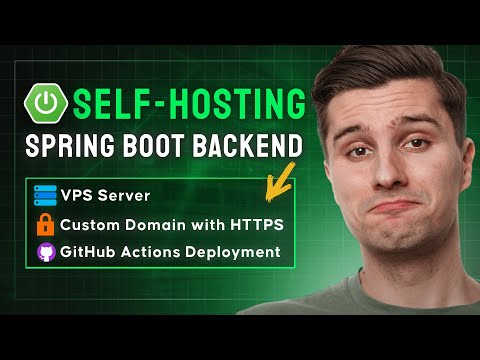
In this video, you'll learn how you can deploy a JAR-based backend (Spring Boot, Ktor, etc.) to a self-hosted VPS instance from Hetzner for just 3$/month. I'll walk you through creating the VPS instance, connecting to it via SSH, securing it via a custom user account, setting up and running a systemd service, setting up Nginx as a reverse-proxy with our own SSL certificate and custom domain and lastly how we can automate this deployment via a GitHub Actions pipeline when pushing to the master branch. Get 20€ worth of Hetzner credits to create your VPS instance: https://hetzner.cloud/?ref=j8CRwH4G9Fmr Get the systemd notes.service config file: https://github.com/philipplackner/SpringBootCrashCourse/blob/master/deployment/notes.service Get the Nginx config file for sites-available: https://github.com/philipplackner/SpringBootCrashCourse/blob/master/deployment/nginx-notes-config ⭐ Courses with real-life practices ⭐ Save countless hours of time ⭐ 100% money back guarantee for 30 days ⭐ Become a professional Android developer now: https://pl-coding.com/premium-courses/ 💻 Let me be your mentor and become an industry-ready Android developer in 10 weeks: https://pl-coding.com/drop-table-mentoring/ Regular programming advice on my Instagram page: https://www.instagram.com/_philipplackner_/ Join my Discord server: https://discord.gg/cwQbmUstEu 00:00 - Introduction 3:07 - VPS Hosting 7:36 - Setting up the VPS 19:14 - Copying the SSH key for existing servers 23:52 - Creating an admin user 35:55 - Creating an SSH alias 38:58 - Installing Java 40:53 - Pushing the JAR to our server 46:06 - Systemd service setup 58:42 - SSL & Custom domain setup 1:08:08 - GitHub Actions automation 1:18:26 - Permitting service relaunch without sudo 1:20:11 - Creating a GitHub repository secret 1:21:40 - Testing everything 1:27:35 - Configuring a firewall
















No Recommendations Found
No products were found for the selected channel.