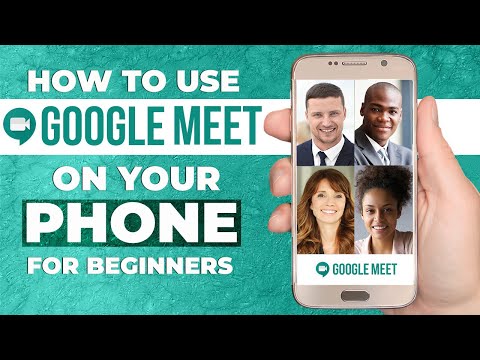
GOOGLE MEET TUTORIAL | How To Use Google Meet STEP BY STEP For Beginners! [COMPLETE GUIDE]


Dorothy Tutorials
@dorothytutorialsAbout
Welcome to Dorothy Tutorials! My name is Dorothy, and my channel is all about helping you Grow & Expand your Business Online with easy to follow step by step tutorials. I've got online marketing tutorials, video conferencing tutorials, YouTube Start-up Tutorials and a ton of video editing tutorials to get you started with your online journey. I also share useful YouTube ranking tutorials and other cool stuff to help you maximize your results from the videos you create. Sounds like something you are interested in? SUBSCRIBE and I'll see you in the comments! *FREE GUIDE* How To Monetize Your YouTube Videos STEP BY STEP: https://youtu.be/tO6WlpsaE3Q - ABOUT - Starting off as a mentor and teacher on YouTube in 2014, Dorothy has created over 100 video tutorials to help a variety of people improve their business and brand. She has also published two successful books herself and continues to create step by step tutorials that are easy to follow and informative.

![ZOOM TUTORIAL | How To Use Zoom STEP BY STEP For Beginners! [COMPLETE GUIDE]](https://imgz.pc97.com/?width=500&fit=cover&image=https://i.ytimg.com/vi/QOUwumKCW7M/hqdefault.jpg)
Video Description
#googlemeet #videoconferencing #tutorial Google Meet Tutorial. HOW TO USE GOOGLE MEET step by step for beginners. Google Meet is a video communication service you can use to virtually host meetings or virtual classes with others online. Google Meet offers many features to make online distant learning and video conferencing as versatile and effective as possible. For example, it lets add live captions to your meetings, present your screen, chat and schedule meetings in Google calendar. Below are time stamps so that you can skip to specific parts of this video: GOOGLE MEET TIMESTAMPS: 00:00 How To Use Google Meet 00:41 ACCESS GOOGLE MEET 01:34 JOIN A MEETING 03:30 START A MEETING (HOST) 05:04 ADD PEOPLE TO CONTACTS 05:17 MEETING CONTROLS 05:52 Disable Video/Enable video 06:06 Mute/Unmute audio 06:24 Live Captions 07:00 Present Now (Share screen) 07:35 Meeting Details 07:56 Calendar Attachments 08:32 More Options 09:37 Live Chat 10:21 SCHEDULE MEETINGS 11:32 GOOGLE MEET VS. ZOOM *************************************************************************** MY BLOG ARTICLE: https://www.naturalvita.net/how-to-use-zoom-step-by-step-for-beginners-complete-guide/ *************************************************************************** 🇩🇪GERMAN VERSION: https://youtu.be/cPTdg6iltvE *************************************************************************** BUY ME A COFFEE: https://www.buymeacoffee.com/naturalvita DONATE CASH VIA PAYPALl: https://www.paypal.me/naturalvita MY WEBSITE: https://www.naturalvita.net/ MY SHOP: https://www.amazon.co.uk/shop/naturalvitatutorials MY EBOOKS: https://www.naturalvita.net/ebooks/ MY PATREON: https://www.patreon.com/naturalvita ★☆★ MY RECIPE BOOKS : ★☆★ Eat for Beauty:https://www.naturalvita.net/product/eat-for-beauty-recipe-book/ 14 Day Clean Vegan Challenge with 2 Week Meal plan: https://www.naturalvita.net/product/14-day-clean-vegan-challenge/


Upgrade Your Aerial Cinematography
AI-recommended products based on this video

SmallRig ZV-E1 Camera Baseplate for Sony ZV-E1, Built-in Cold Shoe Mount and QR Plate (for Arca) Quick Switch Between Tripod and Stabilizer for DJI RS 2 / RSC 2 / RS 3 / RS 3 Pro - 4314

NEEWER a6700 L Plate Compatible with Sony Alpha 6700, Quick Switch Aluminum Extendable Side Plate & Anti Twist Baseplate Compatible with Arca Swiss QR System DJI RS 2 RSC 2 RS 3 Pro Gimbals, CA048

SmallRig Baseplate for Sony Alpha 6700, Bottom Mount Plate Built-in Quick Release Plate for Arca, Supporting Quick Switch Between Tripod and Stabilizer (for DJI RS 2 / RSC 2 / RS 3 / RS 3 Pro) - 4338

SanDisk 128GB Extreme PRO SDXC UHS-I Memory Card - C10, U3, V30, 4K UHD, SD Card - SDSDXXD-128G-GN4IN
