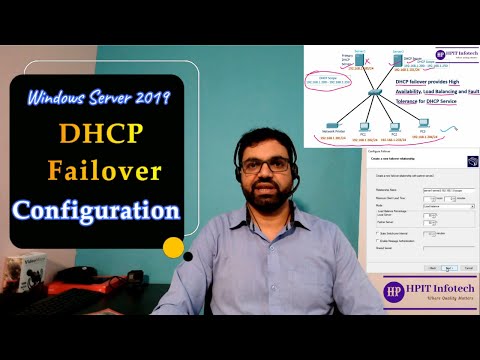
How to Configure DHCP Failover | DHCP Failover Configuration Step by Step | DHCP Failover in Hindi

HPIT Infotech
View ChannelAbout
HPIT Infotech offers online and live training in Information Technology. Here You can find IT Training videos related to different platforms like Microsoft, Cisco, Red Hat Linux, Cloud Computing etc. In this channel videos related to CCNA, MCSA, Red Hat Linux (RHCE), Cloud Computing, AWS, and technology videos used in day to day operations will be uploaded time to time.
Latest Posts


Video Description
Install and Configure DHCP server : https://youtu.be/sh_dTH7x36I How to Configure DHCP Reservation : https://youtu.be/f1gXvrxBS6Q Windows Server Administration Playlist: https://www.youtube.com/watch?v=5avzdlRg670&list=PLKIhEhF7ds89F0zyAZOyIDqcOwRwgFdi0 DHCP Failover | How to Configure DHCP Failover | DHCP Failover Configuration Step by Step in Hindi In this video we will first understand the concepts of DHCP Failover. DHCP Failover is used provide fault tolerance, load balancing and high availability of DHCP Server. we will understand DHCP Failover concepts by a scenario diagram and then we will configure DHCP failover step by step in Windows Server 2019 and during configuration we will also understand failover options and about DHCP Failover Modes: Load Balancing and Standby Mode. we will also test the configuration from Server and also from client machine by assigning IP address to client even when one DHCP Server is failed. #dhcp #server #failover #configuration #windowsserver2019 #systemadministration Please Like, Subscribe, share & support Also Follow us on: Facebook: https://www.facebook.com/hpitinfotech/ Instagram: https://www.instagram.com/hpitinfotech/ Linkedin: https://www.linkedin.com/company/hpit... Twitter: https://twitter.com/hpitinfotech
DHCP Essentials for Network Pros
AI-recommended products based on this video

TP-Link 5 Port Gigabit Ethernet Network Switch (TL-SG1005D) - Plug and Play, Desktop or Wall Mount, Plastic Case, Ethernet Splitter, Fanless, Traffic Optimization, Unmanaged (TL-SG1005D)
