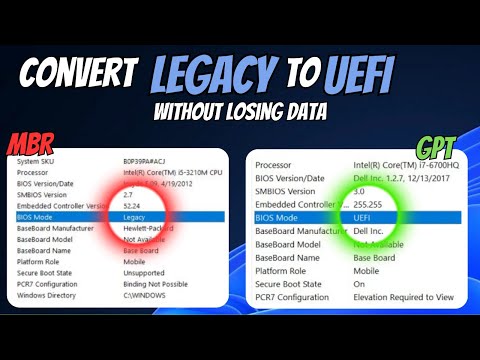
How to Convert Legacy to UEFI (Without Losing Data) | Change MBR to GPT

Crown GEEK
@crowngeekAbout
On this channel, I bring you guys Tips & Tutorials on Computer, browser, and App troubleshooting. We mostly bring how to and tips videos based on Windows 10 and Windows 11.
Latest Posts
Video Description
How to Convert Legacy to UEFI (Without Losing Data) | Change MBR to GPT Check these 2 methods through which you can change your BIOS mode from legacy to UEFI or MBR Partition style to GPT. Method 1 CMD Commands mbr2gpt /validate /disk:0 /allowFullOS mbr2gpt /convert /disk:0 /allowfullos Method 2 - Partition Wizard tool https://www.partitionwizard.com/download.html Join this channel to get access to the perks: https://www.youtube.com/channel/UCcUxc2ws1fOBAA6JvlPzMKg/join Social Media Handles ▬▬▬▬▬▬▬▬▬▬▬▬▬▬▬▬▬▬▬▬▬▬▬▬▬▬▬▬▬▬▬▬ Follow us on: ► Instagram - https://www.instagram.com/sebrauf/ ►Twitter - https://twitter.com/TechnoUplift ►Don't forget to subscribe to my channel. By the way, it's completely FREE! 🆓🆓🆓🆓🆓🆓🆓🆓🆓🆓🆓🆓 ☑ Watched the video! ☐ Liked? ☐ Subscribed? ▬▬▬▬▬▬▬▬▬▬▬ ►Video Tags How do I change from legacy to UEFI? Why change from legacy to UEFI? how to change legacy to uefi in windows 10 how to change bios mode from legacy to uefi windows 7 how to change legacy to uefi without reinstalling windows 11 how to change legacy to uefi using cmd how to change bios mode from legacy to uefi windows 11 what happens if i change legacy to uefi how to change legacy to uefi asus msi change legacy to uefi Note: This video has followed all the Youtube community guideline rules. The purpose of this video is to help everyone with my knowledge and experience. I totally do not support any type of illegal acts or videos. The videos are completely for legal purposes. #uefi #gpt #windows11

Essentials for UEFI Transition
AI-recommended products based on this video

Lenovo IdeaPad 3 Laptop| Intel Core i7-1255U Processor| Touchscreen| 15.6 inch Full HD Display| 40GB RAM, 1TB PCIe SSD|USB-C, HDMI, Card Reader| Office Trial| Backlit Keyboard| Windows 11

Lenovo V-Series V15 Business Laptop | 15.6" FHD 1920 * 1080 | 13th Gen Intel Core i7-13620H | 40GB RAM | 1TB SSD | Webcam | Wi-Fi 6 | Windows 11 Pro | Black | Bundle with ADATA 512GB External SSD

Lenovo IdeaPad 15.6” FHD Touchscreen Laptop, 40GB RAM 2.5TB Storage (2TB SSD+512GB Docking Station Set), 6-Cores Intel Core i3, Windows 11 Pro with Microsoft Office Included, Plusera Earphones

Lenovo 2025 New Touchscreen Laptop • 6-Cores Intel Core i3 • 40GB RAM • 2TB SSD • 15.6 inch FHD (1920 x 1080) Display • Long Battery Life • WOWPC Recovery USB • Windows 11 Pro with Microsoft Office

G.SKILL Ripjaws DDR4 SO-DIMM Series DDR4 RAM 32GB (2x16GB) 2400MT/s CL16-16-16-39 1.20V Unbuffered Non-ECC Notebook/Laptop Memory SODIMM (F4-2400C16D-32GRS)

Lenovo V15 Laptop | 15.6" FHD Anti-Glare Display | AMD Ryzen 7 7730U | 40GB RAM | 1TB PCIe SSD | HDMI | Type-C | Webcam | Wi-Fi | THUNDEROBOT Wireless Ergonomic Mouse | Windows 11 Pro | Black

acer Nitro V16 Gaming Laptop, Microsoft Office 2024 Lifetime License, 16" WUXGA 165Hz, AMD Ryzen 7 8845HS Up to 5.10 GHz, GeForce RTX 4060, 64 GB DDR5 RAM, 4 TB SSD, Backlit Keyboard, Win 11 Pro

acer Nitro V16 Gaming Laptop, 8-Core AMD Ryzen 7 8845HS Up to 5.10 GHz, 16" WUXGA 165Hz, GeForce RTX 4060, 64 GB DDR5 RAM, 4 TB SSD, Wi-Fi 6E, Backlit Keyboard, MS Office Lifetime & Win11 Pro
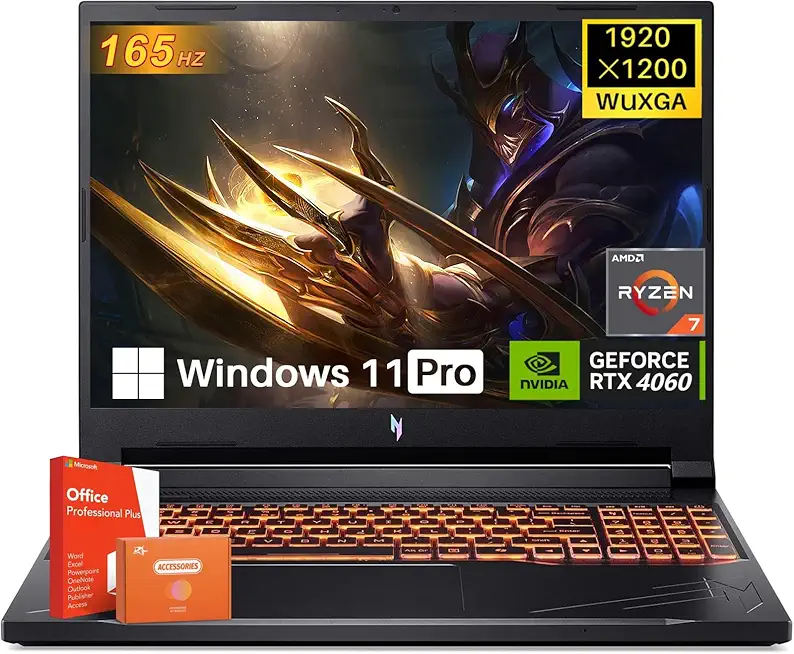
acer Nitro V16 Gaming Laptop, 16" WUXGA 165Hz Display, 8-Core AMD Ryzen 7 8845HS Up to 5.10 GHz, GeForce RTX 4060, 64 GB DDR5 RAM, 4 TB SSD, Backlit Keyboard, Office Lifetime License, Win11 Pro

MSI Thin 15 Gaming Laptop, 15.6" 144 Hz IPS Display, AMD Ryzen 9 8945HS, NVIDIA RTX 4060 8GB GDDR6, 32 GB DDR5, 2 TB SSD, with Windows 11 Pro, Office Pro Lifetime License, Mouse, USB C Flash Drive

ASUS TUF Gaming GeForce RTX ™ 5070 Ti 16GB GDDR7 OC Edition Gaming Graphics Card (PCIe® 5.0, HDMI®/DP 2.1, 3.125-slot, Military-Grade Components, Protective PCB Coating, axial-tech Fans)
