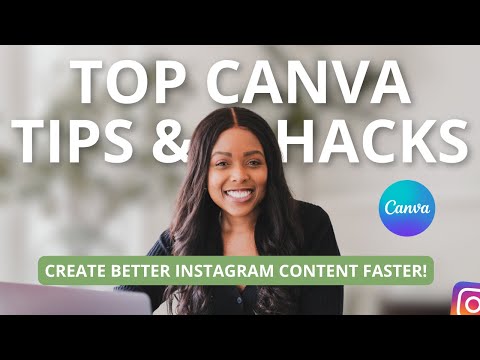
How to Create Better Instagram Content in Canva (in less time!) | CANVA FEATURES YOU NEED TO KNOW

High Season Co.
@highseasoncoAbout
We’re Tiffany and Craig, founders of High Season Co., a social media marketing agency and education business built for business owners who want results (not guesswork). For over 10 years, we’ve created and executed social media and content strategies for global brands. Today, we teach business owners how to apply those same principles to grow their own brands online with intention, consistency, and purpose. On this channel, you’ll find weekly videos covering: • Social media strategy for business owners • Content strategy and content planning • Instagram, YouTube, and short-form video growth • Systems, tools, and workflows that make social media easier to manage • How to turn content into leads, sales, and long-term growth → Want deeper support? Join our membership for exclusive trainings, live strategy sessions, and resources. Social Media Strategy, Content Strategy, and Marketing Education for Business Owners, Creative Entrepreneurs, Coaches, Service Providers & Educators.


Video Description
Wondering how to create Instagram posts in Canva? Watch for the some of the top Canva tips, features and hacks to create content for Instagram. ➡️ Get Canva here: https://partner.canva.com/highseason ➡️ Get Epidemic Sound for music: https://bit.ly/2UzjqOn ➡️ Watch our Canva tutorial on how to create 30 Instagram posts fast here: https://youtu.be/xm3m70Kj08g Thanks for watching: How to Create Better Instagram Content in Canva (in less time!) | TOP CANVA TIPS + FEATURES YOU NEED TO KNOW ➜ Want your content reviewed? Join our membership channel and become a High Season Insider for access to exclusive members-only content like Live Q&As, BTS vlogs, resources and templates: https://bit.ly/HSInsidersYT ➜ WE DROP NEW VIDEOS EVERY WEEK, SUBSCRIBE! http://bit.ly/SubHSYouTube ➜ Want to work with us? Get in touch: https://highseasonco.com/contact ➜ Connect with us: https://instagram.com/highseasonco ➜ Subscribe to our newsletter and become an Insider: https://bit.ly/HighSeasonNewsletter —— 🕛 TIMESTAMPS 🕛 0:00 Intro to How to Create Instagram Content in Canva 0:35 Auto-sync Instagram Reels to music 2:49 Fastest Way to Create Instagram Reels 4:26 Use AI to Generate Content Ideas and Captions 5:22 Design Graphics Using Keywords 6:44 Plan Your Instagram Feed 8:24 Fix Low-Res Images —— 📚 RESOURCES 📚 ➜ Access all of our best Social Media tools and resources: https://www.highseasonco.com/shop ➜ Download your FREE Social Media Strategy Template: https://bit.ly/HS2024SocialStrat ➜ Get your FREE copy of our Instagram Reels Checklist here: https://bit.ly/HSReelsChecklist ➜ Download your FREE copy of our Ultimate Instagram Checklist: https://bit.ly/HSInstaChecklist ➜ Grab a FREE copy of our Instagram Ads Cheatsheet: http://bit.ly/InstaAdsChecklist —— 🍿 WATCH THESE NEXT 🍿 ‣ How to Create an Instagram Feed People Want to Follow: https://youtu.be/GvgIMGk0Jbw ‣ How to Grow on Instagram Organically: https://youtu.be/1-QcVCTqxxM ‣ How to Make Instagram Reels That Get More Reach and Views: https://youtu.be/9qQPeNsDzng ‣ Do THIS if You Have 0 Followers on Instagram: https://youtu.be/HKc6SgVbptk ‣ How the Instagram Algorithm Works: https://youtu.be/9Cn6jJ7ZumU ‣ More Instagram Growth Tips 📈: https://www.youtube.com/watch?v=gY_ZY6hEE1E&list=PLr0cAjaVapOPKf0fwNCKf437C1gtl8KJB —— 🛠️ TOOLS 🛠️ We use TubeBuddy to optimize our YouTube videos: https://www.tubebuddy.com/highseasonco We use ManyChat to automate conversations on Instagram and Facebook and turn our followers into clients: https://manychat.com/product/instagram?utm_campaign=HIGHSEASON Our beautiful emails are sent with Flodesk: https://flodesk.com/c/HIGHSEASONCO We use Canva for graphics: https://partner.canva.com/highseason Keep social media planning and posting simple with Planoly: https://bit.ly/47gRHqb We use Ecamm Live for our YouTube Lives + screensharing https://bit.ly/3dAc8C8 We use REV to transcribe our videos: https://try.rev.com/3qpQBD 📽️ MAIN CAMERA + LENSES: Fujifilm X-T4 Camera: https://geni.us/FujiXT4Silver Fujifilm Fujinon Prime Lens XF23mm F1.4 R: https://geni.us/FujinonLens23mm (for that gorgeous bokeh) 💡 LIGHTING: Softbox Studio Lights: https://geni.us/SoftboxLights 🎙️ AUDIO: Shure SM7B Microphone: https://a.co/d/cSfXpvt Zoom H4n Pro Handy Recorder: https://geni.us/ZoomH4nMic We use Epidemic Sound for music: https://bit.ly/2UzjqOn 📸 ACCESSORIES: Joby GorillaPod 3K Kit Tripod: https://geni.us/JobyGorillaPod3K Manfrotto PIXI Mini Tripod, Black: https://geni.us/ManfrottoTripodBlack DISCLAIMER: This description includes affiliate links which means we earn from qualifying purchases at no extra charge to you. Thanks for your support! —— 🤍 FOLLOW US: Web: https://highseasonco.com Instagram: https://instagram.com/highseasonco Threads: https://www.threads.net/@highseasonco Twitter: https://twitter.com/highseasonco Facebook: https://facebook.com/highseasonco LinkedIn: https://linkedin.com/company/highseasonco Pinterest: https://pinterest.com/highseasonco —— This video is all about: how to create better instagram content in canva, top canva hacks and features, canva instagram posts, canva for instagram, canva instagram, how to create content for instagram, how to create instagram post on canva, canva instagram post design, canva reels tutorial, instagram post design canva, canva tutorial, canva tips and tricks, create social media content in canva, make instagram feed layout in canva, best app to create instagram posts, make instagram reels on canva, instagram post template ABOUT US: We're a Social Media Agency designed to help you discover your community, create authentic connections and deliver transformational experiences.




Essential Gear for Your Camera
AI-recommended products based on this video

NEEWER Advanced 18 inch LED Ring Light for Phone, LCD Touch Screen, 2.4G Remote Lights Control, 3200-5600K, Tripod Light for iPhone Action Camera, for Studio Makeup TikTok YouTube Video Salon (Black)
NEEWER Advanced 18 inch LED Ring Light for Phone, LCD Touch Screen, 2.4G Remote Lights Control, 3200-5600K, Tripod Light for iPhone Action Camera, for Studio Makeup TikTok YouTube Video Salon (Black)

SanDisk 64GB Extreme PRO SDXC UHS-I Memory Card - C10, U3, V30, 4K UHD, SD Card - SDSDXXU-064G-GN4IN

SanDisk 128GB Extreme PRO SDXC UHS-I Memory Card - C10, U3, V30, 4K UHD, SD Card - SDSDXXD-128G-GN4IN

NEEWER a6700 L Plate Compatible with Sony Alpha 6700, Quick Switch Aluminum Extendable Side Plate & Anti Twist Baseplate Compatible with Arca Swiss QR System DJI RS 2 RSC 2 RS 3 Pro Gimbals, CA048
