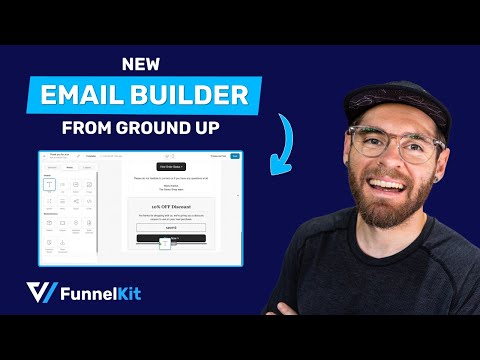
How to Customize WooCommerce Emails [Drag and Drop Builder]

FunnelKitHQ
View ChannelAbout
Are you a WooCommerce store owner? Want some really actionable techniques and insights to boost your conversions? You're at the right place on the internet. On this channel, I, your host- Tavleen share with you WooCommerce funnel building know-how so that you can convert browsers into buyers. If that sounds like something that can help your WooCommerce business, then I recommend you consider subscribing to us!
Latest Posts


Video Description
🔥 Read our post on how to customize WooCommerce emails: https://funnelkit.com/customize-woocommerce-emails/?utm_source=youtube&utm_medium=Customize+WooCommerce+Emails&utm_campaign=FKA&utm_term=ZzTb-DaB-nA 🔥 Learn more about FunnelKit Automations: https://funnelkit.com/wordpress-marketing-automation-autonami/?utm_source=youtube&utm_medium=Customize+WooCommerce+Emails&utm_campaign=FKA&utm_term=ZzTb-DaB-nA 🔥 Join our Facebook group to get tips to grow your online business: https://www.facebook.com/groups/233743063908243 Are you looking to customize WooCommerce emails like a pro? With the new drag and drop email builder from FunnelKit Automations, you can create stunning, high-converting WooCommerce emails directly from your WordPress dashboard, no coding required! The brand-new visual email builder has been completely rebuilt and packed with advanced features that make customizing your WooCommerce emails easier and faster than ever! 🤩 Go through the timestamps/chapters: 0:00 - Intro 2:31 - Premade email layout 3:01 - Design an email from scratch using the visual email builder 3:48 - Create an automation to send order receipt email 4:26 - Add ‘Send Email’ action 4:41 - Design your email body 5:42 - Build the email header 6:38 - Add email body text section 7:34 - Add padding for spacing on sides 8:02 - Add order summary section using WooCommerce block 9:10 - Recreate order summary top section 11:05 - Add custom payment section after order summary using a merge tag 12:50 - Add shipping address, customer details, and order notes 13:30 - Add "view order status" section 14:18 - Add a Contact Us section 14:50 - Add discount coupon section with WooCommerce coupon code blocks 15:25 - Select the coupon code for the coupon block 19:32 - Add terms and conditions text 19:47 - Add email footer 21:14 - Add social icons to the footer 21:50 - Add company address and details 22:30 - Add condition to the coupon code block 23:30 - Place an order to test the email created 23:44 - Activate the email automation 24:00 - Email preview in inbox 24:38 - Disable default email and replace with custom one 24:55 - Conclusion: Better WooCommerce email customization using FunnelKit Automations Get FunnelKit Automations now: https://funnelkit.com/exclusive-offer/?utm_source=youtube&utm_medium=Customize+WooCommerce+Emails&utm_campaign=FKA&utm_term=ZzTb-DaB-nA The FunnelKit Automations’ built-in Visual Email Builder is a game-changer for customizing WooCommerce emails. It's intuitive, powerful, and user-friendly, just like using a drag-and-drop page builder! This tool comes with multiple pre-built email templates you can import and start using immediately. Whether you're customizing your WooCommerce email receipts, order confirmations, or promotional emails, this builder has got you covered. Here’s how FunnelKit makes customizing WooCommerce emails a breeze: - Premade layouts let you quickly insert elements like a header or a sales banner - Save email sections as reusable layouts, so you don't have to recreate them each time - Drag-and-drop interface for adding and designing elements like text, buttons, images, social icons, etc. WooCommerce-specific blocks, such as: - Order summary - Customer address - WooCommerce product block - Coupon element, including conditional display for discount codes based on order total or purchase history - Cart items - Cart link You can drag and drop WooCommerce-specific blocks, such as the order summary block or the coupon block to offer discounts in your emails, and set display conditions for coupons to offer the right offer to the right targeted customer. Switch to FunnelKit Automations now and start customizing WooCommerce emails like never before. Get started with the new Visual Email Builder and unlock all the tools you need to enhance your email marketing game! Get FunnelKit today: https://funnelkit.com/exclusive-offer/?utm_source=youtube&utm_medium=Customize+WooCommerce+Emails&utm_campaign=FKA&utm_term=ZzTb-DaB-nA #CustomizeWooCommerceEmails #funnelkit #woocommerce #funnelkitautomations #woocommerceemails #VisualBuilder #emailcustomization #emaildesign
Elevate WooCommerce Emails Today
AI-recommended products based on this video

LEGO Technic Bugatti Bolide Racing Car Building Set - Model and Race Engineering Toy for Back to School, Collectible Sports Car Construction Kit for Boys, Girls, and Teen Builders Ages 9+, 42151
