How To Generate RSA Public and Private Key Pair with OpenSSL
About
No channel description available.
Latest Posts

Video Description
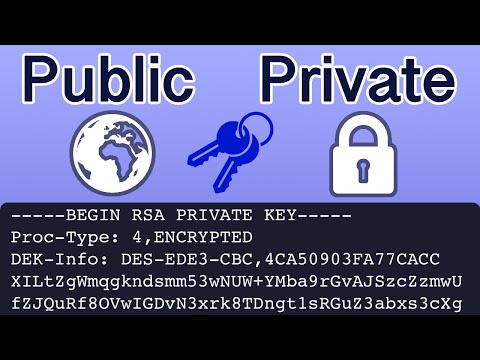
Encrypted AF... 🧠 Need expert help fast? Book a 1:1 session and get unstuck today 👉 https://bit.ly/42I10y5 🎥 NEW: Unlock members-only videos and behind-the-scenes drops 👉 https://bit.ly/4iyBm4I 🛠️ The exact tools and gear I trust (and actually use) 👉 https://amzn.to/44fKDv4 📚 Step-by-step setup guides, templates, and insider resources 👉 https://bit.ly/4ivZDID 🛒 Grab custom gear and tools designed by me 👉 https://etsy.me/4isKwjb 📩 For sponsorships or business inquiries, reach out: [email protected] Easily generate an RSA Public and Private Key Pair (Asymmetric Keys) using OpenSSL. This tutorial will demonstrate the commands to generate a 2048 bit asymmetric key from the terminal on a mac computer. The first command will generate a pem file contain the private key then we will create a public key file. Encryption is an important concept to understand, asymmetric key pairs are using for secure shell (ssh) and SSL within browsers. Commands: Generate Key Pair openssl genrsa -des3 -out private.pem 2048 Extract Public Key openssl rsa -in private.pem -outform PEM -pubout -out public.pem #openssl #cryptography #encryption Have a question about a topic covered in a video or need help? Schedule a micro consultation using the link below. We Offer an 80% Money Back Guarantee. https://calendly.com/session-with-tim Asymmetric versus Symmetric Keys 0:00 - 1:00 OpenSSL 1:00 - 1:20 Create Key Pair 1:20 - 2:27 Extract Public Key 2:27 - 2:56 Key Information 2:56 - 4:11
You May Also Like











Upgrade Your Photo Gear Protection
AI-recommended products based on this video

COTUBLR 31 Inch Computer Desk, Home Office Desk, Simple Modern Small Desk for Bedroom, Writing Desk with Storage Bag, Study Table for Students, Grey Oak
