How To Get Live Satellite Images Directly From Space

saveitforparts
View ChannelAbout
A collection of DIY boats, devices, and other projects built out of junk. Almost everything on this channel is made from scrounged, hoarded, and salvaged parts. I grew up on an island in Alaska, so I know the value of never throwing anything away! I may not be an expert craftsman, but I know my way around a roll of duct tape! I'm also always on the lookout for crazy free or cheap stuff, whether it be electronic parts, boats, aircraft engines, or even a monorail train! Check out www.saveitforparts.com for even more projects! If you'd like to see early sneak peaks of my new stuff, you can support me on Patreon: https://www.patreon.com/saveitforparts And you can buy my merch at https://saveitforparts.myspreadshop.com/ You can also support me by checking out my Amazon affiliate page, where I have some products I like! https://www.amazon.com/shop/saveitforparts
Latest Posts


Video Description
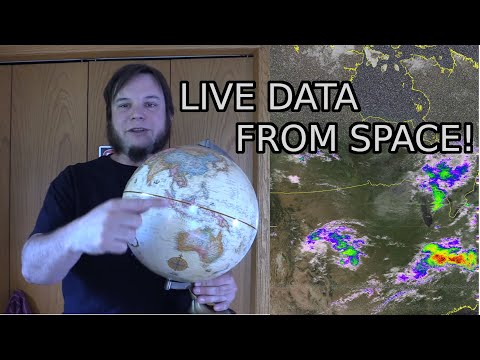
By popular request, here's my attempt at a "simple" how-to starter guide for weather satellite decoding. This was surprisingly difficult to put together, taking me several days and multiple attempts to get it right. It also ended up being over 20 minutes long! According to my recent polls, you the viewers want more satellite stuff and longer videos, so hopefully this fits the bill! The satellites we're looking at in this video are NOAA's polar-orbiting series, NOAA 15, 18, 1n 19. More information about these can be found at https://en.wikipedia.org/wiki/Polar_Operational_Environmental_Satellites The satellites transmit data on a variety of frequencies, the easiest for us to use are in the 137mhz VHF range. You can hear these with most ham radios, police scanners, or certain handheld radios that cover VHF bands. You can also use a software defined radio (SDR) connected to a computer. A basic antenna works fine, but a slightly better antenna are the old TV "rabbit ears" set sideways in a "V" shape. The video has two methods for receiving and processing satellite images. You can just use a cheap handheld radio and your cell phone (method 1), or you can use an SDR and computer (method 2). I'll include some more links to all the hardware and software involved, as well as other walk-through guides. (I find it helpful to read multiple guides and watch multiple videos when learning a new hobby or skill like this, as one source might miss a detail or be hard to understand). Hardware and gadgets I mentioned: - Baofeng radio: https://www.amazon.com/Baofeng-UV-5R-136-174-400-480Mhz-1800mAh/dp/B074XPB313/ - Fancy antenna for Baofeng (optional): https://www.amazon.com/Authentic-NA-771-15-6-Inch-SMA-Female-BTECH/dp/B00KC4PWQQ - Software Defined Radio and antenna kit: https://www.amazon.com/RTL-SDR-Blog-RTL2832U-Software-Defined/dp/B0BMKB3L47 - SAWbird+NOAA AMplifier / Filter (Optional extra): https://www.amazon.com/Nooelec-SAWbird-NOAA-Ultra-Low-Applications/dp/B07TWPR871 Software: - Android Wave Editor: https://play.google.com/store/apps/details?id=io.sbaud.wavstudio&hl=en_US&gl=US - SDR++ (Windows, Mac, or Linux): https://www.sdrpp.org/ - GQRX (Alternative to SDR++, Linux only): https://gqrx.dk/ - SDR# (Another alternative, supposedly easier to use but more hassle to install): https://airspy.com/download/ - SatDump (for decoding recorded signals): https://github.com/SatDump/SatDump - NOAA-APT (alternative to Satdump): https://noaa-apt.mbernardi.com.ar/ - WXtoIMG (Another alternative decoder): https://wxtoimgrestored.xyz/ - Raspberry-NOAA v2 (For Raspberry Pi, advanced option!): https://github.com/jekhokie/raspberry-noaa-v2 Alternate pre-installed image version: https://www.qsl.net/do3mla/raspberry-pi-images.html Website for calculating future satellite passes: https://www.n2yo.com/ Website for decoding wav recordings of satellite signals: https://apt.open-weather.community/ Here are some additional helpful resources and guides: - NOAA APT Satellite guide: https://noaa-apt.mbernardi.com.ar/guide.html - Another guide: https://usradioguy.com/noaa-apt-reception/ - Official NOAA howto guide: https://noaasis.noaa.gov/NOAASIS/pubs/Users_Guide-Building_Receive_Stations_March_2009.pdf - And another walkthrough document: https://www.rtl-sdr.com/wp-content/uploads/2022/08/NOAA-Satellite-Tracking-and-Decoding-Guide-V2.pdf - V-dipole antenna setup: http://rfelektronik.se/manuals/Datasheets/DIY%20137MHz%20WX-sat%20V-dipole%20antenna.pdf - QFH Antenna build (advanced option): https://usradioguy.com/wp-content/uploads/2020/05/20200307-How-To-Build-A-QFH.pdf Saveitforparts t-shirts (like the one I'm wearing!) and other merch can be found at https://saveitforparts.myspreadshop.com/ Join this channel to get access to perks: https://www.youtube.com/channel/UCNLRcEn78Vc62C3GkMvBgtA/join Or support me via Patreon at https://www.patreon.com/saveitforparts
Satellite Imagery Setup Essentials
AI-recommended products based on this video

Satellite Finder, Tv Signal Meter Satellite Signal Finder Satellite TV Receiver Portable Digital 13-18V DC Television Searching Strength Meter Sat Decoder LCD Display Equipment Locators 950-2150 MHz
