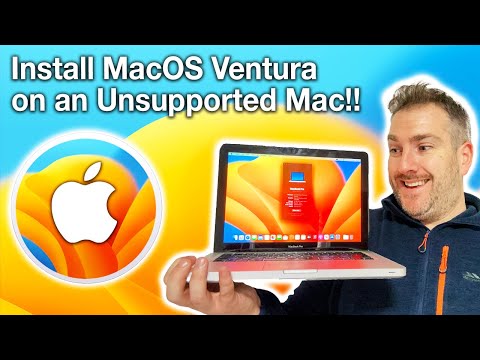
How to Install MacOS Ventura 13 on an Unsupported Mac, MacBook, iMac or Mac Mini in 2023!

Matt Talks Tech
View ChannelAbout
If you want the latest Technology News, Reviews, Comparisons and some guides along the way for Massive Tech Fans you have come to the right place! I love to provide my viewers reviews and comparisons on all devices including news on the latest iPhones, iPads, Apple Watches, AirPods, MacBook’s Macs, Android Phones, Mini PC's & Laptops devices from Apple, Samsung, AMD, Intel, ASUS, Acer, MSI, LG, Lenovo, Dell, HP, Microsoft, Sony, Hisense, OnePlus, Xiaomi and many other brands. For GIVEAWAYS; if your are being contacted via WhatsApp, Telegram, Instagram Direct Message and being asked for Shipping money - THIS IS NOT ME. Please report the fake account that left you a comment here on YouTube. For all Personal enquiries that are NON-Sponsor and NON-Giveaway questions please use this email; [email protected] If you would like to contact PR/Media Team for a SPONSOR to Review a Product or Service for you, please contact via my managed email below; [email protected]
Latest Posts


Video Description
Today I will show you how to Install macOS Ventura 13 on an Unsupported Mac, MacBook iMac, Mac Mini, Mac Pro - Basically ANY MAC that has been made from around 2012 onwards. However I will show you how you can check if your Mac is comptible with Monterey. To be clear this guide shows you how to install Mac OS Ventura, it is up to you to backup your data first and use Ventura at your own risk, I am not responsible for any loss of data etc...For me as you can see I installed Ventura and it worked for me, however due to unforeseen circumstances I can't help with all install steps if it doesn't work out for you. I also can't support or guide you on the use of additional Apps you may install like for example Office (word, powerpoint, excel), Final Cut Pro, Photoshop etc... they may work - they may not. However do help others in the comments if you get Apps to work what other are struggling with. Please make sure your Mac is Compatible here; https://dortania.github.io/OpenCore-Legacy-Patcher/MODELS.html Using OpenCore; I have successfully installed macOS Ventura 13 onto a 2012 MacBook Pro and you can to on your Intel Mac! You will need a USB stick and and the OpenCore Legacy patcher. The USB stick I have used and works with MacOS Ventura is this one; UK - https://amzn.to/2UKD7EW You can download this from OpenCore Legacy website; https://dortania.github.io/OpenCore-Legacy-Patcher/START.html 0:00 How it is possible... 0:36 DO NOT SKIP - Important Steps before Starting! 3:46 Install Part 1 - Download & USB Setup 15:19 Install Part 2 - Installation 21:35 Install Necessary Patches for your Mac
















Kitchen Lab Essentials
AI-recommended products based on this video

Water Testing Kits for Drinking Water: 125 Strips 16 in 1 Drinking Water Test Kit, TESPERT Water Test Strips with Hardness, PH, Mercury, Lead, Iron, Copper, Chlorine, Cyanuric Acid

TESPERT Pool and Spa Test Strips Hot Tub Test Strips 7-in-1 125 Strips Pack, Chemistry Test Kit for Test Bromine, Total Alkalinity, pH, Free Chlorine, Total Hardness, Cyanuric Acid, and Total Chlorine

Luxbird 7 in 1 Aquarium Test Strips, Fish Tank Test Kit, 100 Strip Pack, Freshwater Aquarium Test Kit to Detect pH Nitrite Nitrate Chlorine Carbonate Total Alkalinity Hardness

18 in 1 Drinking Water Test Kit,125 Strips Water Chemical Testing for Home Tap and Well Water, Accurate Testing for Chlorine,Nitrate, Lead, Hardness, Fluoride, Iron, Copper, pH & More
