How to Install Oracle 19c and SQL Developer on windows 10/11 [ 2023 Update ] Complete guide


Geeky Script
View ChannelAbout
👋 Hi, I’m @GeekyScript 👀 Geeky Script is an e-learning platform with Millions of unique visitors each month. This is an attempt to teach the basics of coding to all aspirants which took me ages to learn. At Geeky Script, we break down computer programming and other tech topics in a way that's friendly for both beginners and tech-savvy folks. If you're into coding or want to know more about the latest technologies then you're in the right spot. Hit that subscribe button to catch our upcoming videos. I'm here to help with any questions you have about tech. Let's learn and have fun together! 🌐 Want to reach me? ► Youtube: https://www.youtube.com/c/GeekyScript ► Website: https://geekyscript.com/ ► Twitter: https://twitter.com/GeekyScript ► LinkedIn: https://www.linkedin.com/in/geekyscript/ Exciting tutorials and tech updates are on the way at Geeky Script! 🚀 🎯 Goal: 1M Tech Enthusiasts Let's dive into the tech world together because learning should be fun and easy!
Latest Posts




Video Description
Hello Everyone! Today in this video I am going to step-by-step guide you on How to install Oracle 19c and SQL Developer for writing SQL queries on Windows 10/11. Windows (64-bit). ► Follow me on Instagram: https://www.instagram.com/geekyscript/ ► Subscribe to Geeky Script Vlog Channel: https://www.youtube.com/@GeekyScriptVlogs/ ► Subscribe to Geeky Syntax Channel: https://www.youtube.com/@geekysyntax/ Geeky Script ( @GeekyScript) is a Computer Science - Educational Videos Creator 🎉 You can support us by buying a coffee ☕️ here — https://www.buymeacoffee.com/geekyscript ✻ I really hope you find this video useful. ♥ ✻ Please click on the CC button to read the subtitles of this video. Installing Oracle 19c and SQL Developer is very easy. Just follow the following steps and there you go to create your first SQL database!! So let's begin. Step 1. To install Oracle 19c first you just need to download a .zip file from the following Link: https://www.oracle.com/in/database/technologies/oracle19c-windows-downloads.html Step 2. Then, to install SQL Developer first you just need to download a .zip file from the following Link: https://www.oracle.com/database/sqldeveloper/technologies/download/ Step 3. After downloading Oracle 19c and SQL Developer, extract it as shown in the video. Step 4. Now simply run the Oracle 19c .exe file as shown in the video. Oracle Database 19c is a multi-model database that provides full support for relational data, for example, SQL, and also non-relational data, such as JSON, XML, text, spatial, and graph data. Step 5. Now after installing Oracle19c, just simply login into the server from SQL Developer as it is shown in the video. Step 6. After making a successful connection now it's time to create your own SQL table. For that, simply type CREATE TABLE Command as shown in the video. And there you go!! The instructions in this video tutorial can be applied to laptops, desktops, computers, and tablets which run the Windows 10/11 operating system like Windows 10/11 Home, Windows 10/11 Professional, Windows 10/11 Enterprise, and Windows 10/11 Education. This tutorial will work on all hardware manufacturers, like Dell, HP, Acer, Asus, Toshiba, Lenovo, and Samsung. #oracle19c #sql #sqldeveloper #sqltutorial #Windows10/11 Topics addressed in this tutorial: How To Download And Install Oracle 19c and SQL Developer On Windows 10/11 64-bit OS How to install the Oracle 19c and SQL Developer on Windows 10/11 Install Oracle 19c and SQL Developer on Windows 10/11 How to Install Oracle 19c and SQL Developer and Get Started --------------------------------------------------------------------------- 🔗 Related Videos: 🎙️ Turn Text into Realistic Speech Using Python in 5 Lines! [ 2025 Update ] ft. edge-tts – https://youtu.be/ik1jY22PlP4 🔥 Complete Python Project Tutorials [2025 Update]: ►https://www.youtube.com/watch?v=spSpaFCaWO8&list=PLFaWDe_XIA4rJCL6nOuvvUcg7-ER8yMyn&index=2 🔥 Build Python Face Detector in Just 10 Lines [2025 Update] OpenCV: https://youtu.be/spSpaFCaWO8 🔗 Related Articles on Complete Python Projects: 👉https://geekyscript.com/turn-your-python-text-into-handwritten-notes-with-just-one-script/ 👉https://geekyscript.com/turned-jpgs-into-pdfs-in-seconds/ 👉https://geekyscript.com/insane-qr-code-generator-with-gui-logo-python-magic/ 👉https://geekyscript.com/this-10-line-python-script-can-detect-faces-like-magic-you-wont-believe-how-easy-it-is/ 👉https://geekyscript.com/turn-text-into-realistic-speech-using-python-in-5-lines/ --------------------------------------------------------------------------- MY RELATED VIDEOS: ✻ All about Android Studio: https://youtu.be/fxSKQPG37IA ✻ All about PostgreSQL: https://youtu.be/uN0AfifH1TA ✻ All about MongoDB: https://youtu.be/h2x6BmUi5zQ ✻ All about MySQL: https://youtu.be/tFBGj_xDu34 ✻ All about WordPress: https://youtu.be/um8BtHFNJBA ✻ All about Java Spring: https://youtu.be/ajsap2g24_Q ✻ All about Maven: https://youtu.be/7DKbtM-BVLg ✻ All about eBook: https://youtu.be/-7f2HqSSeo0 ✻ All about React: https://youtu.be/c38i0f0Q08o ✻ All about NextJS: https://youtu.be/pCzofI8vPo4 ✻ All about Angular: https://youtu.be/Xu7R_aMz070 ✻ All about Microsoft SQL Server: https://youtu.be/tGqhlV-kaFU ✻ All about Wamp: https://youtu.be/M2at7D-lciw ✻ All about Visual Studio: https://youtu.be/SViilF85ues --------------------------------------------------------------------------- THANK YOU so much for watching! Please make sure to LIKE and SHARE the video and SUBSCRIBE to the channel for more such videos :) --------------------------------------------------------------------------- CONNECT WITH ME ON: ✻ Website: https://geekyscript.com/ ✻ Instagram: https://www.instagram.com/geekyscript/ ✻ LinkedIn: https://www.linkedin.com/in/geekyscript/ ✻ Twitter: https://twitter.com/GeekyScript ✻ Email: [email protected] ✻ YouTube channel: https://www.youtube.com/c/geekyscript/ ---------------------------------------------------------------------------
Boost Your Gaming Setup
AI-recommended products based on this video

acer Aspire 3 A315-24P-R7VH, 15.6" FHD 1920x1080 Laptop, AMD Ryzen 3 7320U, Radeon Graphics, 8GB RAM, 128G SSD, Windows 11 in S Mode

Beelink EQR5 Mini Desktop PC with AMD Ryzen 7 5825U 8C/16T, 32GB DDR4 500G NVMe M.2 SSD, Dual Display Output, Built in PSU, WiFi 6, 1000M RJ45, Bluetooth 5.2 W-11 Mini Computer

Western Digital 2TB WD Blue SA510 SATA Internal Solid State Drive SSD - SATA III 6 Gb/s, 2.5"/7mm, Up to 560 MB/s - WDS200T3B0A

Corsair SF1000 (2024) Fully Modular Low Noise 80 Plus Platinum ATX Power Supply – ATX 3.1 Compliant – PCIe 5.1 Ready – SFX-to-ATX Bracket Included – Black

Corsair RM1000e Fully Modular Low-Noise ATX Power Supply - Dual EPS12V Connectors - 105°C-Rated Capacitors - 80 Plus Gold Efficiency - Modern Standby Support - Black
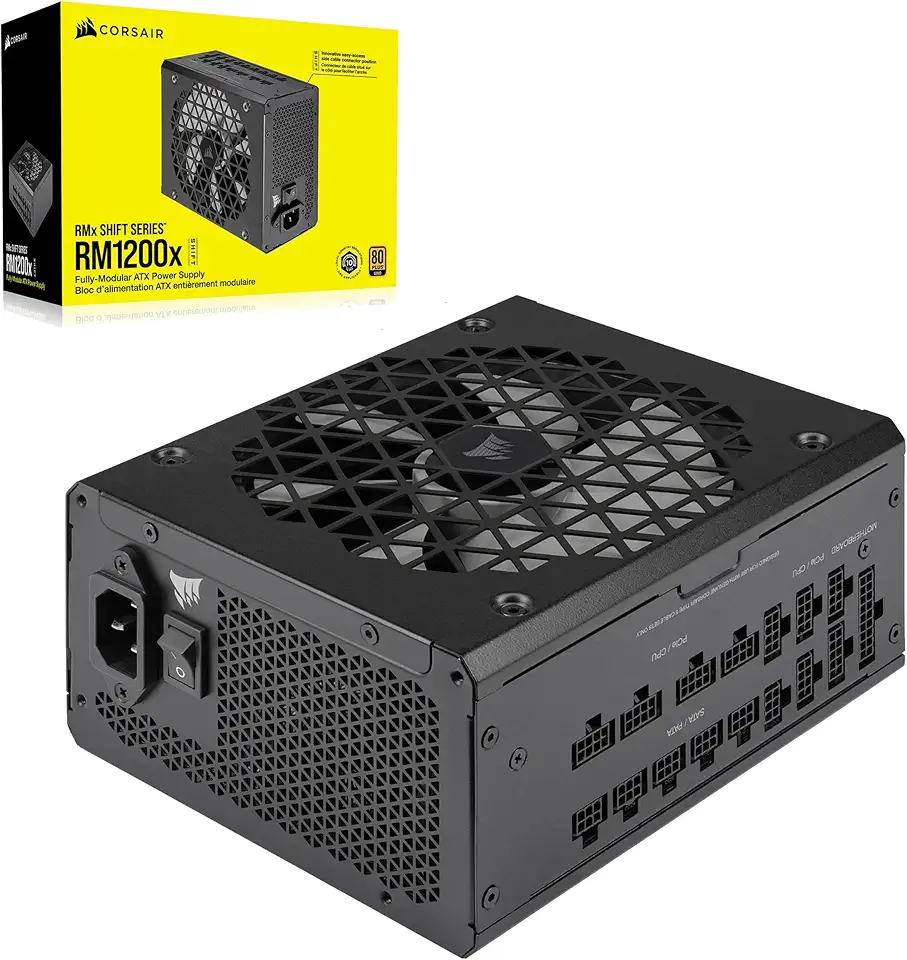
Corsair RM1200x Shift Fully Modular ATX Power Supply - Modular Side Interface - ATX 3.1 & PCIe 5.1 Compliant - Zero RPM Fan Mode - 105°C-Rated Capacitors - 80 Plus Gold Efficiency - Black, 1200W

CORSAIR Hydro X Series iCUE Link XH405i Custom Cooling Kit – Hardline Water Cooling Loop – XC7 Elite CPU Water Block – XD5 Elite D5 Pump Res – XR5 360mm Radiator – 3X QX120 RGB Fans

Logitech G203 Wired Gaming Mouse, 8,000 DPI, Rainbow Optical Effect LIGHTSYNC RGB, 6 Programmable Buttons, On-Board Memory, Screen Mapping, PC/Mac Computer and Laptop Compatible - Black

Redragon M612 Predator RGB Gaming Mouse, 8000 DPI Wired Optical Mouse with 11 Programmable Buttons & 5 Backlit Modes, Software Supports DIY Keybinds Rapid Fire Button

acer Chromebook 315 Laptop | Intel Pentium Silver N6000 | 15.6" Full HD IPS Touch | Intel UHD Graphics | 8GB LPDDR4X | 64GB eMMC | Wi-Fi 6 | DTS Audio | Protective Sleeve | Chrome OS | CB315-4HT-P8PQ

Acer PM161Q Bbmiuux 15.6" Full HD (1920 x 1080) Widescreen Portable IPS Display | AMD FreeSync Technology | 4ms (G to G) | 2 Speakers | USB Type-C Cable and Mini HDMI Cable

acer Enduro T1 ET108-11A-80PZ Rugged Tablet, 8.0" WXGA IPS Touch, MediaTek MT8385 Octa-Core Processor, 4GB LPDDR4, 64GB eMMC, WiFi-5, Front 2MP Webcam, Rear 5MP Webcam, Handstrap, Android 9 Pie
