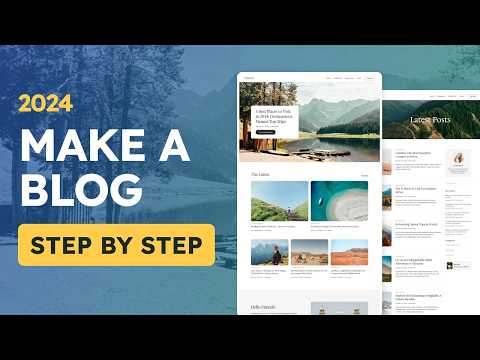
How To Make a WordPress Blog 2024 - Step by Step

Tyler Moore
@tylermooreAbout
My free video lessons teach people how to create their own professional website without any coding experience. All tutorials are step-by-step with no step skipped.
Latest Posts


Video Description
Learn how to create a WordPress Blog, step by step with no step skipped We will use WordPress to make your blog, the most popular way to make a website in the entire world. You’ll Learn: - How to get a Website Name (YourName.com) - How To Install WordPress - How To Create Your Blog - How To Add Blog Posts - Edit Your Blog Design Resources: - Download WP Packages Plugin: https://tyler.com/packages/ - Download Example Images: https://unsplash.com/@tylermoore/likes - Generate Your Tagline: https://tyler.com/tagline-generator/ - Website Templates: https://tyler.com/ - Website Research: https://docs.google.com/spreadsheets/d/1ve7Ipw0wFdFe1az5lvj5w4Z8yLhUxJqFqjjeH5L2-yw/edit?usp=sharing - In Depth Website Editing: https://youtu.be/s28x7sF3Ruc?si=WM1RrczfK0Mh0a4Q&t=2081 - Blog Resources: https://tyler.com/blog-resources/ Step-by-Step Outline: 00:00:00 Intro 00:02:57 Costs 00:04:30 Domain Name & Hosting 00:12:11 Install WordPress ( it’s done for you) 00:13:04 Login For First Time 00:14:22 Change Password 00:14:56 Logout 00:15:15 Login (The real way) 00:16:02 Import Website 00:19:18 Website Tour 00:22:06 Select Home Page 00:23:10 Site Title / Tagline 00:24:45 Delete Pages 00:25:53 Choose Blog Page Layout 00:27:46 Edit Home Page 00:35:30 Edit About Page (tips and tricks) 00:47:57 Add a New Page 00:49:22 Add Blog Post 01:00:21 Add Category 01:01:51 Edit Blog Post Template 01:05:52 Edit Author Bio 01:08:01 Edit Blog Page 01:10:49 Edit Categories Template 01:12:28 Contact Page 01:16:44 Edit Header 01:20:02 Edit Footer 01:20:45 Make a Logo 01:27:46 Reset Website 01:28:34 Logout 01:28:50 Congrats!! Hope you love it as much as I do :)

Essential Blog Setup Tools
AI-recommended products based on this video

Lenovo V15 Laptop | 15.6" FHD Anti-Glare Display | AMD Ryzen 7 7730U | 40GB RAM | 1TB PCIe SSD | HDMI | Type-C | Webcam | Wi-Fi | THUNDEROBOT Wireless Ergonomic Mouse | Windows 11 Pro | Black