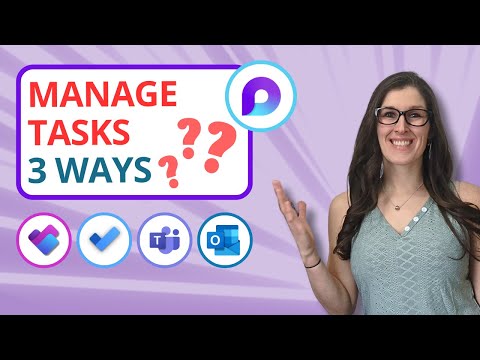
How to Manage Tasks Effectively in Microsoft Loop

Office Skills with Amy
@officeskillswithamyAbout
MICROSOFT 365 TRAINING & COACHING Empowering businesses to streamline Microsoft 365 workflows. I simplify learning Microsoft 365 products so that you can: 1️⃣ Navigate 365 apps with confidence, 2️⃣ Increase productivity, 3️⃣ And reclaim your time for meaningful work. 🔮 TECHNOLOGY VIDEOS TO COME Microsoft 365 apps including Microsoft Copilot, Microsoft Loop, Microsoft Teams, Microsoft Excel, Microsoft Word, Microsoft PowerPoint, Microsoft Outlook, Microsoft OneNote and more! ❓WHAT TOPICS ARE YOU MOST INTERESTED IN? Drop me a comment in a video and I will consider it for future content 🩵




Video Description
There are three ways to manage tasks in Loop. But which one is the best? In this tutorial, we will learn how to manage tasks effectively in Microsoft Loop as well as other Microsoft Loop Tips. We will deep dive into the task management features within Microsoft Loop and progress to become masters at each different option, while also learning the benefits and disadvantages of each. By the end of the video, you will be able to pin point the best Task Management feature in Microsoft Loop for your organization. If you are a student, teacher, project manager, business owner or super nerd like me, then we have got you covered! OFFICE SKILLS WITH AMY Welcome to Office Skills with Amy! We create easy-to-follow and engaging how-to-technology videos to help you boost your productivity and save time in the office. DISCOVER YOUR INNER NERD We believe that being a 'nerd' is a term of pride, I personally, have been advertising myself as an Excel Nerd in interviews since 2009. Our goal is to inspire you to unleash the power of technology and Discover Your Inner Nerd along the way. We're here to show you how to make the most out of Microsoft 365 apps and other cutting-edge technology WHAT WILL YOU LEARN Whether you're a beginner or an experienced user, we'll help you become more efficient, automate tasks, and save time. NEW CONTENT WEEKLY With new content every week, we'll keep you up-to-date on the latest technology trends and help you stay ahead of the curve. TECHNOLOGY VIDEOS TO COME Microsoft 365 apps including Microsoft Office, Microsoft Loop, Microsoft Teams, Microsoft Excel, Microsoft Word, Microsoft PowerPoint, Microsoft Outlook, Microsoft OneNote and more! LIKE, COMMENT & SUBSCRIBE Don't forget to like, comment, and subscribe to our channel to show your support and stay tuned for more technology videos to come. Let's Nerd Out together and unleash the power of technology!












Upgrade Your Task Management Today
AI-recommended products based on this video

Battery Cover for Xbox Series S, Cheap Replacement Back Shell Door Lid Repair Part to Microsoft Xbox Series X Controller, Black Batteries Port Cap Outside Case for New Xbox Core Wireless Remote,4 Pack

Metapen A8 Pencil for iPad 2018-2025, 4Min Fast Charge, Palm Rejection, Tilt Sensitivity Stylus Pen for iPad 10th 11/9/8/7/6, iPad Accessories for Pro 12.9/11/13", iPad Air 3/4/5/M2/M3, iPad mini 5/6

Metapen Air 8 Apple Pencil for iPad 2018-2025, 20H Battry Life, 2Min Fast Charging, Palm Rejection, Stylus Pen for iPad 11/10/9/8/7/6th, iPad Pro 12.9/11/13“M4, iPad Air 3/4/5/6/M2/M3, iPad mini 5/6

UGREEN Revodok USB C Hub, 5-in-1 USB C Adapter with 4K HDMI, 100W Power Delivery, 3 USB A Data Ports, Multiport USB Hub for MacBook Pro/Air, iPad Pro, Surface, XPS, Thinkpad, Galaxy and More, Gray
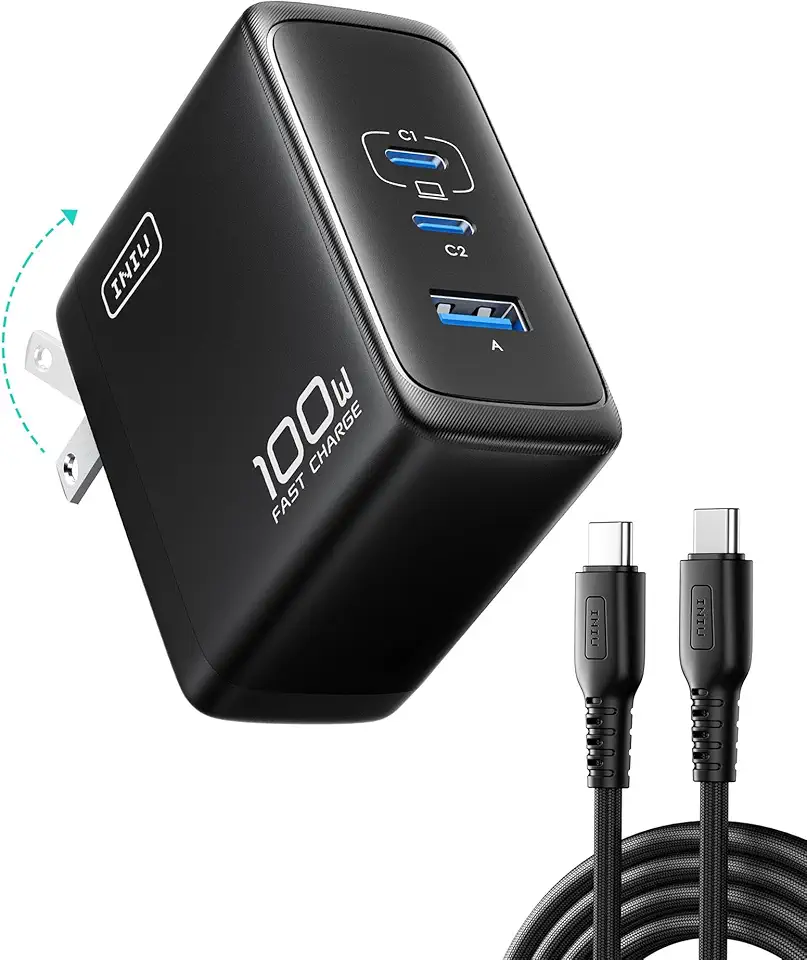
INIU USB C Charger Block, 100W 3-Port PD Fast Charging, Advanced GaN Power Adapter, Foldable Charger with USB C Cable for MacBook Air 13 Pro, iPad, iPhone 17 16 Pro Max, Samsung S25 S24, Switch 2 etc ClimatePartner certified
Metapen Air 8 Apple Pencil for iPad 2018-2025, 20H Battry Life, 2Min Fast Charging, Palm Rejection, Stylus Pen for iPad 11/10/9/8/7/6th, iPad Pro 12.9/11/13“M4, iPad Air 3/4/5/6/M2/M3, iPad mini 5/6

Dash Cam Front and Rear Camera – 4K+1080P Dual Dash Camera for Cars with 64GB SD Card, 5G/2.4GHz WiFi & App Control, Night Vision, Parking Mode, G-Sensor, Loop Recording, WDR, 170° Wide Angle

galphi 4K Dash Cam Front, Built-in 5G WiFi, 64GB Card Included, Dash Camera for Cars, Mini Dashcam for Cars with Loop Recording, G-Sensor, 24 Hours Parking Monitor, APP, Support 256GB Max

CIEVIE 4K Dash Cam Front and Rear Camera, 64GB SD Card, 4K+1080P Dual Dashcams for Cars, 5G WiFi & App Control, 1.5" Display Dash Cam Front, Night Vision, 24/7 Parking Mode, G-Sensor, Loop Recording

Dash Cam Front and Rear 4K, WiFi Dash Camera for Cars with App, 1.97 Inches Display Screen Dashcam for Cars Front and Rear, Car Camera Dashboard Camera with 24/7 Parking Mode, G-sensor, Loop Recording

Invincible Fitness Agility Ladder Full Training Equipment Set, Improves Coordination, Speed, Power and Strength, Includes 10 Cones 4 Hooks and 3 Loop Resistance Bands for Outdoor Workout
Invincible Fitness Agility Ladder Full Training Equipment Set, Improves Coordination, Speed, Power and Strength, Includes 10 Cones 4 Hooks and 3 Loop Resistance Bands for Outdoor Workout
Dash Cam Front and Rear Camera – 4K+1080P Dual Dash Camera for Cars with 64GB SD Card, 5G/2.4GHz WiFi & App Control, Night Vision, Parking Mode, G-Sensor, Loop Recording, WDR, 170° Wide Angle
galphi 4K Dash Cam Front, Built-in 5G WiFi, 64GB Card Included, Dash Camera for Cars, Mini Dashcam for Cars with Loop Recording, G-Sensor, 24 Hours Parking Monitor, APP, Support 256GB Max
CIEVIE 4K Dash Cam Front and Rear Camera, 64GB SD Card, 4K+1080P Dual Dashcams for Cars, 5G WiFi & App Control, 1.5" Display Dash Cam Front, Night Vision, 24/7 Parking Mode, G-Sensor, Loop Recording