How to Secure your Synology NAS (Best Practices)


WunderTech
@wundertechtutorialsAbout
Hi! I'm Frank Joseph, the creator of WunderTech. This channel is focused on creating educational tutorials and informational videos on data storage devices (NAS), networking, servers, infrastructure, applications, and home lab equipment. The video content is designed to be as user-friendly as possible, so viewers of all levels can easily understand it and implement the solutions in their own environment. ❗ Hire me: https://www.wundertech.net/wundertech-consulting/ Certain links on this YouTube channel are affiliate links, which means that I earn a percentage of each sale at no cost to you. Thank you for your support. WunderTech is a trade name of WunderTech, LLC. If you're interested in sponsoring a video, please contact me at the email address below.
Latest Posts


Video Description
There are various things you can do to secure your Synology NAS, but configuring certain settings, and a valid backup and recovery plan is arguably the most important. This video focuses on how to secure your Synology NAS and while nothing can guarantee you won't run into issues in the future, this should provide a rollback plan in the event that you do. ℹ️ HELPFUL TUTORIAL LINKS ℹ️ 🔵 Configuring Synology's Firewall: https://youtu.be/G3BJo4B1GgU 🔵 Synology NAS OpenVPN Tutorial (safe remote access): https://www.wundertech.net/synology-nas-openvpn-server-setup-configuration/ 🔵 YOU NEED A UPS (few individual options below): https://www.wundertech.net/best-synology-nas-ups-devices/! 🔵 Synology NAS Backblaze B2 Setup: https://www.wundertech.net/backup-synology-nas-to-backblaze-b2-using-hyper-backup/ 🔵 Hyper Backup Tutorial: https://www.wundertech.net/synology-hyper-backup/ 💰 PURCHASE LINKS 💰 (affiliate links: as an Amazon Associate I earn from qualifying purchases) 🔋UPS Devices🔋 🔗 APC 600VA: https://geni.us/wt-apc600 🔗 APC 1500VA: https://geni.us/wt-apc1500 DISCLAIMER: The information in this video has been self-taught through years of technical tinkering. While we do our best to provide accurate, useful information, we make no guarantee that our viewers will achieve the same level of success. WunderTech does not assume liability nor responsibility to any person or entity with respect to damage caused directly or indirectly from its content or associated media. Use at your own risk. WunderTech is a trade name of WunderTech, LLC. 0:00 Intro 1:05 Admin Account 1:58 Auto Block 2:53 SSH 4:26 Update Settings 4:53 Should You Use Synology's Firewall? 6:57 Configuring Synology's Firewall 12:00 Configuring 2FA 12:49 Additional DSM Settings 13:29 Port Forwarding 15:37 Final Thoughts for Settings 16:34 Configuring & Using Snapshots with BTRFS 17:35 Immutable Snapshots 20:06 Restoring from a Snapshot 21:09 You NEED to Configure Backups 21:50 Configuring Hyper Backup 27:08 Restoring from Hyper Backup 28:43 Final Thoughts







Essential Gear for Photographers
AI-recommended products based on this video

ANXRE 71" Phone Tripod, NT79 Extendable Selfie Stick for Cell Phone&Camera Photo Video Kits, Travel Tripod Stand with Remote for Video Recording, Phone Holder Tripod Compatible with Phone Camera Gopro

Kaiess 62" Tripod for iPhone, Selfie Stick Tripod & Phone Tripod Stand with Remote, Cell Phone Tripod for iPhone, Extendable Travel Tripod Compatible with iPhone 14/13/12 Pro Max/Android
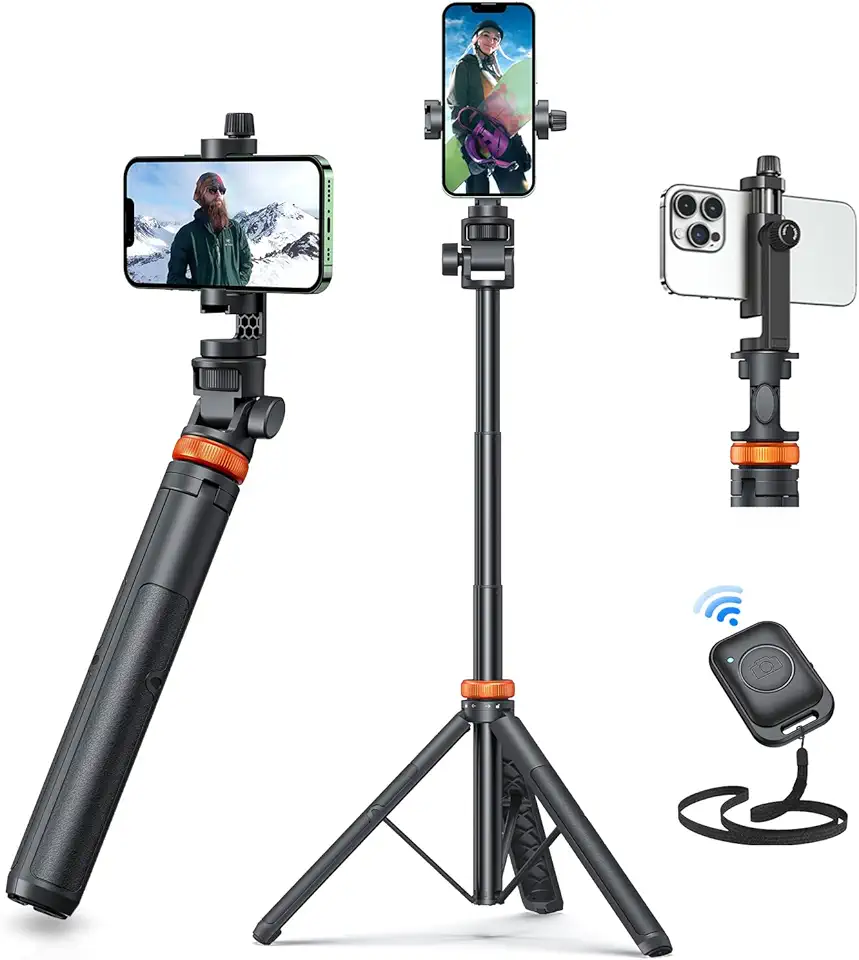
EUCOS 62" Phone Tripod, Tripod for iPhone & Selfie Stick Tripod with Remote, Extendable Phone Tripod Stand & Travel Tripod, Solidest Cell Phone Tripod Compatible with iPhone/Android

Jhcztrk 17.3 Inch Portable Monitor HDMI Type-C Laptop Gaming Monitor, 1600X900 with Built-in Speakers and Tripod External Slim Travel Monitors Second Monitors for Mac Smartphone PS4/PS5/ Gaming
Kaiess 62" Tripod for iPhone, Selfie Stick Tripod & Phone Tripod Stand with Remote, Cell Phone Tripod for iPhone, Extendable Travel Tripod Compatible with iPhone 14/13/12 Pro Max/Android

SmallRig ZV-E1 Camera Baseplate for Sony ZV-E1, Built-in Cold Shoe Mount and QR Plate (for Arca) Quick Switch Between Tripod and Stabilizer for DJI RS 2 / RSC 2 / RS 3 / RS 3 Pro - 4314

SmallRig Baseplate for Sony Alpha 6700, Bottom Mount Plate Built-in Quick Release Plate for Arca, Supporting Quick Switch Between Tripod and Stabilizer (for DJI RS 2 / RSC 2 / RS 3 / RS 3 Pro) - 4338

SanDisk 64GB Extreme PRO SDXC UHS-I Memory Card - C10, U3, V30, 4K UHD, SD Card - SDSDXXU-064G-GN4IN

SanDisk 128GB Extreme PRO SDXC UHS-I Memory Card - C10, U3, V30, 4K UHD, SD Card - SDSDXXD-128G-GN4IN

Lexar 128GB Micro SD Card, microSDXC UHS-I Flash Memory Card with Adapter - Up to 100MB/s, A1, U3, Class10, V30, High Speed TF Card

NEEWER Advanced 18 inch LED Ring Light for Phone, LCD Touch Screen, 2.4G Remote Lights Control, 3200-5600K, Tripod Light for iPhone Action Camera, for Studio Makeup TikTok YouTube Video Salon (Black)

Anker USB C Charger Cable (6ft 100W, 2Pack), USB 2.0 Type C Fast Charging Cable for iPhone 15 / 15Pro / 15Plus / 15ProMax MacBook Pro 2020, iPad Pro 2020, iPad Air 4, Samsung Galaxy S23+/S23 Ultra ClimatePartner certified
![Anker USB C Cable, [2-Pack, 6 ft] Type C Charger Premium Nylon USB Cable, USB A to Type C Charging Cable Fast Charge for Samsung Galaxy S10 S10+ / Note 8, LG V20 and Other USB C Charger (Black)](https://m.media-amazon.com/images/I/71N7xhCJnoL._AC_UL960_FMwebp_QL65_.jpg)
Anker USB C Cable, [2-Pack, 6 ft] Type C Charger Premium Nylon USB Cable, USB A to Type C Charging Cable Fast Charge for Samsung Galaxy S10 S10+ / Note 8, LG V20 and Other USB C Charger (Black)
