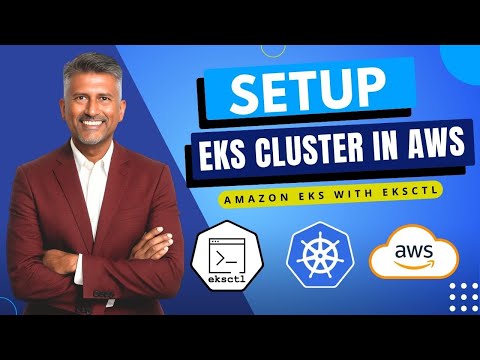
How to Setup EKS cluster in AWS | Setup EKS cluster using eksctl | Setup Amazon EKS cluster | EKS

Cloudamy
View ChannelAbout
Welcome to DevOps Coach channel! 🚀 Elevate your DevOps career with our immersive 12-week DevSecOps Coaching Program, meticulously crafted to provide hands-on experience across AWS and Azure cloud. Our fast-paced, lab-oriented sessions ensure that you gain practical skills through over 50 comprehensive lab exercises, emphasizing an 80% hands-on and 20% theoretical approach. Led by Coach AK, a TOGAF-certified architect with 24 years of IT experience, including over a decade in DevOps and cloud computing, you'll receive personalized guidance tailored to your professional growth. Our program also offers collaborative learning through dedicated WhatsApp groups, access to troubleshooting resources, and support in resume and interview preparation. Join the ranks of over 3,000 successful professionals who have transformed their careers with our unique, job-relevant coaching. Believe in yourself—anything is possible! Also please check out my personalized learning portal - www.cloudamy.com
Latest Posts



Video Description
In this step-by-step tutorial, you will learn how to create an Amazon EKS Cluster using eksctl on AWS, including setup, configuration, and deploying applications. Amazon EKS is a fully managed container orchestration service. EKS allows you to quickly deploy a production ready Kubernetes cluster in Azure, deploy and manage containerized applications more easily with a fully managed Kubernetes service. EKS takes care of Master node/Control plane. We need to manage worker nodes. Create EKS Cluster using eksctl eksctl create cluster --name demo-eks --region us-east-2 --nodegroup-name my-nodes --node-type t3.small --managed the above command should create a EKS cluster in AWS, it might take 5 to 10 mins. The eksctl tool uses CloudFormation under the hood, creating one stack for the EKS master control plane and another stack for the worker nodes. Click the following link for more- https://www.coachdevops.com/2020/10/create-eks-cluster-by-eksctl-how-to.html If you found this video helpful and want to go deeper into DevOps, Cloud Computing, and real-world project implementation, we have got more for you! Check out our full Master DevOps Program at http://www.cloudamy.com/ Connect with Coach AK on LinkedIn: https://www.linkedin.com/in/ananthkannan/ #AmazonEKS #AWSKubernetes #EKSctl #DevOps #KubernetesOnAWS
Affordable Gaming PC Essentials
AI-recommended products based on this video

acer Aspire 3 A315-24P-R7VH, 15.6" FHD 1920x1080 Laptop, AMD Ryzen 3 7320U, Radeon Graphics, 8GB RAM, 128G SSD, Windows 11 in S Mode

Corsair Vengeance LPX 32GB (2 X 16GB) DDR4 3200 (PC4-25600) C16 1.35V Desktop Memory - Black

Reatan S8 Mini PC Gaming with Intel Core i9 12900H(14C/20T 5.0 GHz), 32GB DDR5 Dual Channel 1TB NVMe SSD, Mini Desktop Computer Triple Display Support 8K WiFi6 BT5.2 USB-C

Fanless Mini PC 13th Gen Core i7 1355U(10C/12T), Win11 Pro Mini Desktop PC Dual 2.5G LAN Mini PC Fanless, Iris Xe Graphics, Dual HD+ DP Triple Display, USB-C, WiFi6, BT5.2, 64GB RAM 1TB NVME SSD

Beelink SER5 MAX Mini PC, AMD Ryzen 7 6800U(8C/16T, Up to 4.7GHz), Mini Computer 32G LPDDR5 RAM 1TB NVMe PCIE4.0 SSD, Mini Desktop Computer 4K@144Hz Triple Display HDMI2.1/DP/WiFi6/BT5.2/W-11 Pro

Skytech Chronos 3 Gaming PC Desktop, Ryzen 7 9700X 3.8 GHz (5.5GHz Turbo), NVIDIA RTX 5060 8GB, 1TB NVMe SSD, 32GB DDR5 RAM 5200 RGB, 850W Gold ATX 3 PSU, 360mm ARGB AIO, Wi-Fi, Win 11

Logitech G203 Wired Gaming Mouse, 8,000 DPI, Rainbow Optical Effect LIGHTSYNC RGB, 6 Programmable Buttons, On-Board Memory, Screen Mapping, PC/Mac Computer and Laptop Compatible - Black
