How to Tune a PID Controller for an Inverted Pendulum | DigiKey


DigiKey
@digikeyAbout
DigiKey Corporation is an industry leader in the distribution of quality electronic components, including Electromechanical, Interconnect, Optoelectronics, Passives, Power, RF & Wireless, Semiconductors, Sensors, Thermal Products and Test Tools. Whether small quantities for prototype design or large volumes for production, the company is committed to product availability, service and performance. Search, find, buy from a manufacturer authorized distributor. Same-day shipment, next-day delivery on orders entered by 8:00pm Central Time (USA). Access product information, datasheets, application notes, product photos, catalog, industry links can be found at http://www.digikey.com


Video Description
This tutorial demonstrates how to manually tune a PID controller to operate an inverted pendulum. Shawn uses the STEVAL-EDUKIT01 kit from STMicroelectronics, which includes an Arduino, encoder, and stepper motor connected together to create a feedback loop. The stepper motor rotates the encoder back and forth, and the encoder allows a bent rod to rotate freely around its axis. The intent is to design a controller in code that can make the rod (“pendulum”) stand upright with no human intervention. You can learn more about PID controller theory in the previous video: https://www.youtube.com/watch?v=tFVAaUcOm4I Shawn uses a single PID controller in the video to maintain the rod in a vertical position. You can read about manual PID controller tuning here: https://www.digikey.com/en/maker/projects/how-to-tune-a-pid-controller/9ee9a111aef049af9f84f785779989ec The Arduino reads encoder values, which are sent to a Python program on a computer. The Python program acts as the PID controller in order to compute the stepper motor angle that is then sent back to the Arduino. The Arduino drives the stepper motor as requested by the Python PID controller. Sending and receiving commands over a USB serial port is much slower than running the PID controller program directly on the Arduino. However, it allows us to construct pretty graphs and tune the PID controller much more easily. In other words, it’s great for teaching and demonstration but bad for production. Manually tuning a PID controller consists of setting Ki and Kd to zero and slowly increasing Kp to find a point where the output almost (but not quite) reaches the setpoint without oscillating. From there, Ki is increased to remove the remaining steady-state error between output and setpoint. Ideally, the system should overshoot slightly but not oscillate around the setpoint. In many cases, a PI controller is all that is needed. If overshoot is unacceptable, you can increase Kd so that the response approaches the setpoint quickly without overshooting. If Kp, Ki, or Kd are too high, you will find that your system begins oscillating (often uncontrollably). With properly tuned constants, you have a “critically damped” system. PID controllers are widely popular in control theory and can be found in many places, especially in automotive and industrial applications. Product Links: STEVAL-EDUKIT01 - https://www.digikey.com/en/products/detail/stmicroelectronics/STEVAL-EDUKIT01/11696333 Related Videos: How to Control Output Voltage using a PID - https://www.youtube.com/watch?v=ZSjjpiYH3Sc Related Project Links: Introduction to PID Controllers - https://www.digikey.com/en/maker/projects/introduction-to-pid-controllers/763a6dca352b4f2ba00adde46445ddeb How to Tune a PID Controller - https://www.digikey.com/en/maker/projects/how-to-tune-a-pid-controller/9ee9a111aef049af9f84f785779989ec Related Articles: STMicroelectronics Inverted Pendulum Kit Documentation - https://www.st.com/en/evaluation-tools/steval-edukit01.html#documentation STMicroelectronics Inverted Pendulum Kit Curriculum - https://www.st.com/content/st_com/en/campaigns/educationalplatforms/motorcontrol-edu.html Learn more: Maker.io - https://www.digikey.com/en/maker DigiKey’s Blog – TheCircuit https://www.digikey.com/en/blog Connect with DigiKey on Facebook https://www.facebook.com/digikey.electronics/ And follow us on X (formerly Twitter) https://twitter.com/digikey 00:00 - Introduction to the Inverted Pendulum 01:09 - What is a PID Controller 02:17 - How to Tune a PID Controller 03:30 - Arduino Code to Measure Encoder and Drive Stepper Motor 05:19 - Python Code on PC Used to Communicate with Arduino 09:06 - Python Code Used as PID Controller 13:37 - Where to Find Code 14:02 - Tune Kd in the PID Controller 16:39 - Tune Ki in the PID Controller 19:33 - Tune Kd in the PID Controller 23:02 - Tune Bias Term in the PID Controller 24:03 - Conclusion



Master PID Tuning: Essential Gear
AI-recommended products based on this video
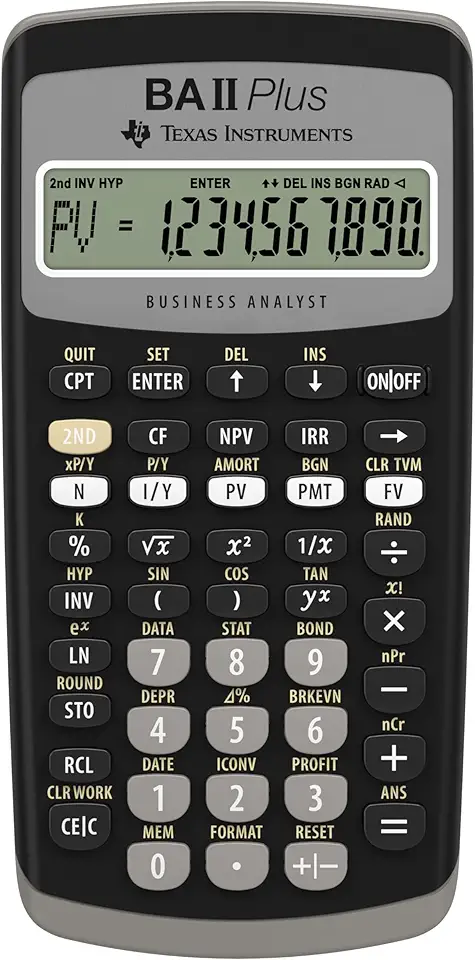
Texas Instruments BA II Plus Financial Calculator, Black

ILM Bluetooth Integrated Modular Flip up Full Face Motorcycle Helmet Sun Shield Mp3 Intercom (L, Matte Black)

Digital Multimeter Voltmeter Battery Voltage Multi Tester AC DC Volt OHM Amp Current Meter Circuit Continuity Resistance Diode Electrical Tester with Test Leads Backlight LCD Display

AstroAl Digital Multimeter 2000, Multimeter Tester with Volt Amp Ohm, Multi Meter Measures Voltage, Current, Resistance, Continuity and Diode, Electrical Tester with Test Leads, Backlight LCD Display

ZFOX 50PSI Paddle Board Pump,Dual Motor SUP Pump with HD LED Display & 9 Nozzles - Auto-Shutoff & Auto Overheat Protection,12V DC Electric Air Pump for Paddle Board/Kayak/Tent/Boats/Tyres etc.

10.1 Inch Touch Portable Monitor IPS Screen 1366x768P 60Hz 400 Brightness 99% sRGB HDMI USB-C Monitors Switch for Xbox PS3/4/5 Laptop Compatible with Raspberry Pi, Mini Touch Screen

ELECROW 8 Inch Portable Monitor, 1280x800 Mini HD Display with Built-in Speakers, USB Powered, Non-Touch LCD Screen for Raspberry Pi, PC, Laptop, Jetson Nano, Game Consoles

7 Inch Portable Monitor Touchscreen HD 1024x600 LED Display Dual HDMI Port Small Monitor for PC Raspberry Pi Laptop Computer Xbox PS4/5 Switch Built-in Speakers
