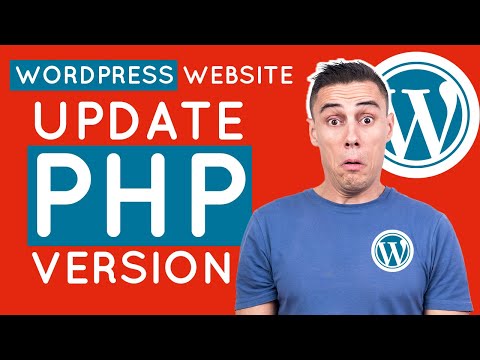
How to Update PHP Version in WordPress 2025 [ Within 2 Minute - cPanel Method ]


WP Wiki - Digital Web Tutor
View ChannelAbout
Welcome to WP Wiki - Digital Web Tutor, the ultimate destination for beginner-friendly WordPress tutorials on plugins, themes, and other essential tools. Our channel is dedicated to helping you optimize your WordPress site for better performance, speed, and functionality. Our team of WordPress experts provides step-by-step guidance on SEO, security, e-commerce, and more. Our easy-to-follow tutorials let you learn at your own pace and master WordPress in no time. Whether you're a blogger, freelancer, or small business owner, WP Wiki - Digital Web Tutor has everything you need to create a successful online presence. From setting up your site to customizing it with the latest plugins and themes, we've got you covered. So, if you're looking for comprehensive and reliable WordPress tutorials, look no further than WP Wiki - Digital Web Tutor. Subscribe today to join thousands of satisfied viewers and take your WordPress skills to the next level!
Latest Posts



Video Description
Are you looking to enhance the security, performance, and feature support of your WordPress website? One crucial step you shouldn't overlook is updating your PHP version. In this guide, we'll walk you through the process of updating the PHP version in your WordPress site, ensuring it stays secure and runs smoothly. ⏩ 100 GB , 100 Website @2.99$ - https://rebrand.ly/wp/hostinger (10% Discount Coupon: WPWIKI) ⏩ Change wp-admin URL video tutorial: https://youtu.be/G0azYQVz96w Why Update PHP Version in WordPress? Before we delve into the steps, let's understand why updating your PHP version is essential for your WordPress site. PHP serves as the scripting language behind WordPress, powering its functionality. By keeping PHP up to date, you ensure that your site remains secure against vulnerabilities, operates efficiently, and stays compatible with the latest features and plugins. Checking the Current PHP Version The first step is to check the current PHP version of your WordPress website. Here's how: Log in to your WordPress admin panel. Navigate to the "Tools" section and click on "Site Health." Select "Info" to view detailed server information, including the PHP version. Updating the PHP Version Once you've identified the current PHP version, it's time to update it. Follow these steps: Log in to your cPanel or hosting control panel. In the search box, type "PHP" and click on "Select PHP Version." You'll see the current PHP version displayed. Choose the updated version from the available options. Click on "Apply" to save the changes. Verifying the PHP Version Update After applying the changes, it's crucial to verify that the PHP version has been successfully updated. Here's how: Return to your WordPress admin panel. Navigate to the "Tools" section and click on "Site Health." Check the server information to confirm the updated PHP version. Conclusion Updating the PHP version of your WordPress website is a simple yet essential task that can significantly impact its security and performance. By following the steps outlined in this guide, you can ensure that your site remains secure, runs smoothly, and stays compatible with the latest WordPress features and plugins. If you have any questions or encounter any issues during the process, feel free to leave a comment below. Don't forget to like the video and subscribe to our channel for more helpful tips and tutorials. ~~~~~ ⏩ Unlimited Hosting + .com domain = $2.95 Monthly : https://rebrand.ly/go/DreamHost ⏩ The Fastest WordPress Hosting : https://rebrand.ly/WikiGround (PROMO Included) ⏩ Use Interserver Hosting for $0.01 First Month: https://rebrand.ly/go/interserver ( Coupon Code : HOSTOFFER ) ⏩ Get the Best Domain Hosting Offer: https://rebrand.ly/go/namecheap (Cheapest on the planet 😱😱😱 ) ⏩ SpeedUp Your WordPress Website By One Plugin: https://rebrand.ly/get/wprocket For any Business: [email protected]





![1 A.M Study Session 📚 [lofi hip hop]](https://imgz.pc97.com/?width=500&fit=cover&image=https://i.ytimg.com/vi/lTRiuFIWV54/hqdefault.jpg)










![[Playlist] When you don't want to think about anything | Cozy Relaxing Jazz Music Background](https://imgz.pc97.com/?width=500&fit=cover&image=https://i.ytimg.com/vi/Llour2YvsiI/hqdefault.jpg)

Craft Your Own Coasters Today
AI-recommended products based on this video

Herb Garden Planter Indoor Kit 21Pcs Kitchen Herb Starter Set Herb Growing Kit Including Wooden Box, Burlap Pots, Soil Discs, Gardening Tools, Unique Easter Birthday Christmas Gift Ideas for Women Mom

Paint Your Own Moon Lamp Kit, DIY 3D Moon Night Light with Space Figurines & Wooden Stand, Art Supplies Creativity Arts & Crafts Kit for Kids, Toys Girls Boy Birthday Easter Gift Ages 3 4 5 6 7 8 9 10 11 12+

uxcell Brad Point Drill Bits for Wood 10mm x 68mm Right Turning Carbide for Woodworking Carpentry Drilling Tool

Handmade Custom Reusable Stencils, Personalized Text Stencil for Spray Painting & Sign Making, Durable Plastic, Metal & Wood Stencils, Multiple Material Options, Custom Stencil
![Mibly [125 Count] 6 Inch Jumbo Multipurpose wooden Popsicle sticks, Wood Craft Supplies, Lollipop Lolly Sticks, Wooden Tongue Depressor, Wax Sticks for Waxing, Ice Cream Sticks](https://m.media-amazon.com/images/I/618FQ2N2uZL._AC_UL960_FMwebp_QL65_.jpg)
Mibly [125 Count] 6 Inch Jumbo Multipurpose wooden Popsicle sticks, Wood Craft Supplies, Lollipop Lolly Sticks, Wooden Tongue Depressor, Wax Sticks for Waxing, Ice Cream Sticks
Mibly [125 Count] 6 Inch Jumbo Multipurpose wooden Popsicle sticks, Wood Craft Supplies, Lollipop Lolly Sticks, Wooden Tongue Depressor, Wax Sticks for Waxing, Ice Cream Sticks