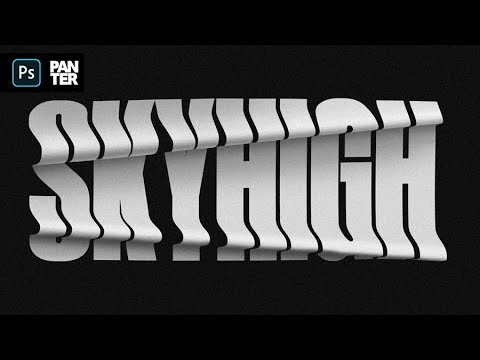
How to Use Envelope Distort Tool | Adobe Illustrator Tutorial


P A N T E R
@pantervisionAbout
Creating educational content for students and designers who want to become great graphic designers. This channel is focused on exploring design software's and experimenting creative directions which will bring new perspectives in design and releasing consistently new tutorials.
Latest Posts


Video Description
Here is a way of distorting letters with easy using the Envelope Distort tool. It's not 100% accurate but it can do a lot of nice tricks. 👉Subscribe: https://www.youtube.com/channel/UCS1gMhu2KgHqW4OunIAaKrA?sub_confirmation=1 ___ Here are some of the top selected logo design courses from the greatest designers out there on Domestica: Sagi Haviv: Logo Design From Concept to Presentation: https://bit.ly/SagiHavivDK Contemporary Brand Identity: Using Verbal and Visual Branding: https://bit.ly/MJDomestika Basic Branding Fundamentals: https://bit.ly/3CxPEy7 Logo Design: Graphic Simplification and Minimalism: https://bit.ly/3ku5ByX Logotype Design for Brand Identity: https://bit.ly/2XGPgPb Adobe Illustrator for Beginners: https://bit.ly/3u1UpwF ___ PANTER social: Instagram: https://www.instagram.com/panter.vision/ Behance: https://www.behance.net/pantervision Email: [email protected] ___ 0:00 Intro 0:09 Subscribe 0:15 Select fill 0:31 Example 01 - Create shape 1:18 Example 01 - Prepare text 1:43 Example 01 - Layer adjustments 2:00 Example 01 - Apply distort effect 2:26 Example 02 - Create circle 2:32 Example 02 - Cut the circle 3:53 Example 02 - Prepare text 4:33 Example 02 - Layer adjustments 4:39 Example 02 - Apply distort effect 5:00 Example 02 - Error fix attempt 6:15 Outro
You May Also Like









Master Illustrator Tools Today
AI-recommended products based on this video

Crucial T705 4TB PCIe Gen5 NVMe M.2 SSD - Up to 14,100 MB/s - Game Ready - Internal Solid State Drive (PC) - +1mo Adobe CC - CT4000T705SSD3
