How to use Microsoft Outlook Calendar - Tutorial for Beginners


Teacher's Tech
@teacherstechAbout
🌟 This is the channel where tech finally makes sense! I'm Jamie, an avid tech enthusiast and educator, and I'm here to make your journey into tech a whole lot easier. Forget complicated jargon and confusing tutorials. I make beginner-friendly videos that explain tech concepts in plain English, step by step. In today's fast-paced world, the right tech tools can be a game-changer. That's why I'm here! I break down important business and education apps into simple steps, so you can unlock their power and boost your productivity. If you're ready to get started with tech without the overwhelm, make sure to subscribe to my channel 💡
Latest Posts




Video Description
In this lesson 2 tutorial, I will show you how to use Microsoft Outlook Calendar for beginners. Outlook Calendar is a fantastic tool to help keep organized personally and with others through creating meeting events. Creating and sharing calendars, appointments, and meetings will be covered in this Microsoft Outlook Tutorial. Lesson 1 How to Use Email in Microsoft Outlook: https://youtu.be/UcikK-9oP00 Have you tried the new Microsoft Outlook? https://youtu.be/olLCI8zXewc Check out these time-saving tips in Microsoft Outlook: https://youtu.be/ctSkPXTt_fs 0:00 Introduction 0:39 Outlook calendar views and navigation 3:40 Adding local weather to your calendar 4:30 Overlaying calendars in Outlook 5:43 Adding a calendar of interest to Outlook (sports teams or other interests) 6:57 Moving, editing, or deleting calendars in Outlook 8:20 Create a blank calendar 9:30 Adding and sharing calendars 10:11 Adding an individual appointment 14:14 Editing calendar appointments 15:00 Adding a new meeting and making a recurrence 20:32 Editing meeting details in your calendar (cancel reoccurrence) 20:45 Use search in Outlook Calendar















Upgrade Your Aerial Footage
AI-recommended products based on this video
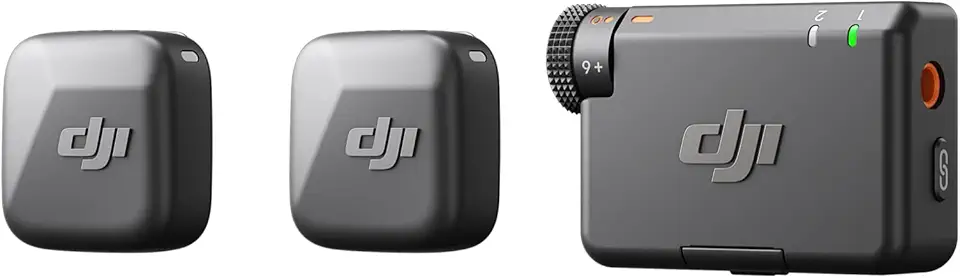
DJI Mic Mini (2 TX + 1 RX), Detail-Rich Audio, Wireless Lavalier Microphone for Camera/Android, 2-Person Vlog, Team Production

SanDisk 128GB Extreme PRO SDXC UHS-I Memory Card - C10, U3, V30, 4K UHD, SD Card - SDSDXXD-128G-GN4IN

DJI Osmo Action 4 Standard Combo, 4K/120fps Waterproof Action Camera with a 1/1.3-Inch Sensor, Stunning Low-Light Imaging,10-bit & D-Log M Color Performance, Long-Lasting 160 Mins, Outdoor Camera

SmallRig ZV-E1 Camera Baseplate for Sony ZV-E1, Built-in Cold Shoe Mount and QR Plate (for Arca) Quick Switch Between Tripod and Stabilizer for DJI RS 2 / RSC 2 / RS 3 / RS 3 Pro - 4314

NEEWER a6700 L Plate Compatible with Sony Alpha 6700, Quick Switch Aluminum Extendable Side Plate & Anti Twist Baseplate Compatible with Arca Swiss QR System DJI RS 2 RSC 2 RS 3 Pro Gimbals, CA048
