I2C Part 1 - Using 2 Arduinos

DroneBot Workshop
@dronebotworkshopAbout
Welcome to the Workshop! The DroneBot Workshop is the place where I work with Arduino, Raspberry Pi, ESP32, and lots of other cool microcontrollers, components, and sensors. This is a channel for learning and understanding. While I do build projects, most episodes focus on showing you HOW things work, so you can use the information to bring your own designs to life. Every video has a corresponding article on my website at https://dronebotworkshop.com , along with the diagrams and code samples you’ll need to build your own creations. You can also participate in discussions on my Forum at https://forum.dronebotworkshop.com. Please note that I no longer do any sponsored videos, enquiries for these will be ignored! If you'd like to know more about me or the DroneBot Workshop you can read the FAQ at https://dronebotworkshop.com/about-dronebot-workshop/faq/ And if you have technical questions please ask them on the Forum. Welcome to the Workshop! I hope you enjoy your stay! Bill
Latest Posts

Video Description
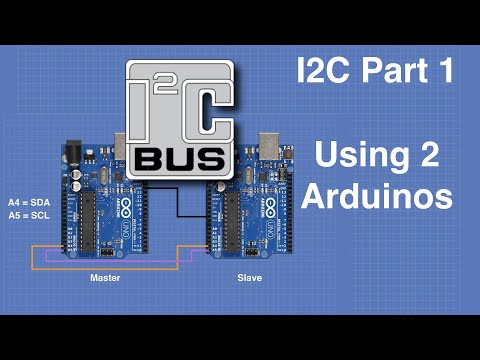
I2C communications is a very important topic, so important that I’ve decided to do several videos about it. In this first video, I will explain what I2C is and how to use it to communicate between two Arduino's. Full article at https://dronebotworkshop.com/i2c-arduino-arduino/ More articles and tutorials: https://dronebotworkshop.com Join the conversation on the forum: https://forum.dronebotworkshop.com Subscribe to the newsletter and stay in touch: https://dronebotworkshop.com/subscribe/ Today we will discuss I2C, or “Inter-Integrated Circuit” communications. I2C is a two-wire, low-speed serial communications format that was originally developed by Phillips (now NXP) in 1982. Although its original use was to allow integrated circuits in televisions to communicate with one another it has evolved into a standard communications method used by a myriad of devices. I2C works with the concept of “Master” and “Slave” devices. The master device provides the clock signal and initiates communications with the slaves. An I2C bus can have multiple masters and slaves, but only one master can be active at any given time. We have used I2C devices in lots of projects and tutorials before. Today we will use I2C to communicate between two Arduinos. In future videos I will show you more about using I2C: Creating your own I2C devices out of common sensors and small Arduino's. Communicating between Raspberry Pi and Arduino with I2C. Using multiple masters on an I2C bus. Today we will just cover the basics. We will first exchange information between two Arduinos and then we will use a potentiometer on one Arduino to control an LED on a second one via I2C. Here is what is in today's video: 00:00 - Introduction 04:28 - Understanding I2C 07:40 - Exchanging data between two Arduino's 15:25 - Controlling one Arduino with another one As always you can get the sketches on the article that accompanies this video. While you're on the website feel free to check out the other articles I have, and be sure to sign up for my newsletter . As always I appreciate your support, thanks for watching!
Master I2C with These Must-Haves
AI-recommended products based on this video

Digital Multimeter Voltmeter Battery Voltage Multi Tester AC DC Volt OHM Amp Current Meter Circuit Continuity Resistance Diode Electrical Tester with Test Leads Backlight LCD Display

AstroAl Digital Multimeter 2000, Multimeter Tester with Volt Amp Ohm, Multi Meter Measures Voltage, Current, Resistance, Continuity and Diode, Electrical Tester with Test Leads, Backlight LCD Display

Asus ROG Azoth Wireless Mechanical Gaming Keyboard – 75% TKL, Tri-Mode Connectivity, Hot Swappable Pre-lubed ROG NX Snow Linear Switches, PBT Keycaps, RGB, OLED Display, PC/Mac Support - Black
