Installing a Private Search Engine on a VPS

Matt Williams
@technovangelistAbout
I was a founding maintainer of Ollama, the first evangelist at Datadog, and a former organizer of DevOps Days Seattle, DevOps Days Boston, and Serverless Days Boston. I am passionate about gadgets and AI and automation. Some folks don't think that word is appropriate, but it totally fits here. If you meet me in person you will see me light up when I can share with you my latest gadget, tool, or utility. And this is where I get to share that with all of you. You can find more about me at my website (http://technovangelist.com) or on Twitter (http://twitter.com/technovangelist)
Latest Posts


Video Description
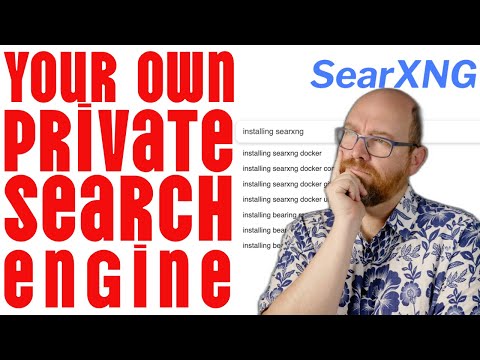
🔒 Take Control of Your Privacy: Build Your Own Private Search Engine! Get the special deal in the video by clicking: https://hostinger.com/mattw then using the coupon code MATTW Tired of Big Tech tracking your searches? Learn how to set up SearXNG on Hostinger - your personal, private meta search engine that pulls results from Google, Brave, DuckDuckGo, and more, without compromising your privacy. 🎯 In this video, you'll learn: • How to set up your own private search engine using SearXNG • Complete Docker deployment with Redis and Caddy • Secure your instance with Tailscale and SSL certificates • Create automated search workflows with n8n • Keep your searches private while getting results from multiple engines ⏱️ Timestamps: 00:00:00 - Introduction to search privacy concerns 00:00:30 - The problem with current search engines 00:01:01 - Introducing personal search engine solution 00:01:24 - Overview of SearchNG functionality 00:02:09 - Automated search capabilities 00:02:32 - Server requirements and Hostinger introduction 00:03:54 - Why use a VPS instead of local machine 00:04:52 - Project overview and security considerations 00:05:11 - Installation process begins 00:05:52 - Docker and Docker Compose explanation 00:06:41 - Setting up Tailscale integration 00:07:51 - Configuration file setup 00:09:02 - Redis implementation 00:10:20 - Initial testing and browser access 00:11:17 - SSL certificate challenges 00:12:51 - Cloudflare DNS solution 00:14:47 - Caddy configuration process 00:15:37 - SSL certificate automation with DNS verification 🔗 Resources mentioned: • Hostinger VPS (10% off): https://hostinger.com/mattw (code: MATTW) • GitHub repo: github.com/technovangelist/homelab • Previous server setup video: https://youtu.be/OmWJPJ1CR7M • Tailscale: tailscale.com Want to support more content like this? Join my Patreon for early access and ad-free videos! #SelfHosting #Privacy #TechTutorial My Links 🔗 👉🏻 Subscribe (free): https://www.youtube.com/technovangelist 👉🏻 Join and Support: https://www.youtube.com/channel/UCHaF9kM2wn8C3CLRwLkC2GQ/join 👉🏻 Newsletter: https://technovangelist.substack.com/subscribe 👉🏻 Twitter: https://www.twitter.com/technovangelist 👉🏻 Discord: https://discord.gg/uS4gJMCRH2 👉🏻 Patreon: https://patreon.com/technovangelist 👉🏻 Instagram: https://www.instagram.com/technovangelist/ 👉🏻 Threads: https://www.threads.net/@technovangelist?xmt=AQGzoMzVWwEq8qrkEGV8xEpbZ1FIcTl8Dhx9VpF1bkSBQp4 👉🏻 LinkedIn: https://www.linkedin.com/in/technovangelist/ 👉🏻 All Source Code: https://github.com/technovangelist/videoprojects Want to sponsor this channel? Let me know what your plans are here: https://www.technovangelist.com/sponsor
You May Also Like










VPS Hosting & Essential Tools
AI-recommended products based on this video
