let’s subnet your home network // You SUCK at subnetting // EP 6

About
No channel description available.
Latest Posts


Video Description
This video was originally sponsored by ITProTV. We’ve since launched NetworkChuck Academy, our own place to learn IT: https://ntck.co/NCAcademy Subnetting is a skill you NEED to learn and in this video NetworkChuck is going to show you how to subnet your home network based on network requirements. So, building on the skills you learned in You Suck at Subnetting episodes 1-5, you will learn how to subnet a network, breaking it into 4 smaller networks. 💯💯TEST your knowledge (and get some extra practice): https://ntck.co/subnetep6 🔥🔥Join the NetworkChuck Academy!: https://ntck.co/NCAcademy **Sponsored by ITProTV SUPPORT NETWORKCHUCK --------------------------------------------------- ➡️NetworkChuck membership: https://ntck.co/Premium ☕☕ COFFEE and MERCH: https://ntck.co/coffee Check out my new channel: https://ntck.co/ncclips 🆘🆘NEED HELP?? Join the Discord Server: https://discord.gg/networkchuck STUDY WITH ME on Twitch: https://bit.ly/nc_twitch READY TO LEARN?? --------------------------------------------------- -Learn Python: https://bit.ly/3rzZjzz -Get your CCNA: https://bit.ly/nc-ccna FOLLOW ME EVERYWHERE --------------------------------------------------- Instagram: https://www.instagram.com/networkchuck/ Twitter: https://twitter.com/networkchuck Facebook: https://www.facebook.com/NetworkChuck/ Join the Discord server: http://bit.ly/nc-discord 0:00 ⏩ Intro 0:50 ⏩ Sponsor - ITProTV 2:00 ⏩ convert your subnet mask to binary 2:29 ⏩ network bits and host bits 2:45 ⏩ Need more networks? Hack the host bits!! 3:22 ⏩ How many host bits you need to HACK!! 4:29 ⏩ Hack the Host Bits 5:24 ⏩ Finding the increment 6:07 ⏩ Create your networks 7:12 ⏩ Test your knowledge! 8:02 ⏩ Take ONE network and convert it into FIVE! 8:52 ⏩ Outro AFFILIATES & REFERRALS --------------------------------------------------- (GEAR I USE...STUFF I RECOMMEND) My network gear: https://geni.us/L6wyIUj Amazon Affiliate Store: https://www.amazon.com/shop/networkchuck Buy a Raspberry Pi: https://geni.us/aBeqAL Do you want to know how I draw on the screen?? Go to https://ntck.co/EpicPen and use code NetworkChuck to get 20% off!! #Subnetting #HomeNetwork #Networking
You May Also Like






Subnetting Essentials: Upgrade Your Network
AI-recommended products based on this video

TP-Link WiFi 6 AX3000 PCIe WiFi Card Archer TX55E - Bluetooth 5.2, 802.11AX Dual Band Wireless Adapter with MU-MIMO, OFDMA, Ultra-Low Latency, Supports Windows 11, 10 (64bit) only

Laplink PCmover Ultimate 11 - Migration of your Applications, Files and Settings from an Old PC to a New PC - Data Transfer Software - With Optional High Speed Ethernet Cable - 1 License

TP-Link 5 Port Gigabit Ethernet Network Switch (TL-SG1005D) - Plug and Play, Desktop or Wall Mount, Plastic Case, Ethernet Splitter, Fanless, Traffic Optimization, Unmanaged (TL-SG1005D)

Buffalo LinkStation 210 4TB 1-Bay NAS Network Attached Storage with HDD Hard Drives Included NAS Storage That Works as Home Cloud or Network Storage Device for Home
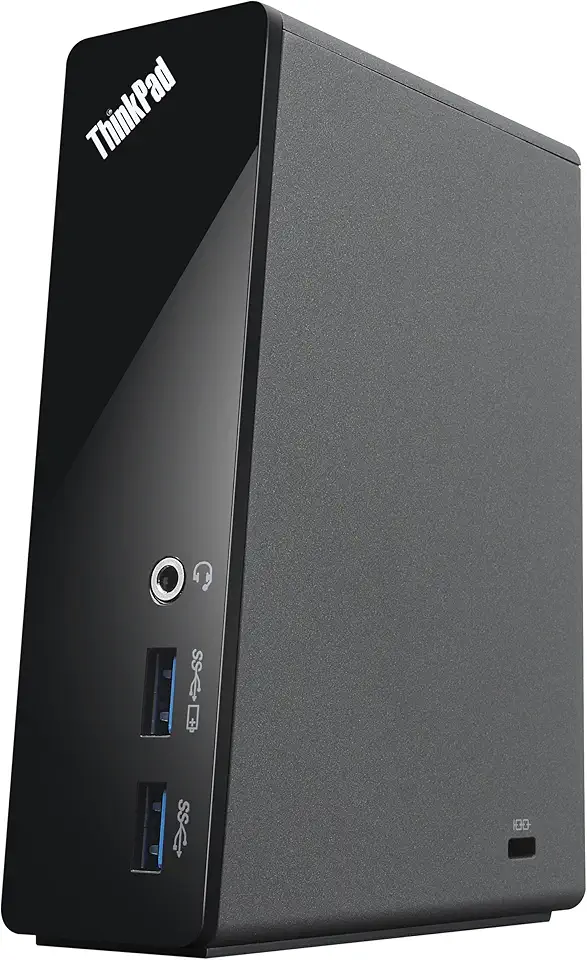
Lenovo ThinkPad OneLink Pro Dock with AC Adapter (4X10E52935) in The Factory Sealed Lenovo USA Retail Packaging

New Slim 170W AC Charger Fit for Lenovo Legion Slim 5 5i Yoga Pro 9i ThinkPad P1 P16 P16v P53 P70 P71 P72 P73 IdeaPad Pro 5i 5 3 LOQ 16 15 ADL170SCC3A 20V 8.5A Laptop Power Supply Adapter Cord

Lenovo 65w USB Type C Ac Adapter 4X20M26268 with 2 Prong Power Cord Included, Black in The Original Retail Packaging.

Laptop Charger for Lenovo Thinkpad 135W AC Adapter Slim Tip, Thinkpad X1 Extreme P1 P15v T15p Gen 1 2 3 4 ideapad L340 3-15 ADL135NDC3A, Lenovo Thinkpad Pro Docking Station with 135W Power Adapter
