Lets understand containers | 5 simple steps to create a docker container


IT k Funde
@itkfundeAbout
Hello Friends "IT k FUNDE" channel wants to bring I.T. industry-related knowledge, information, career advice, and much more to every individual regardless of whether he or she belongs to I.T or not. This channel is for everyone who is interested in learning something new!
Latest Posts



Video Description
Lets understand containers | 5 simple steps to create a docker container #containers #containervsvirtualmachines #dockers #itkfunde Containers vs VirtualMachines Vs Physical Machine - 0:27 What are Containers - 1:42 Benefits of Containers - 2:39 Understanding Containers with Fish Aquarium Example - 3:52 How to create a container image using Docker - 6:28 Hi Friends, I am Anshul Tiwari and welcome to our youtube channel ITkFunde. About this video - In this video let us understand containers. Application containers are fast becoming a new norm to package, deploy and ship applications across platforms seamlessly. Before we understand containers, we need to understand the basic difference between a physical machine, a virtual machine and a container. Physical machines can host only a single environment and application whereas virtual machines with the help of Hypervisor technology can host multiple VMs on top of the same hardware. Every virtual machine has its own Guest OS running on top of HOST OS. Containers, although work on virtualization concept is very different from a VM in the sense that a container does not, has its own OS, it directly runs on HOST OS which makes containers very lightweight compared to VMs. Benefits of Containers - 1) Logical Packaging 2) Containers are faster than VMs 3) Less Memory Intensive 4) Easy to deploy 5) Reduce delivery time 6) Help Dev and IT Ops 7) Fewer Bugs 5 steps to create a docker container - Step 1 - Develop Application Step 2 - Create a Docker File Step 3 - Build a Docker Image Step 4 - Build a Docker Container Step 5 - Push to Docker Hub Credits and Free Resources - https://docker-curriculum.com/ https://docs.docker.com/docker-hub/ https://cloud.google.com/containers/ ***Social Link*** Facebook - https://www.facebook.com/ITkFUNDE/ Instagram -https://www.instagram.com/itkfunde/ ***About This Channel*** Friends ITkFUNDE channel wants to bring I.T related knowledge, information, career advice and much more to every individual regardless of whether he or she belongs to I.T or not. This channel is for everyone interested in learning something new!













Upgrade Your Drone Adventures
AI-recommended products based on this video
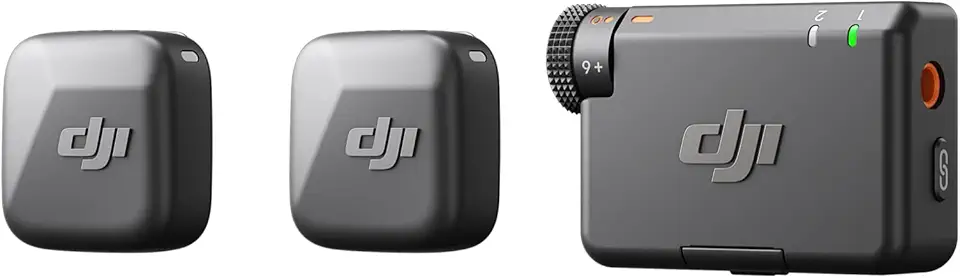
DJI Mic Mini (2 TX + 1 RX), Detail-Rich Audio, Wireless Lavalier Microphone for Camera/Android, 2-Person Vlog, Team Production
DJI Mic Mini (2 TX + 1 RX), Detail-Rich Audio, Wireless Lavalier Microphone for Camera/Android, 2-Person Vlog, Team Production
DJI Mic Mini (2 TX + 1 RX), Detail-Rich Audio, Wireless Lavalier Microphone for Camera/Android, 2-Person Vlog, Team Production
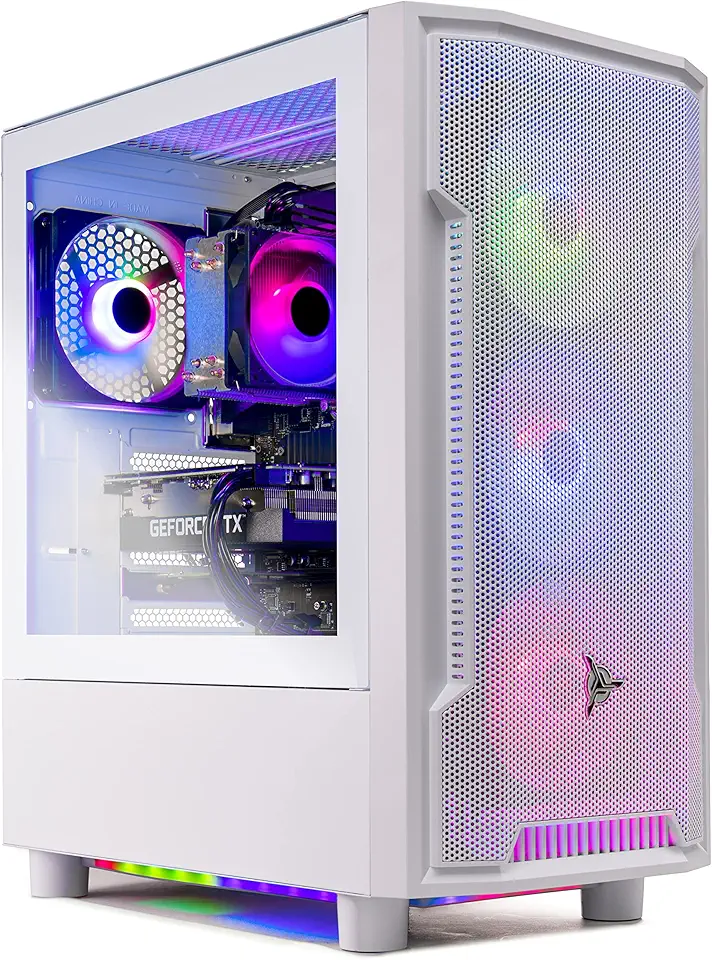
Skytech Archangel Gaming PC Desktop – AMD Ryzen 5 3600 3.6 GHz, NVIDIA RTX 3060, 1TB NVME SSD, 16GB DDR4 RAM 3200, 600W Gold PSU, 11AC Wi-Fi, Windows 11 Home 64-bit

SanDisk 128GB Extreme PRO SDXC UHS-I Memory Card - C10, U3, V30, 4K UHD, SD Card - SDSDXXD-128G-GN4IN

Anker USB C Charger Cable (6ft 100W, 2Pack), USB 2.0 Type C Fast Charging Cable for iPhone 15 / 15Pro / 15Plus / 15ProMax MacBook Pro 2020, iPad Pro 2020, iPad Air 4, Samsung Galaxy S23+/S23 Ultra ClimatePartner certified
![Anker USB C Cable, [2-Pack, 6 ft] Type C Charger Premium Nylon USB Cable, USB A to Type C Charging Cable Fast Charge for Samsung Galaxy S10 S10+ / Note 8, LG V20 and Other USB C Charger (Black)](https://m.media-amazon.com/images/I/71N7xhCJnoL._AC_UL960_FMwebp_QL65_.jpg)
Anker USB C Cable, [2-Pack, 6 ft] Type C Charger Premium Nylon USB Cable, USB A to Type C Charging Cable Fast Charge for Samsung Galaxy S10 S10+ / Note 8, LG V20 and Other USB C Charger (Black)

Anker Nano USB C Wall Charger,45W Fast Charging Smart Display Charger,with 180°Foldable Plug,Smart Recognition,Built-in Care Mode,for iPhone17/16/15 (Non-Battery,One USB-C Port,No Cable Included) ClimatePartner certified
DJI Mic Mini (2 TX + 1 RX), Detail-Rich Audio, Wireless Lavalier Microphone for Camera/Android, 2-Person Vlog, Team Production
DJI Mic Mini (2 TX + 1 RX), Detail-Rich Audio, Wireless Lavalier Microphone for Camera/Android, 2-Person Vlog, Team Production

ANXRE 71" Phone Tripod, NT79 Extendable Selfie Stick for Cell Phone&Camera Photo Video Kits, Travel Tripod Stand with Remote for Video Recording, Phone Holder Tripod Compatible with Phone Camera Gopro