2 Little-Known Filters to Remove White Edges (Fringing) from Cut-Outs in Photoshop

Photoshop Training Channel
View ChannelAbout
Photoshop Tutorials for beginners. Hi, I'm Jesus Ramirez! I'm here to help you learn Adobe Photoshop and Lightroom! The Photoshop Training Channel (PTC) has been around since 2012. You will find professional Adobe Photoshop Tutorials for photo manipulation, compositing, retouching, text effects, and much more. I keep the tutorials concise, simple, and fluff-free. PTC's mantra is simple: "just show me how you did that." In my 20-year professional career, I've worked with some of the world's biggest brands, including Adobe, Microsoft, Motorola, and Conde Nast. Most recently, I've worked as a Finisher in the Hollywood industry, creating movie and TV posters for Netflix, HBO, Hulu, and CBS. Follow along with PTC to get accurate, no-hype, honest advice from someone who walks the walk and genuinely wants to help others. I'm here to serve you and help you learn Photoshop. 🙏 Subscribe now, and thank you for watching!
Latest Posts



Video Description
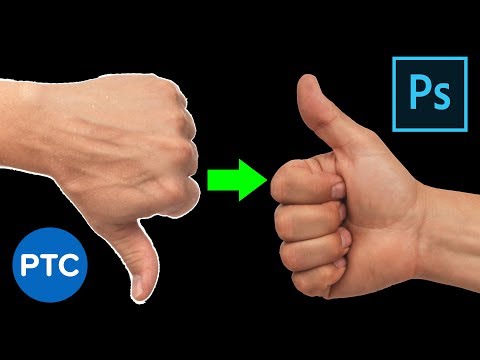
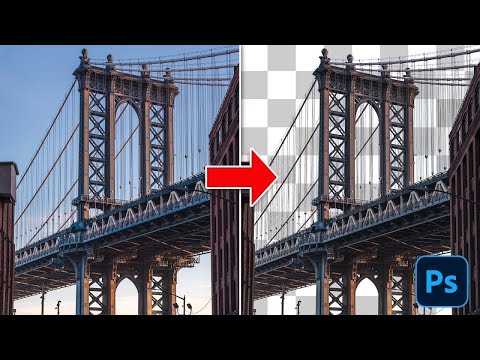
In this tutorial, you will learn how to remove white edges or fringes from cut-outs in Photoshop! Fringing, the white edges, or halos, around your selections, could be very distracting and could ruin a good composite. I'm going to show you two filters designed to specifically work with masks and selections. They are quite powerful, and you can use them to remove fringes on your cut-outs. The vast majority of Photoshop users are unaware that these filters exist. I'm pretty sure that this video will show you new tools and techniques to enhance your Photoshop masking skills! We will work with three examples, and I will show you how you can apply these filters to different situations and the advantages of using these filters over other methods of similar methods. 📘 INDEX - Remove Fringing From Masks in Photoshop 00:00 - Introduction 01:06 - The Maximum & Minimum Filters 04:34 - Selectively Targeting The Maximum & Minimum Filters 06:45 - Applying The Maximum & Minimum Filters to Selections 11:22 - What he Maximum & Minimum Filters Do To Pixel Layers LINKS: Select and Mask Crash Course ► https://www.youtube.com/watch?v=0qcWeuWCkJ4&list=PL3bfN-31F9RcsA9rVxmicKuO07kowMdU1 Making Smooth Cut Outs With Vectors ► https://www.youtube.com/watch?v=qoa3B4lITDY&list=PL3bfN-31F9RcsA9rVxmicKuO07kowMdU1 All of my Masking and Selection Tutorials ► https://www.youtube.com/playlist?list=PL3bfN-31F9RcsA9rVxmicKuO07kowMdU1 Become an Adobe Stock Contributor: ► http://bit.ly/stock-contributor PTC Newsletter: ► http://ptcvids.com/subscribe Premium Tutorials: ► http://ptcvids.com/shop Website: ► photoshoptrainingchannel.com FOLLOW ME Instagram: ► http://instagram.com/jrfromptc Facebook Group: ► http://ptcvids.com/group Twitter: ► https://twitter.com/JRfromPTC LinkedIn: ► https://linkedin.com/in/jesusramirez9 CREDITS ● Stock Images provided by stock.adobe.com ● Photoshop video tutorials by Jesus Ramirez #PhotoshopTutorial #Photoshop #PTCvids
Perfect Photoshop Plugins & Tools
AI-recommended products based on this video

Crucial T705 4TB PCIe Gen5 NVMe M.2 SSD - Up to 14,100 MB/s - Game Ready - Internal Solid State Drive (PC) - +1mo Adobe CC - CT4000T705SSD3

Hedge Trimmer Cordless for Dewalt 20V MAX Battery (No Battery), 22 inch Electric Bush Shrub Edge Trimmer, Brushless Motor, Powerful & Lightweight, 4.4LBS
Shcngqio 1080P Full HD Webcam with Privacy Cover, Wide Angle Lens, Active Light Correction, Plug and Play USB Webcam for PC, Desktop,Laptop (Black)

TRAUSI HD Webcam with Microphone, Noise Cancellation, Privacy Cover, Wide-Angle Lens, Auto Light Correction, Plug & Play USB Webcam for Laptop, Desktop, PC, Mac, Zoom, Skype, Streaming (1080P, Black)