Make a Gantt Chart in Excel - Part 4: Color Coding


Vertex42
@vertex42About
Spreadsheets are awesome and we want to help everybody learn how to use them. Vertex42 has been creating and providing professional spreadsheet templates since 2003. Our YouTube channel provides demos and tutorials to help you use the templates. We are also creating tutorials to help you use both Excel and Google Sheets better.
Video Description
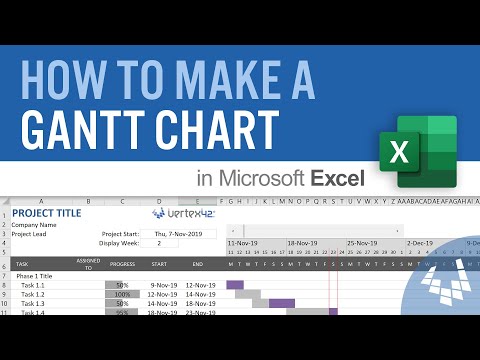
This 4th part of the How to Make a Gantt Chart series shows how to change the color of the bars of the chart by selecting a color from a new Color column or based on a name listed in the Lead column. It also shows how to highlight the tasks that are overdue. This is an advanced Excel tutorial, designed to help project management professionals and students learn more about Excel. To download a template, see the links below. This video picks up where Part 3 left off, so watch the other videos first: Part 1: https://youtu.be/un8j6QqpYa0 Part 2: https://youtu.be/5or9BN3GanM Part 3: https://youtu.be/GT4euZhZhQk CONTENTS 0:00 Introduction 0:30 Insert a new Color column 0:46 Make a new relative named range called "task_color" 1:20 Show method for modifying the CF rule with task_color="P" 1:35 Set up a "Stop If True" conditional formatting rule 2:33 Add all of the new color rules, with some color tips along the way 5:02 Set up a drop-down list in the Color column 5:17 Color Code based on the name in the Lead column 6:24 Highlight overdue tasks using a formula or a new CF rule 7:48 Add a checkbox form control to turn the Show Overdue option on/off 8:12 Show overdue tasks by highlighting the End date column 8:50 Warning about Excel splitting CF rules, and how to avoid that 👍 Remember to Subscribe and Turn on Notifications (click on the bell) VOTE to Make Merging Conditional Formats the Default Behavior: See the following article (Suggestion #7) https://www.vertex42.com/blog/news/excel-feature-suggestions.html ABOUT THIS VIDEO SERIES https://www.vertex42.com/ExcelTips/how-to-make-a-gantt-chart-in-excel.html DOWNLOAD THE FILES The files for this video series are available as bonus downloads with the purchase of Gantt Chart Template Pro: https://www.vertex42.com/ExcelTemplates/gantt-chart-template-pro.html FOLLOW VERTEX42 HERE: Twitter: https://twitter.com/vertex42 Pinterest: https://www.pinterest.com/vertex42/ Facebook: https://www.facebook.com/vertex42/ Website: https://www.vertex42.com/ MUSIC: A Good Mood, by Young Rich Pixies, licensed via ArtList
No Recommendations Found
No products were found for the selected channel.