Mastering Woocommerce: The Ultimate Ecommerce Guide


Ferdy․com | Ferdy Korpershoek
@ferdycomAbout
I teach you how to make a website. How To Make A WordPress Website. How To Make An eCommerce Website. How To Make A Listing Website. How To Make An Affiliate Marketing Website. I provide tutorials with free tools like WordPress, Elementor, The Blocksy Theme, Astra Theme, Kadence Theme. And tutorials using paid tools like Elementor Pro, Divi, CartFlows, LearnDash, ConvertKit, Buddy Boss, and more. My goal is to help people to make a website and make it profitable by monetizing their website through services you offer, selling products or courses, placing ads on your website, and using affiliate links. I have been making websites since 1999 and with a lot of trial and error, I know what works and how you can make a professional website with the minimum amount of effort.




Video Description
Watch the 2023 version of this tutorial ✅ https://youtu.be/zE9BiBebFMI In this tutorial, I will show you from start to finish how to create a webshop using Wordpress and WooCommerce. This tutorial is for people that want to create a webshop from scratch and for people that already have a Wordpress website and want to extend it with a webshop. I will show you how to get your own domain name and Webhosting. We will install Wordpress and install a pre-made website and I will show you how you can adjust it. After that, we will install WooCommerce. An amazing free plugin that enables you to sell products on your website. Then we will create 6 different kinds of products. 1. A simple product. 2. A variable product where the visitor has more options for one product. For instance the color and the size. 3. A virtual product like a Coaching call. 4. A downloadable product like an eBook or a ticket to a concert. 5. An affiliate product so you can get a commission when somebody buys something through your unique affiliate link 6. A grouped product where you can add more versions of the same product to your cart. Like a Smartphone or USB Stick with different sizes For each product, we will talk about the configuration options. Besides that, we will talk about categories and tags. You will learn how to adjust the shop page and add widgets to your sidebar, so people can filter products based on the price, navigate through categories, see our featured or discounted products and see what they have in their cart. When we go to the cart page you see a beautiful overview of what the visitors have in their cart. We will talk about coupon codes, like 10% or $ 10 discount free shipping, and set rules for those coupons. Like only for the first 25 visitors, or that the coupon code is only applicable for a certain product. Then, there is shipping. I will show you how to calculate shipping based on the address, the total amount of the cart, or the weight of what is in the cart. We will talk about Taxes. How you can set it up manually, with different countries, states, normal and reduced taxes rates and I will show you how to apply these settings automatically. And then, we will talk about payment methods so that visitors can go to the checkout page, finish their order and pay money that will be added to your bank account. I will show you can handle incoming orders and keep your buyers up to date with the progress of the order. Here is an overview with timestamps: 00:00 Intro 00:23 Overview of What We Will Cover 04:48 Get a Domain and Webhosting 08:02 Choose a Domain Name 12:31 Install Wordpress 13:35 Make Your Website Secure 14:50 the Front End And Backend Of Your Website 16:45 Clean Up Your Website 18:03 Configure Your Profile 19:59 Configure The Permalinks 20:21 Create A Site Title 21:59 Introduction to Themes 23:52 Download Elementor 24:47 Import a Pre Made Website 32:21 Download The Images I Use In The Tutorial Creating your First Product 32:57 Create A Simple Product 35:16 Change the currency on your website 37:12 Inventory 41:14 Reviews 42:39 Add Images To Your Product 44:24 Add Categories and Subcategories 48:19 Add Star Rating 49:50 Create A Variable Product 56:33 Create A Digital/Service Product 01:00:24 Create A Downloadable Product 01:03:12 Create An Affiliate Product 01:05:00 Create A Grouped Product 01:09:43 Upsells and Cross Sells 01:12:16 Create A Sidebar 01:13:06 Add Sidebar Widgets 01:13:46 Add A Filter By Price Widget 01:14:41 Create A Product Category Widget 01:15:17 Change the look an feel of your shop layout 01:19:43 Configure the WooCommerce Customise Settings 01:27:20 Customize An Individual Page 01:29:08 Change The Colors In The Webshop 01:33:51 Edit The Footer WooCommerce Settings 01:35:51 The General Settings 01:37:29 Configure Geolocate 01:38:59 The Product Settings 01:44:32 The Accounts & Privacy Settings 01:46:40 The Email Settings 01:51:52 Coupon Codes 02:00:55 Taxes 02:10:39 Automatic Taxes 02:12:11 Shipping 02:15:01 The Table Rate Shipping Plugin 02:20:04 Adding a Payment Provider 02:21:18 Create A Stripe Account 02:25:55 Setup a Test Payment With Stripe and WooCommerce 02:30:18 How To Handle Incoming Orders 02:32:12 Adjust The Homepage With Elementor 02:42:23 Overview and Thank You ferdy korpershoek















Upgrade Your Gaming Setup
AI-recommended products based on this video
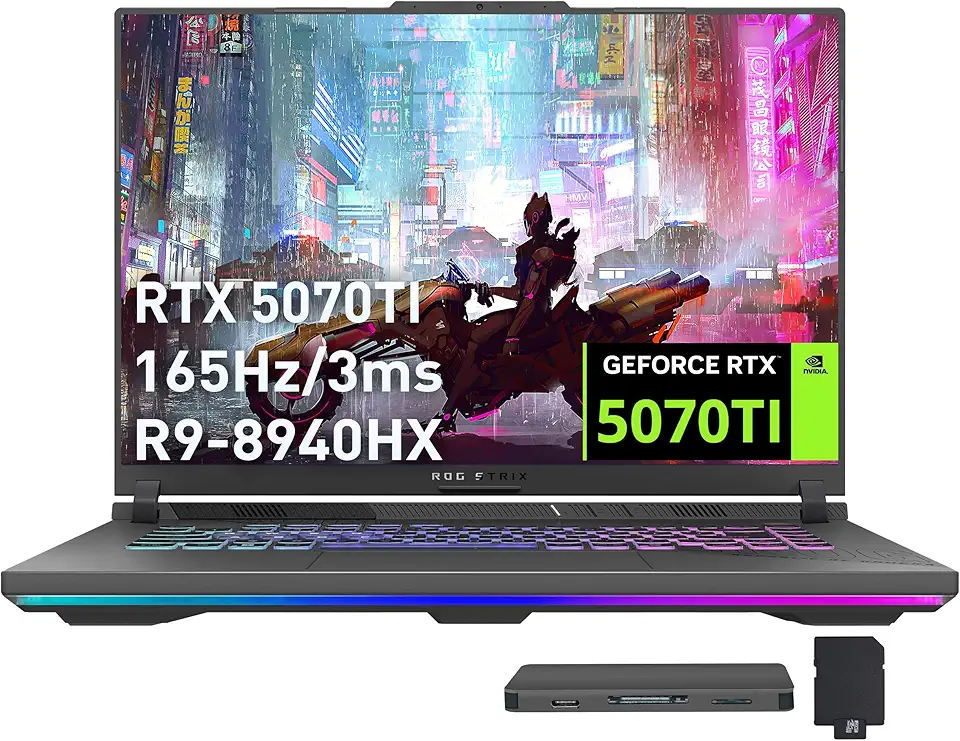
ASUS ROG Strix G16 Gaming Laptop, GeForce RTX 5070 Ti 12GB GDDR7, AMD Ryzen 9 8940HX, 64GB DDR5, 2TB SSD, Backlit Keyboard, Wi-Fi 6E, 16" WUXGA 165Hz Display, Win 11, Gray, 1TB Docking Station Set

Asus ROG STRIX Z890-A GAMING WIFI Z890 LGA 1851 ATX motherboard, Intel® Core™ Ultra Series 2 Ready, Advanced AI PC-ready, 16+2+1+2 stages, DDR5, WiFi 7, 2.5G, 5x M.2, Thunderbolt™ 4, USB Type-C, AI OC

Asus ROG Strix B850-A Gaming WiFi AMD AM5 B850 ATX Motherboard 14+2+2 Power Stages, DDR5 AEMP, 2.5G LAN, WiFi 7 with Q-Antenna, 4X M.2, PCIe® 5.0, USB 20Gbps Type-C, AI Networking II, ASUS AI Advisor

Asus ROG Strix B550-F Gaming WiFi II AMD AM4 (3rd Gen Ryzen) ATX Motherboard (PCIe 4.0,WiFi 6E, 2.5Gb LAN, BIOS Flashback, HDMI 2.1, Addressable Gen 2 RGB Header and Aura Sync)
ASUS ROG Strix G16 Gaming Laptop, GeForce RTX 5070 Ti 12GB GDDR7, AMD Ryzen 9 8940HX, 64GB DDR5, 2TB SSD, Backlit Keyboard, Wi-Fi 6E, 16" WUXGA 165Hz Display, Win 11, Gray, 1TB Docking Station Set

Lenovo Legion Pro 5 16" WQXGA 165Hz Gaming Laptop, AMD Ryzen 9 9955HX, GeForce RTX 5070, 32GB DDR5, 3TB Storage (2TB SSD+1TB Docking Station Set), 24-Zone RGB Backlit Keyboard, WiFi 7, Win 11, Black

GEEKOM A7 Max Mini PC (Flagship Level Performance), AMD Ryzen 9 7940HS (Up to 5.2GHz),Mini Computer 16GB DDR5 RAM and 1TB PCIe 4.0 SSD, Windows 11 Pro, Quad 8K Display, USB4, Dual 2.5G LAN, Wi-Fi 6E

GEEKOM A8 AI Mini PC (3-Year Quality Support) with AMD Ryzen 9 8945HS Mini Computers, 32GB DDR5 RAM&2TB M.2 2280 NVMe Gen4*4 SSD, Windows 11 Pro Mini Desktop, WiFi 6E/BT5.2/USB4/8K/Quad Display

EZDIY-FAB RTX 3000 Series 12 Pin to Dual 8 Pin PCIe Sleeved Extension Cable 300 MM- Connector for NVIDIA Ampere GEFORCE RTX 3060ti 3070 3080 FE Funder Edition- White

Corsair Vengeance LPX 32GB (2 X 16GB) DDR4 3200 (PC4-25600) C16 1.35V Desktop Memory - Black

Samsung 990 EVO Plus - 4TB PCIe Gen4. X4, Gen5. X2 NVMe 2.0 - M.2 Internal SSD, Speed Up to 7,250 MBs, Upgrade Storage for PC-Laptops, HMB Technology and Intelligent Turbowrite (MZ-V9S4T0B/AM)
![SAMSUNG 870 EVO SATA SSD 500GB 2.5” Internal Solid State Drive, Upgrade PC or Laptop Memory and Storage for IT Pros, Creators, Everyday Users, MZ-77E500B/AM [Canada Version]](https://m.media-amazon.com/images/I/911ujeCkGfL._AC_UL960_FMwebp_QL65_.jpg)
SAMSUNG 870 EVO SATA SSD 500GB 2.5” Internal Solid State Drive, Upgrade PC or Laptop Memory and Storage for IT Pros, Creators, Everyday Users, MZ-77E500B/AM [Canada Version]
![SAMSUNG 870 EVO SATA III SSD 4TB 2.5” Internal Solid State Drive, Upgrade PC or Laptop Memory and Storage for IT Pros, Creators, Everyday Users, MZ-77E4T0B/AM [Canada Version]](https://m.media-amazon.com/images/I/71W2nK7LUrL._AC_UL960_FMwebp_QL65_.jpg)
SAMSUNG 870 EVO SATA III SSD 4TB 2.5” Internal Solid State Drive, Upgrade PC or Laptop Memory and Storage for IT Pros, Creators, Everyday Users, MZ-77E4T0B/AM [Canada Version]
![SAMSUNG EVO Select Micro SD-Memory-Card + Adapter, 128GB microSDXC 160MB/s Full HD & 4K UHD, UHS-I, U3, A2, V30, for Android Smartphones, Tablets, Nintendo-Switch (MB-ME128SA/AM) [Canada Version]](https://m.media-amazon.com/images/I/71lzXt4djxL._AC_UY654_FMwebp_QL65_.jpg)
SAMSUNG EVO Select Micro SD-Memory-Card + Adapter, 128GB microSDXC 160MB/s Full HD & 4K UHD, UHS-I, U3, A2, V30, for Android Smartphones, Tablets, Nintendo-Switch (MB-ME128SA/AM) [Canada Version]

Corsair RM1000e Fully Modular Low-Noise ATX Power Supply - Dual EPS12V Connectors - 105°C-Rated Capacitors - 80 Plus Gold Efficiency - Modern Standby Support - Black

Logitech G502 Hero High Performance Wired Gaming Mouse, Hero 25K Sensor, 25,600 DPI, RGB, Adjustable Weights, 11 Programmable Buttons, On-Board Memory, PC/Mac, Black

CORSAIR iCUE Link XD5 RGB Elite LCD Pump-Reservoir Unit - D5 PWM Pump - 480x480 IPS LCD Screen - 22 Addressable RGB LEDs - 440ml Nylon Reservoir - White

CORSAIR iCUE Link XC7 RGB Elite CPU Water Block - Transparent Flow Chamber - 24 RGB LEDs - Fits Intel® LGA 1700, AMD® AM5 and Older - White

CORSAIR Hydro X Series iCUE Link XH405i Custom Cooling Kit – Hardline Water Cooling Loop – XC7 Elite CPU Water Block – XD5 Elite D5 Pump Res – XR5 360mm Radiator – 3X QX120 RGB Fans

HyperX Cloud II - Gaming Headset, 7.1 Surround Sound, Memory Foam Ear Pads, Durable Aluminum Frame, Detachable Microphone, Works with PC, PS5, PS4, Xbox Series X|S, Xbox One – Red
CORSAIR Hydro X Series iCUE Link XH405i Custom Cooling Kit – Hardline Water Cooling Loop – XC7 Elite CPU Water Block – XD5 Elite D5 Pump Res – XR5 360mm Radiator – 3X QX120 RGB Fans
CORSAIR iCUE Link XD5 RGB Elite LCD Pump-Reservoir Unit - D5 PWM Pump - 480x480 IPS LCD Screen - 22 Addressable RGB LEDs - 440ml Nylon Reservoir - White