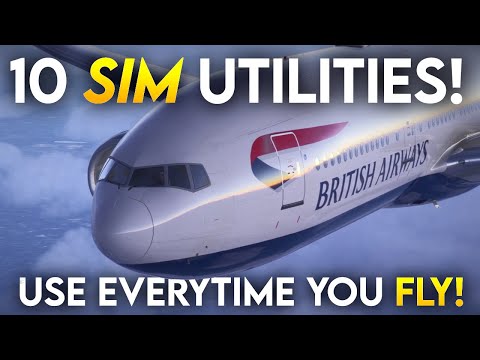
MSFS 2024 Save Hours with these ten must-know tricks - updates in description.


The Flying Doctor
View ChannelAbout
Yes, I am a Doctor. No I am not a medical Doctor, so if there is ever a shout on a plane I will be of little use to anyone. And I am not a pilot either, at least not a real one: flight sim is my thing. For some time, friends and colleagues have been intrigued by my interest in flight simulation. I often compare it to having a digital train-set and say that yes, it is about virtual flight, but it is also about working with computers and software and making them do the most amazing things.... There are some great YouTubers out there who have helped me along the way. I am really not convinced that I can add anything although different people bring their own unique style... Why not let me know what you think, and what you might be interested in seeing.
Latest Posts

Video Description
Further feedback from the comments on this vid (please like and subscribe). DOOR to enter plane For some users, walking around the plane and clicking wiht the mouse on the door works, but this did not work for me in an early iteration of the sim. I am stood up right close to it - I have found an open option but it disappears very quickly but when I retun over the same area, the option does not appear. CHOCKS - Thanks @Bilbo1968 0 @TheGochama "C key to crouch outside the plane - tab key by default opens the efb too btw" - but it is odd that the TAB command is clearly lsited as an option, not the C to Crouch. This did work for me. One of the problems seems to be that whilst some of these options are displayed during career mode, siad mode is not working for everyone, and even if they are, these options are not clear at the very beginning. Those into free-flight and porting from MSFS2020 will not be aware about some of htese optons. 0:50 Brief description on the ten tricks 3:15 Check controller deadzone - which can be a catastrophic problem 7:50 Getting into the aircraft when spawned at a hardstanding 9:10 Removing the chocks if you cannot remove them 11:38 How to turn of Developer Mode (needed to solve the chock problem) 12:00 Finding the Checklist on the Flight Tablet - with clear guidance on how to start the aircraft. 13:40 inporting Simbrief Flight Plans 15:00 Setting Custom Views 18:00 Reverting to MSFS 2020 Keyboard - how 18:45 Avoid skipping the taxi stage in Career Mode 19:30 Finding your Community Folder 24:00 Improving loading and stability using cache and bandwidth settings. To find your Community folder in MSFS 2024: Steam Version: C:\Users\[Your Username]\AppData\Roaming\Microsoft Flight Simulator 2024\Packages\Community Microsoft Store Version: C:\Users\[Your Username]\AppData\Local\Packages\Microsoft.Limitless_8wekyb3d8bbwe\LocalCache\Packages\Community Here are the direct links to the forum threads referenced in the video: Calibrating Control Deadzones: MSFS 2024 Controller Deadzone Discussion https://forums.flightsimulator.com/t/msfs-2024-controller-deadzone/669129 Entering the Cockpit: Controllers Settings FAQ https://forums.flightsimulator.com/t/controllers-settings-faq/664843 Removing Chocks: A330 Chocks Cannot Be Removed from EFB (but applies here) https://forums.flightsimulator.com/t/a330-chocks-cannot-be-removed-from-efb/665951 Utilizing the In-Tablet Checklist: MSFS 2024 Settings Overview https://forums.flightsimulator.com/t/msfs-2024-settings-overview/664853 Importing SimBrief Flight Plans: HOW TO for the MSFS 2024 https://forums.flightsimulator.com/t/how-to-for-the-msfs-2024/667035 Assigning Custom Camera Views: HOW TO for the MSFS 2024 https://forums.flightsimulator.com/t/how-to-for-the-msfs-2024/667035 Accessing Legacy Keyboard Bindings: HOW TO for the MSFS 2024 https://forums.flightsimulator.com/t/how-to-for-the-msfs-2024/667035 Adjusting Server Bandwidth Settings: MSFS 2024 Settings Overview https://forums.flightsimulator.com/t/msfs-2024-settings-overview/664853 Resetting MSFS 2024 to Default Settings: Transfer Controls to MSFS2024 https://forums.flightsimulator.com/t/transfer-controls-to-msfs2024/666012 NNCT48CVFJVADY8R
![[MSFS 2024] Master every landing using these tips](https://imgz.pc97.com/?width=500&fit=cover&image=https://i.ytimg.com/vi/sT36ykp6HI4/hqdefault.jpg)







![[MSFS 2024] Give yourself a second chance - From Zero To Hero in Career Mode](https://imgz.pc97.com/?width=500&fit=cover&image=https://i.ytimg.com/vi/Jf3WDb8xGsc/hqdefault.jpg)


Master MSFS 2024 Faster
AI-recommended products based on this video

Logitech G203 Wired Gaming Mouse, 8,000 DPI, Rainbow Optical Effect LIGHTSYNC RGB, 6 Programmable Buttons, On-Board Memory, Screen Mapping, PC/Mac Computer and Laptop Compatible - Black

Logitech G305 LIGHTSPEED Wireless Gaming Mouse, Hero 12K Sensor, 12,000 DPI, Lightweight, 6 Programmable Buttons, 250h Battery Life, On-Board Memory, PC/Mac - Black

Logitech K400 Plus Wireless Touch TV Keyboard With Easy Media Control and Built-in Touchpad, HTPC Keyboard for PC-connected TV, Windows, Android, Chrome OS, Laptop, Tablet - Black
