Photopea - Remove Background using Magic Cut | Photopea Online Editor | Photopea tutorial

f&D
View ChannelAbout
Hi Everyone, Thi is f&D YouTube Channel maintained by Feroz and Daniel. Here you can find tutorials on GIMP, Picsart and other Image editing softwares and apps. Here you can also find other Tech related Tutorials on fixing errors, Removing virus and other Tech related tutorials. Subscribe us if you like our Videos. God Bless!!
Latest Posts


Video Description
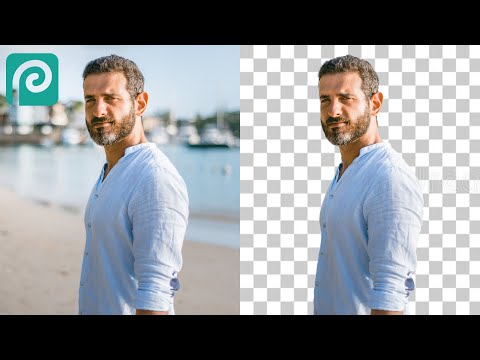
Hi this is Daniel from f&D, In this video I'm gonna show you How to Remove Background from a Image using the free browser based image editor called Photopea. Note: Photopea is mostly like a duplicate version of Photoshop. You can find many Photopea tools similar in Photoshop. Steps: 1. Open Photopea in your Browser 2. Drag and Drop your Image you need to remove background 3. Go to Select - Magic Cut 4. Use green color to select the foreground 5. Use red color to select the background 6. Make it as new layer 7. Save the image in png format That's it. Thanks for Watching Also Watch Remove Background using pen tool in Photopea: https://youtu.be/RNcoGkZQgKQ Subscribe us: http://bit.ly/Subscribe-fandD
Upgrade Your Travel Gear
AI-recommended products based on this video

SanDisk 64GB Extreme PRO SDXC UHS-I Memory Card - C10, U3, V30, 4K UHD, SD Card - SDSDXXU-064G-GN4IN
