Playwright Automation Tutorial for Beginners from Scratch
About
No channel description available.
Latest Posts



Video Description
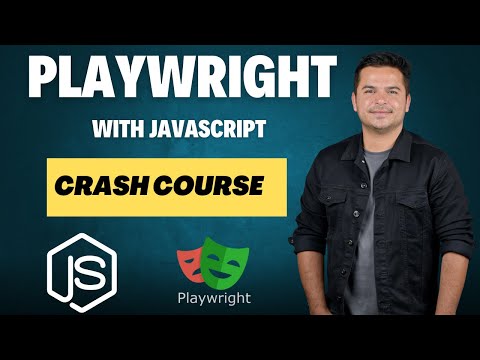
Welcome to this Playwright Automation Tutorial for Beginners!. If you're planning to learn Playwright from scratch then your search ends here. This crash courses covers everything you need to know, from the basics to building a full-fledged framework, integrating with Jenkins, Git, and GitHub. Whether you're new to automation engineer or want to sharp your Playwright skills, this step-by-step guide will help you on your journey. What You'll Learn: What is Playwright and why it's a powerful tool for automation Setting up your environment with NodeJS and VSCode on Windows and Mac Writing your first Playwright test cases with assertions Interacting with web elements, verifying text, and handling browser windows Capturing screenshots, videos, and trace files Recording and playing scripts, retrying failed test cases, and much more Advanced topics like handling dropdowns, frames, alerts, and dynamic network calls Using Playwright with Page Object Model, GitHub, and Jenkins for CI/CD integration. 00:00:00 - Intro 00:02:02 - What is Playwright 00:13:03 - Install NodeJS On Windows 00:21:30 - Install VSCode On Windows 00:29:23 - Install NodeJS On MAC 00:33:12 - Install VSCode For MAC 00:55:26 - How To Write First Playwright TestCase With Assertion 01:24:06 - How To Interact With WebElement In Playwright 01:47:48 - How To Verify Text In Playwright 01:59:52 - How To Maximize Browser Window In playwright | Viewport In Playwright 02:06:37 - How To Take Screenshots | Videos | Trace Files in Playwright 02:15:11 - How To Record And Play Scripts In Playwright | Playwright Test Generator| Codegen Playwright 02:32:41 - How To Retry Failed Test Cases in Playwright 02:44:22 - Install Playwright In Visual Studio Code 02:55:00 - Handle Dropdown In Playwright And Verify Dropdown Values 03:26:02 - How To Run Playwright Test From Command Line | Execute Test In Headed Mode | Playwright CLI Options 03:49:25 - How To Perform Mouse Hover In Playwright 03:59:41 - How To Upload Files In Playwright With JavaScript 04:09:58 - How To Handle Keyboard Actions In Playwright 04:25:12 - How to Handle Autocomplete or Handle Auto Suggestion In Playwright 04:43:29 - How To Handle Alert In Playwright 05:13:50 - How To Handle Frames and IFrames In Playwright 05:26:44 - How To Handle multiple tabs in Playwright 05:43:57 - How To Handle Dynamic Network Call In Playwright 05:53:16 - How To Read Data From JSON File In Playwright | Data Driven Test In Playwright 06:24:32 - How to Generate Allure Reports In Playwright Automatically With Screenshot 06:43:42 - Page Object Model In Playwright With JavaScript 07:25:15 - How To Push Playwright Test To Github 07:49:03 - How To Run Playwright With Jenkins Checkout our free and paid courses https://courses.learn-automation.com/ Connect with us: Email - [email protected] Linkedin- https://www.linkedin.com/in/mukesh-otwani-93631b99/ Instagram- https://www.instagram.com/mukeshotwaniofficial/ Facebook Group- https://www.facebook.com/groups/256655817858291 Related Keywords playwright automation tutorial, playwright javascript, playwright beginner guide, playwright ci cd, playwright with jenkins #Playwright #AutomationTesting #WebTesting #JavaScript #QA






Upgrade Your Photography Gear
AI-recommended products based on this video

koolehaoda L Shape Camera Bracket, Video Vertical Shooting Quick Release Plate L Stand Arca Swiss Compatible for Tripod Head Ballhead DSLR Camera

NEEWER CA076 Zfc Handgrip L Shape Grip for Nikon Z fc, Ultra Thin Retro Formfitting Camera Mounting Baseplate with Handle/Brass Shutter Button, Compatible with Arca Swiss Tripod Fluid Head, Black

SmallRig FX3 / FX30 HawkLock Quick Release Camera Cage Kit for Sony with Cable Clamp, Bulit-in QR Cold Shoe NATO Rail/QR Plate for Arca, Modular Design Compatible with Original XLR Handle - 4770

SmallRig ZV-E1 Camera Baseplate for Sony ZV-E1, Built-in Cold Shoe Mount and QR Plate (for Arca) Quick Switch Between Tripod and Stabilizer for DJI RS 2 / RSC 2 / RS 3 / RS 3 Pro - 4314
SmallRig ZV-E1 Camera Baseplate for Sony ZV-E1, Built-in Cold Shoe Mount and QR Plate (for Arca) Quick Switch Between Tripod and Stabilizer for DJI RS 2 / RSC 2 / RS 3 / RS 3 Pro - 4314

NEEWER a6700 L Plate Compatible with Sony Alpha 6700, Quick Switch Aluminum Extendable Side Plate & Anti Twist Baseplate Compatible with Arca Swiss QR System DJI RS 2 RSC 2 RS 3 Pro Gimbals, CA048

SmallRig Baseplate for Sony Alpha 6700, Bottom Mount Plate Built-in Quick Release Plate for Arca, Supporting Quick Switch Between Tripod and Stabilizer (for DJI RS 2 / RSC 2 / RS 3 / RS 3 Pro) - 4338
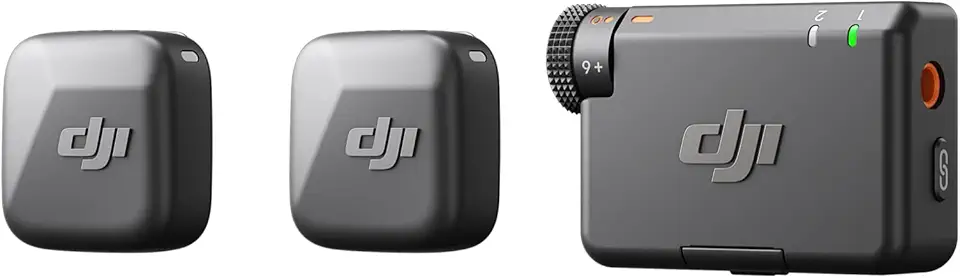
DJI Mic Mini (2 TX + 1 RX), Detail-Rich Audio, Wireless Lavalier Microphone for Camera/Android, 2-Person Vlog, Team Production
SmallRig ZV-E1 Camera Baseplate for Sony ZV-E1, Built-in Cold Shoe Mount and QR Plate (for Arca) Quick Switch Between Tripod and Stabilizer for DJI RS 2 / RSC 2 / RS 3 / RS 3 Pro - 4314
NEEWER a6700 L Plate Compatible with Sony Alpha 6700, Quick Switch Aluminum Extendable Side Plate & Anti Twist Baseplate Compatible with Arca Swiss QR System DJI RS 2 RSC 2 RS 3 Pro Gimbals, CA048
SmallRig Baseplate for Sony Alpha 6700, Bottom Mount Plate Built-in Quick Release Plate for Arca, Supporting Quick Switch Between Tripod and Stabilizer (for DJI RS 2 / RSC 2 / RS 3 / RS 3 Pro) - 4338
DJI Mic Mini (2 TX + 1 RX), Detail-Rich Audio, Wireless Lavalier Microphone for Camera/Android, 2-Person Vlog, Team Production

SmallRig FX3 / FX30 HawkLock Quick Release Camera Cage Kit for Sony with XLR Handle Extension, Wrist Strap and Cable Clamp for HDMI, QR Cold Shoe, NATO Rail/QR Plate for Arca,Titanium Gray - 4771
