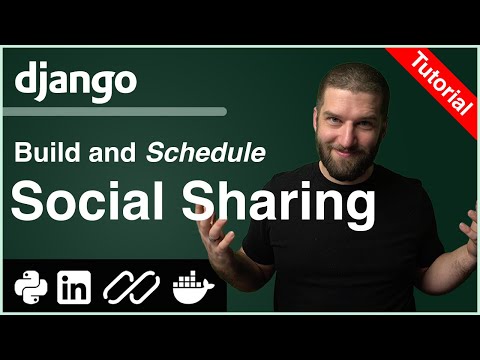
Python Tutorial: Build a Social Share Scheduler for LinkedIn with Django and Inngest

CodingEntrepreneurs
@codingentrepreneursAbout
Learn, Build, and Earn. Coding Entrepreneurs is here to help you learn the skills you need to build the projects you want. Learn by doing everything we do step-by-step. Practical and hands-on. Let's do this. 💽 Code: https://github.com/codingforentrepreneurs 🚀 Enroll. Learn to code. Launch your project: https://cfe.sh/enroll 🚀



Video Description
🚀 Start using Inngest for free right now: https://innge.st/yt-CE-1 Share Posts on LinkedIn through Python and Django is a very easy process. Get some API keys and send an HTTP POST Request. What's not so easy, is reliably scheduling those posts for a later date. What's more, setting up a system that is ready to share not just on LinkedIn but any other social platform that has an API to do so. So we need to solve two primary things: ‣ OAuth - Connecting LinkedIn users to our Django users ‣ Scheduling/Offloading tasks - Using just Django (thanks to Inngest), to run our tasks later The OAuth process is this: ‣ We create an "App" on LinkedIn (or Facebook or X or Discord or whatever) ‣ We connect that "LinkedIn App" to our Python code via API Keys through Environment Variables ‣ Django & Django AllAuth are configured with those keys ‣ User logs in clicking the "Login with LinkedIn" button ‣ Django and LinkedIn talk to ensure all permissions are valid ‣ LinkedIn shares an Access Token to Django, Django stores it ‣ Through Django, our code can now post to LinkedIn via the LinkedIn API, our LinkedIn App, a User's Access Token, and an HTTP Request. The first part of this course is dedicated to enabling Django to be connected to LinkedIn users to login and share posts. The second part of this course is dedicated to building a scheduling system via Inngest. Thanks to Inngest for partnering with us on this course. Show them some love by signing up right now https://innge.st/yt-CE-1 (it's free) ⦿ Course Code: https://github.com/codingforentrepreneurs/Social-Share-Scheduler ⦿ LinkedIn Post from the course (actual post from the demo): https://www.linkedin.com/posts/justinmitchel_hello-world-this-is-a-demo-from-my-new-course-activity-7353159792107905024-tl5_?utm_source=share&utm_medium=member_desktop&rcm=ACoAAAC3efIBKP1EwXh4DtLky2-WBW3wn1xtoD8 📺 Chapters 00:00:00 Welcome 00:02:17 Demo 00:06:00 Create a Python Virtual Environment 00:10:19 Create the Django Project 00:14:32 Creating a Django Admin User 00:18:58 Django AllAuth Quickstart Setup 00:25:55 LinkedIn with Django AllAuth & OpenID Connect 00:32:36 Redirect URL & Login with LinkedIn 00:37:40 Store User Access Tokens with Django AllAuth 00:40:11 Django with Interactive Python 00:45:46 Reverse Lookup for User Token 00:52:08 Share to LinkedIn with Python Part 1 01:00:23 Share to LinkedIn with Python Part 2 01:05:21 Share to LinkedIn with Python Part 3 01:07:06 Python Helper Function for Linkedin Share 01:18:11 Store Social Posts in Database through Django 01:26:34 Using the Django Model Save Method 01:32:21 Human Readable Model Error Messages 01:37:26 Ensure User has LinkedIn OAuth Connected 01:43:05 Share to LinkedIn via Database Entry 01:44:52 Improved Validation on the Post Model 01:50:41 Prototyping User Features in the Django Admin 02:03:42 Inngest & Django 02:07:25 Inngest Development Server with Docker 02:11:32 Configure Inngest with Django 02:21:44 Invoke Django-based Inngest Function in Jupyter 02:28:03 Trigger Inngest Function via Django Model Save 02:34:30 Fields to Schedule Sharing 02:39:43 Prevent Duplicate Share Events 02:43:20 Mock Post to LinkedIn via Inngest Function 02:51:51 Schedule Inngest Events 02:57:08 Scheduling via Inngest Function Step Sleep 03:04:12 Update QuerySet to Prevent Recursive Saving 03:08:04 Background Jobs with Inngest Functions 03:14:25 Timezone as a Workflow Node 03:18:50 Using Inngest Cloud With Django 03:27:58 Thank you and next steps









Boost Your Coding Setup
AI-recommended products based on this video

It's Not Easy Being a Bunny: An Early Reader Book for Kids

Little Blue Truck's Springtime: An Easter And Springtime Book For Kids – An Interactive Adventure with Baby Animals

Happy Easter, Little Critter (Little Critter): An Easter Book for Kids and Toddlers

Happy Valentine's Day, Mouse!: A Lovely Valentine's Day Book for Kids (Ages 4-8)

Freenove Ultimate Starter Kit for BBC micro bit (V2 Included), 316-Page Detailed Tutorial, 225 Items, 44 Projects, Blocks and Python Code

Laptop Sleeve Case 11–14 Inch MacBook Air MacBook Pro Surface Laptop Dell XPS 13 HP Envy Pavilion Lenovo Yoga Slim IdeaPad Acer Swift Chromebook Samsung Galaxy Book Shockproof Leather Bag Colour Blue

Gumdrop ProTech Case for Dell New XPS 13 Plus 9320 Laptop- Slim Lightweight Case with Energy Displacement Protection, Non-Skid Rubber Feet and Frosted Exterior for Bumps and Drops (Black)

65W 45W USB C Laptop Charger Compatible with Dell Latitude 5420 5430 5520 5530 7340 7430 Inspiron 14 16 XPS 13 Chromebook 3100 Dell Computer Type C Fast Charging AC Adapter Power Cord

Charger for Dell Computer Inspiron XPS Laptop 65W 45W Power Supply AC Adapter for Dell-Inspiron 15-3000 15-5000 15-7000 11-3000 13-5000 13-7000 17-5000 XPS 13 Series 5559 5558 5755 5758 Laptop Charger

Logitech M185 Wireless Mouse, 2.4GHz with USB Mini Receiver, 12-Month Battery Life, 1000 DPI Optical Tracking, Ambidextrous, Compatible with PC, Mac, Laptop - Black

Logitech G203 Wired Gaming Mouse, 8,000 DPI, Rainbow Optical Effect LIGHTSYNC RGB, 6 Programmable Buttons, On-Board Memory, Screen Mapping, PC/Mac Computer and Laptop Compatible - Black

Logitech G305 Lightspeed Wireless Gaming Mouse, Hero 12K Sensor, 12,000 DPI, Lightweight, 6 Programmable Buttons, 250h Battery Life, On-Board Memory, PC/Mac - Black

Logitech G502 Hero High Performance Wired Gaming Mouse, Hero 25K Sensor, 25,600 DPI, RGB, Adjustable Weights, 11 Programmable Buttons, On-Board Memory, PC/Mac, Black

Dell UltraSharp 24 Monitor - U2424H

Dell UltraSharp U2723QE 27" 4K UHD WLED LCD Monitor - 16:9 - Black, Silver EPEAT

Dell UltraSharp U2725QE 27' 4K Thunderbolt-Hub-Monitor mit Bildwiederholfrequenz Von 120Hz
Freenove Ultimate Starter Kit for BBC micro bit (V2 Included), 316-Page Detailed Tutorial, 225 Items, 44 Projects, Blocks and Python Code
It's Not Easy Being a Bunny: An Early Reader Book for Kids
Little Blue Truck's Springtime: An Easter And Springtime Book For Kids – An Interactive Adventure with Baby Animals
Happy Easter, Little Critter (Little Critter): An Easter Book for Kids and Toddlers