Reaper DAW 101:- The Basics - PART 1


Adam Steel
@adamsteelproducerAbout
The "Reaper" Guy, Adam Steel. Bass Player, Mixing Engineer, British. Based in the Hop Pole Studios near Manchester, England, we provide Guitar Re-amping, band recording, mixing, mastering and many more finely detailed crafts at http://www.hoppolestudio.com - have a look!
Latest Posts



Video Description
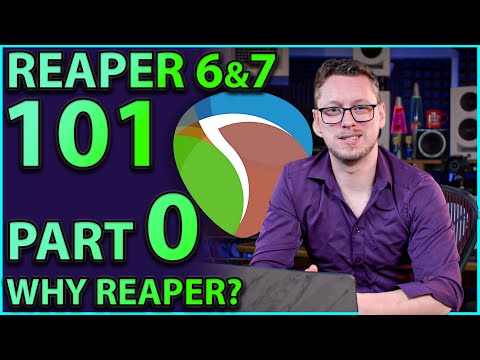
➡️➡️ Check out our ULTIMATE GUIDE TO REAPER with Pro Mix Academy:- https://promixacademy.com/course/the-ultimate-guide-to-reaper/ ➡️➡️Join the HPS Discord:- https://discord.gg/3bykYUD ➡️➡️ Support us on Patreon! - https://www.patreon.com/HopPoleStudios Have you ever wanted to get into music production by using Reaper? The DAW That does it all, today we begin with the basics, and getting started. In this tutorial, we look at getting sound from your system, recording audio, recording MIDI and more - and then we get into more advanced topics in the next few parts of the series. 🔌🔌What gear to buy? We recommend interfaces, microphones, monitors and more at our Thomann (Europe) and Sweetwater (USA) links below https://www.thomann.de/gb/thlpg_loh2r50bbj.html?offid=1&affid=592 https://imp.i114863.net/DVNrad ★ FOLLOW US HERE ★ Facebook: https://www.facebook.com/adamsteelproducer Instagram: https://www.instagram.com/adamsteelproducer TIMESTAMPS 0:00 Intro 3:24 Connections, Programs and Drivers 12:32 Distrokid Spot 21:28 SAVE YOUR WORK 22:58 Working with Media (playing back files) 27:03 Looping 28:53 Recording Audio 33:11 Mute and Solo 34:10 The Mix Window 35:24 Adding Effects (as Inserts) 40:52 Adding Effects (as Sends) 46:07 The concept of "Tracks" in REAPER 47:20 Recording MIDI (and choosing inputs) 55:06 Virtual MIDI Keyboard and Editing MIDI 58:26 Snapping to the Grid 1:00:39 Splitting a clip More parts of the series here:- PART 2 - Inbuilt Effects:- https://youtu.be/WmAp2153GDg PART 3 - Routing:- https://youtu.be/yNemQmAmzq4 PART 4 - External Effects:- https://youtu.be/zhqLUq5Nxy8 PART 5 - Stems & Renders:- https://youtu.be/FJb1lS-O4bc PART 6 - Remote Control:- https://youtu.be/QI2jK94Tv1g PART 7 - Drum Routing:- https://youtu.be/30s6-cCuysY PART 8 - Backups:- https://youtu.be/nmqjBYQJNFc Reaper 6:- What's New? :- https://youtu.be/E2eFXbhSRtA Releasing your album through Spotify or iTunes? Use DistroKid - get some money off publishing your work to iTunes, Spotify and loads more places whilst also helping us out! http://distrokid.com/vip/hoppole *All links are affiliate links* #Reaper #ReaperDAW #Basics
Launch Your Music Production Journey
AI-recommended products based on this video

OneOdio Wired Over Ear Headphones Hi-Res Studio Monitor & Mixing DJ Stereo Headsets with 50mm Drivers and 1/4 to 3.5mm Jack for AMP Computer Recording Podcast Keyboard Guitar Laptop - Black

Edifier R1280T Powered Bookshelf Speakers - 2.0 Active Near Field Studio Monitor Speaker - Wooden Enclosure - 42 Watts RMS Power

UGREEN Magnetic USB C to 3.5mm Audio Adapter and Charger 2 in 1 Hi-Res 32bit/384kHz Aux to USB C with PD 60W Fast Charging Dongle Cable for iPhone 16/15 Pro Max, Galaxy S25Ultra, Pixel 9, iPad Pro/Air
OneOdio Wired Over Ear Headphones Hi-Res Studio Monitor & Mixing DJ Stereo Headsets with 50mm Drivers and 1/4 to 3.5mm Jack for AMP Computer Recording Podcast Keyboard Guitar Laptop - Black

FIFINE USB/XLR Dynamic Microphone for Podcast Recording, PC Computer Gaming Streaming Mic with RGB Light, Mute Button, Headphones Jack, Desktop Stand, Vocal Mic for Singing YouTube-AmpliGame AM8 Global Recycled Standard ClimatePartner certified
