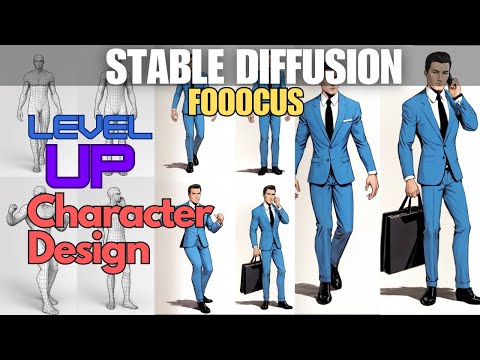
Stable Diffusion 1.5 with Fooocus - Yes you can!


Kleebz Tech AI
@kleebztechAbout
AI tutorials and other AI related content. I am a Creative Partner with Nim.video and you can get 50% off the first month with my affiliate link (I do receive compensation as well if you sign up): https://nim.video/l/ILikeToasters


Video Description
In this video I will show you how to use Stable Diffusion 1.5 with Fooocus. Fooocus is designed for SDXL but you can use it with SD 1.5 with this simple method.🎨 #Fooocus #StableDiffusion #DigitalArt #ImageManipulation #CreativeTools Fooocus is a great interface for using Stable Diffusion and is very easy to get started. It also will run on systems with only 4GB VRAM. I am running on an i5 32GB RAM Nvidia 3070 8GB VRAM If you find the video useful and would like to tip, YouTube does have the Super Thanks option. Those are greatly appreciated so I can have my coffee!! ☕ BUY ME A CUP OF ELECTRICITY: https://ko-fi.com/kleebztech Patreon: https://www.patreon.com/KleebzTech Fooocus Link: https://github.com/lllyasviel/Fooocus How to install Fooocus video: https://youtu.be/j1WuQndmgFE Fooocus Beginners Guide: https://youtu.be/HWCmuxqz7pw Fooocus Upscales and Variations: https://youtu.be/9FZe7n9VO-Q Checkpoints and LoRAs the Basics: https://youtu.be/GgEEb2K0j7s Zoom with Outpainting: https://youtu.be/y_XqkTfOv_I Fooocus Poses and FaceSwap - Image Prompts: https://youtu.be/2hW0M-Y1R6k Inpainting with Fooocus - Don't Regenerate, Fix!: https://youtu.be/jlxabL3vRTY Background Replacement with Fooocus: https://youtu.be/fARdZK2fCPo Fooocus Tips and Tricks (and AI Hands) https://youtu.be/QrkpFa4ArVM Stable Diffusion - Styles in Fooocus - How do they work?: https://youtu.be/Sr2yXOSexy0 FaceSwap and Consistent Character TipsPart 1: https://youtu.be/Dt9Jfocv4dc FaceSwap and Consistent Character Tips - Part 2: https://youtu.be/MntZa4qLwn8 00:00 Intro 00:45 Setting up Models 06:15 LoRAs







Essential Camera Upgrades
AI-recommended products based on this video

SanDisk 128GB Extreme PRO SDXC UHS-I Memory Card - C10, U3, V30, 4K UHD, SD Card - SDSDXXD-128G-GN4IN

Kaiess 62" Tripod for iPhone, Selfie Stick Tripod & Phone Tripod Stand with Remote, Cell Phone Tripod for iPhone, Extendable Travel Tripod Compatible with iPhone 14/13/12 Pro Max/Android

SmallRig ZV-E1 Camera Baseplate for Sony ZV-E1, Built-in Cold Shoe Mount and QR Plate (for Arca) Quick Switch Between Tripod and Stabilizer for DJI RS 2 / RSC 2 / RS 3 / RS 3 Pro - 4314
