Striped 3D Shapes Tutorial | Adobe Illustrator


Ste Bradbury Design
View ChannelAbout
Hello! My name is Stephen Bradbury; I'm a Graphic Design graduate from Manchester, UK, specialising in Hand Lettering. Here on this channel I upload both Speed Arts & Tutorials. I don't have an upload schedule since I upload these videos for fun, and having a schedule almost makes putting videos out for you guys a chore and can often be stressful, at least to me anyway. You can't force creativity! A lot of the work I upload on here are client projects, so if you were going to ask if I do freelance, there is your answer! Yes! If you would like to inquire about my services, you can find my contact email below. Thank you for reading and I hope you enjoy the content.
Latest Posts


Video Description
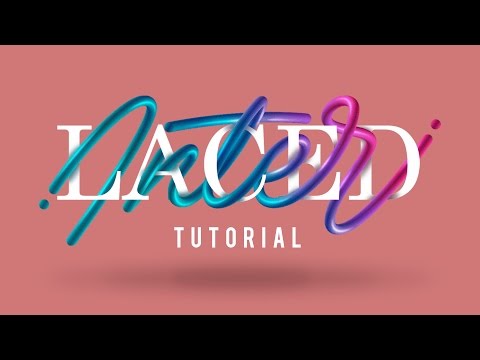
My Links! https://creativemarket.com/SteBradbury http://instagram.com/stebradbury https://www.facebook.com/stebradburydesign https://twitter.com/LetteringAddict http://www.behance.net/SteBradbury https://dribbble.com/SteBradbury http://www.stebradburydesign.co.uk Monoline Script https://creativemarket.com/SteBradbury/1614946-Monoline-Script-Font Hey guys! In this tutorial I will show you how to create two different striped 3D shapes within Adobe Illustrator. The methods used in this video can be applied to a variety of different shapes, and the directions of the lines can also be experimented with. There are truly endless results you can achieve with these processes, so I look forward to seeing what you guys can do with this knowledge! One of the shapes we will make is a sphere/globe, and the other is a ring/doughnut shape. These shapes are easy to create in a 2D sense, but creating a 3D version of that within Illustrator isn't so straight forward, so in this tutorial I walk you through the necessary steps to achieve a 3D look. I really hope this tutorial comes of some use to you guys, whether it be the tutorial itself, or even just some shortcuts/tips used within the process which you didn't already know. As always, let me know what you think of the tutorial, let me know if you have any tutorial ideas you want me to make, and if you use this tutorial and post something on social media, feel free to tag me, I always love seeing what you guys create after watching one of my tutorials! Take it easy everyone! Song Used https://soundcloud.com/joakimkarud/great-days Joakim Karud https://twitter.com/JoakimKarud https://soundcloud.com/joakimkarud https://www.facebook.com/joakimkarudmusic Intro created by Koencept https://www.youtube.com/Koencept Intro Song https://www.youtube.com/watch?v=i9e7O7OUglk Contact me: E-Mail [email protected] Skype SteBradburyDesign (Business Enquiries Only Please)
Master 3D Design Faster
AI-recommended products based on this video

Crucial T705 4TB PCIe Gen5 NVMe M.2 SSD - Up to 14,100 MB/s - Game Ready - Internal Solid State Drive (PC) - +1mo Adobe CC - CT4000T705SSD3

SmallRig FX3 / FX30 HawkLock Quick Release Camera Cage Kit for Sony with Cable Clamp, Bulit-in QR Cold Shoe NATO Rail/QR Plate for Arca, Modular Design Compatible with Original XLR Handle - 4770

OVERTURE PLA Filament 1.75mm PLA 3D Printer Filament, 1kg Cardboard Spool (2.2lbs), Dimensional Accuracy +/- 0.02mm, Fit Most FDM Printer (White 1-Pack)
