Teams Tutorial


Learn Skills Daily
@learnskillsdailyAbout
BECOME A MEMBER TO UNLOCK AD-FREE VIDEOS Learn Skills Daily provides on-demand video courses on a wide range of software and subjects. From the deep data tools of Microsoft Excel to the endless creative possibilities of Adobe Photoshop to the collaborative concoction of Microsoft Teams, we've got you covered. At Learn Skills Daily, we've been fine-tuning our teaching methodology for over 25 years. Our videos are specifically designed to emulate the same great experience you get from a live class. Plus, you can learn at your own pace, following along with our try-it-yourself exercise files. If you're serious about learning, we're serious about providing you with a better learning platform.
Latest Posts


Video Description
Teams Tutorial Get Ad-Free Training by becoming a member today! https://www.youtube.com/channel/UCqyBfm_H9ugGirk1ufYA2YA/join Join Learnit Anytime for ad-free training, exams, certificates, and exclusive content: https://www.learnitanytime.com Who it's for: Microsoft Teams is for business employees who want to change the way they work with the best communication and collaboration tools. What it is: Microsoft Teams is a collaborative environment that allows you to bring your colleagues, content, and conversations together, all in one place, with real-time collaboration. What you'll learn: Learn how to create teams in order to group, manage, and communicate with your colleagues. Make content readily available by adding channels for different projects or topics. Then, add tabs for easy access to files, so you and your team members can seamlessly collaborate across multiple documents. Start 0:00 Introduction 0:03 Course Overview 0:59 What is Teams? 2:25 Shortcuts and Apps 5:11 Planning and Creating Teams 11:02 Editing and Sharing Teams 17:32 Assigning Owners and Permissions 19:44 Creating Standard and Private Channels 24:27 Creating and Managing Posts 30:03 Integrating Services 35:53 Scheduling Meetings 45:56 Meeting Options 52:23 Hosting Meetings in Channels 57:36 Other Useful Settings 1:11:05 Conclusion 1:17:45 #microsoftteams #microsoftteamstutorial Learnit is no longer associated with this channel/video. (C) 2025 Bomberry Productions Any illegal reproduction of this content will result in immediate legal action.
You May Also Like





Essential RC Plane Kits
AI-recommended products based on this video

Battery Head Strap 10000mAh Compatible with Meta Quest 3 & Meta Quest 3S, Battery Pack Soft Elite Strap for Balance Weight, Extend Playtime & Enhance Immersion & Fast Charge Battery Strap Accessories
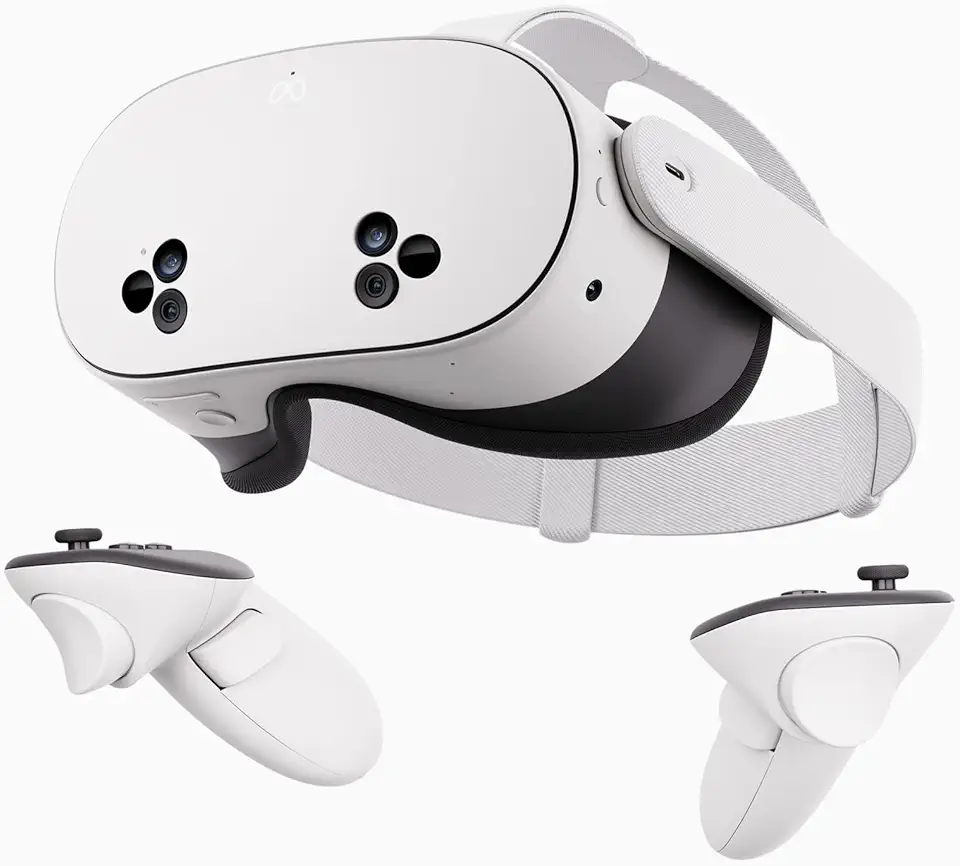
Meta Quest 3S 128GB | VR Headset — Thirty-Three Percent More Memory — 2X Graphical Processing Power — Virtual Reality Without Wires — Access to 40+ Games with a 3-Month Trial of Meta Horizon+ Included
